Machine Setup & Installation
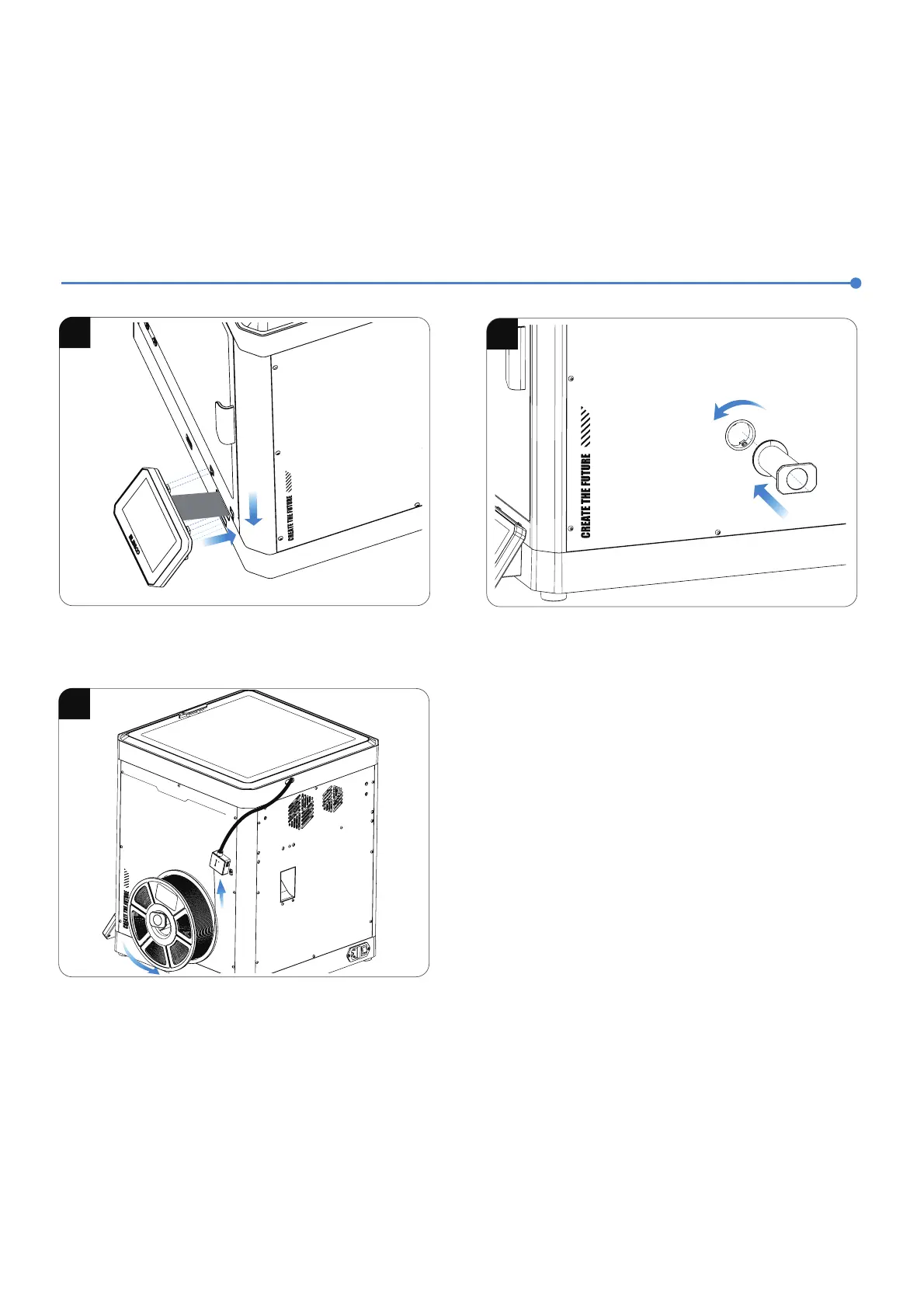
4.Install the screen into the corresponding slot on the printer
and push it down to lock it in place.
5.Mount the spool holder onto the hole on the right side of the
machine and secure it by turning counterclockwise.
6.Load the filament by inserting one end into the filament detector
and pushing it forward until it reaches its maximum position.
滹
滺
滻
滺
C
entau
ri C
a
rb
o
n















 To Next Page