Instructions for Use
① Scroll the middle mouse wheel to zoom the
viewpoint, and hold down the middle wheel
to move the platform position.
② Press and hold the right mouse button to
move the mouse to change the viewpoint.
③ Click the right mouse button will bring up a
pop-up selection.
Other operation tips:
18
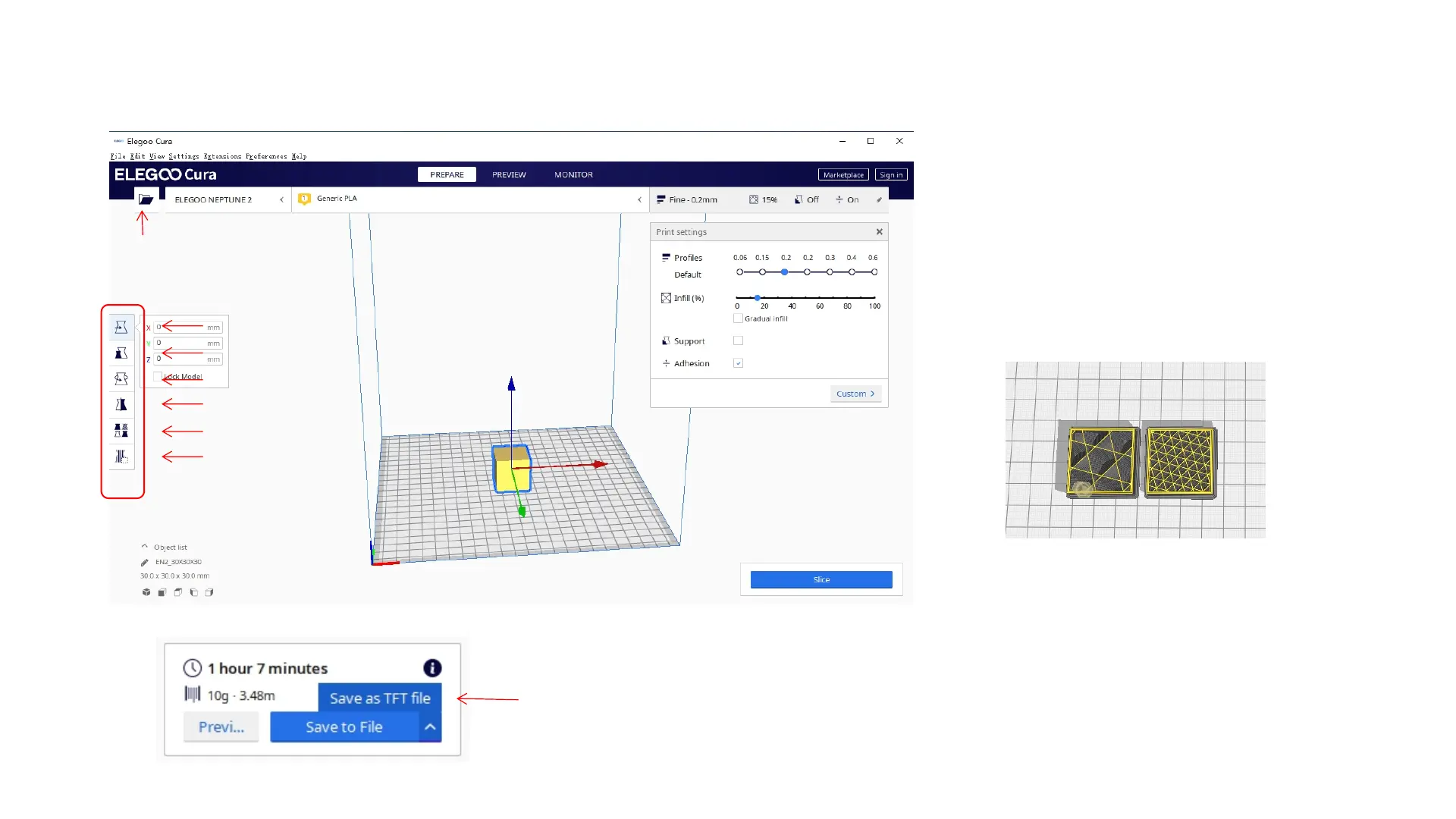
Model setting:When printing multiple models,
you can configure individual slice settings for the
specified model.
Support sturcture interception:You can set the
intercept region on the model so that the set
region does not generate support structure.
Move
Zoom
Rotate
Mirror image
Model setting
Support structure
interception
Import model
Preview image function
Preview image function: Gcode files saved in
TFT file format can use to preview the model
image in the selection file on the printer, which
can identify the printed file more visually.



 To Next Page