Online Print
l Connect the printer and computer with USB cable, double-click to open the slicing software, select the
corresponding model and then click on the monitor, if the interface shows a blank then it proves that
the connection is not successful, you need to install the driver.
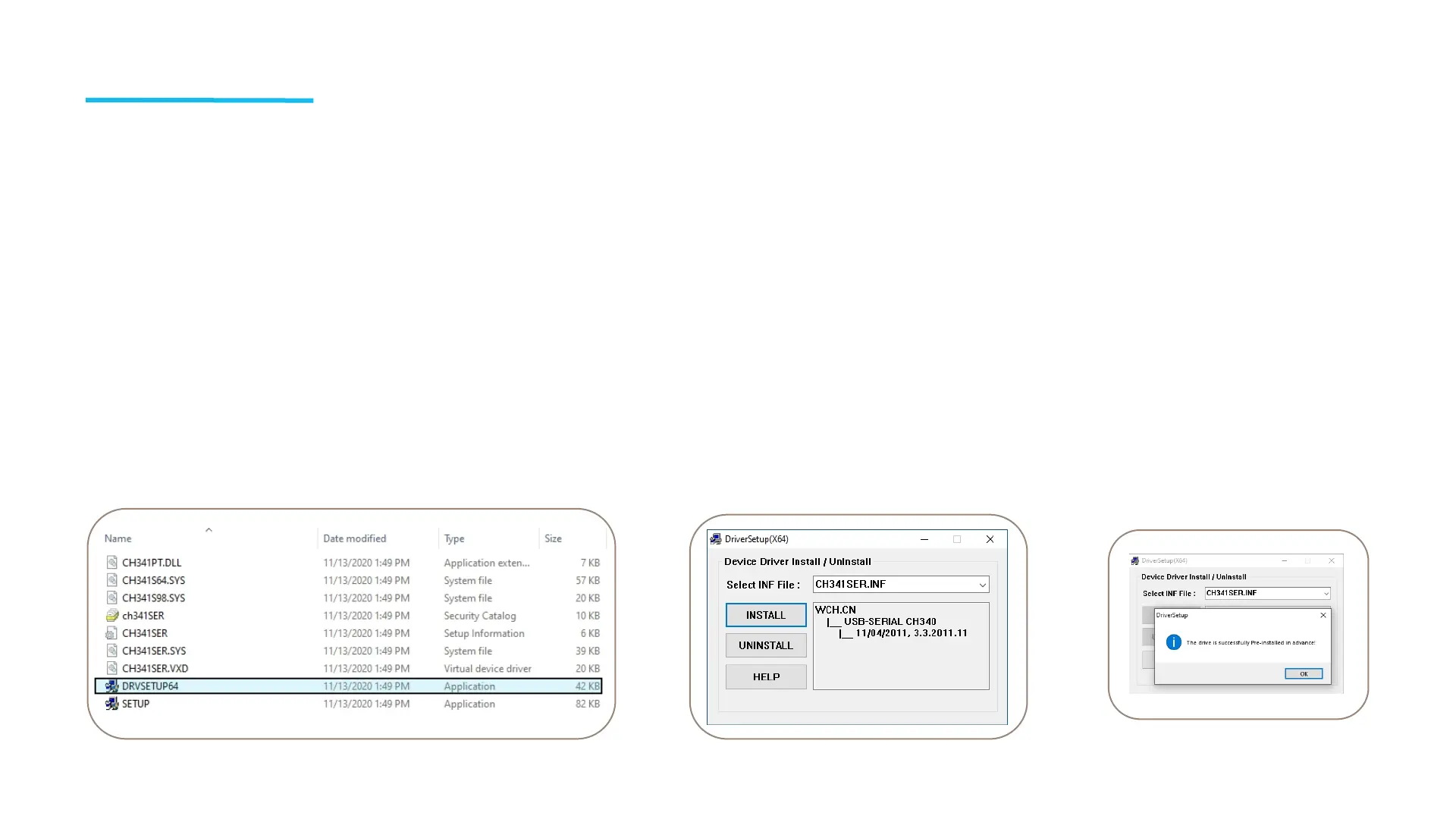
l The driver installation method is as follows: Open the profile of the TF card to select the path \
Software and Software Driver Folder \ Software Driver Folder \ CH340G USB Driver Folder \ Double-
click the [DRVSETUP64] file to run it and click to install it. (As shown in the picture below.) Please
note that this driver software has no virus, so please feel free to install it. If your antivirus software
determines that it is a virus, you can close your antivirus software for a while and then continue to
install the driver software.
19



 To Next Page