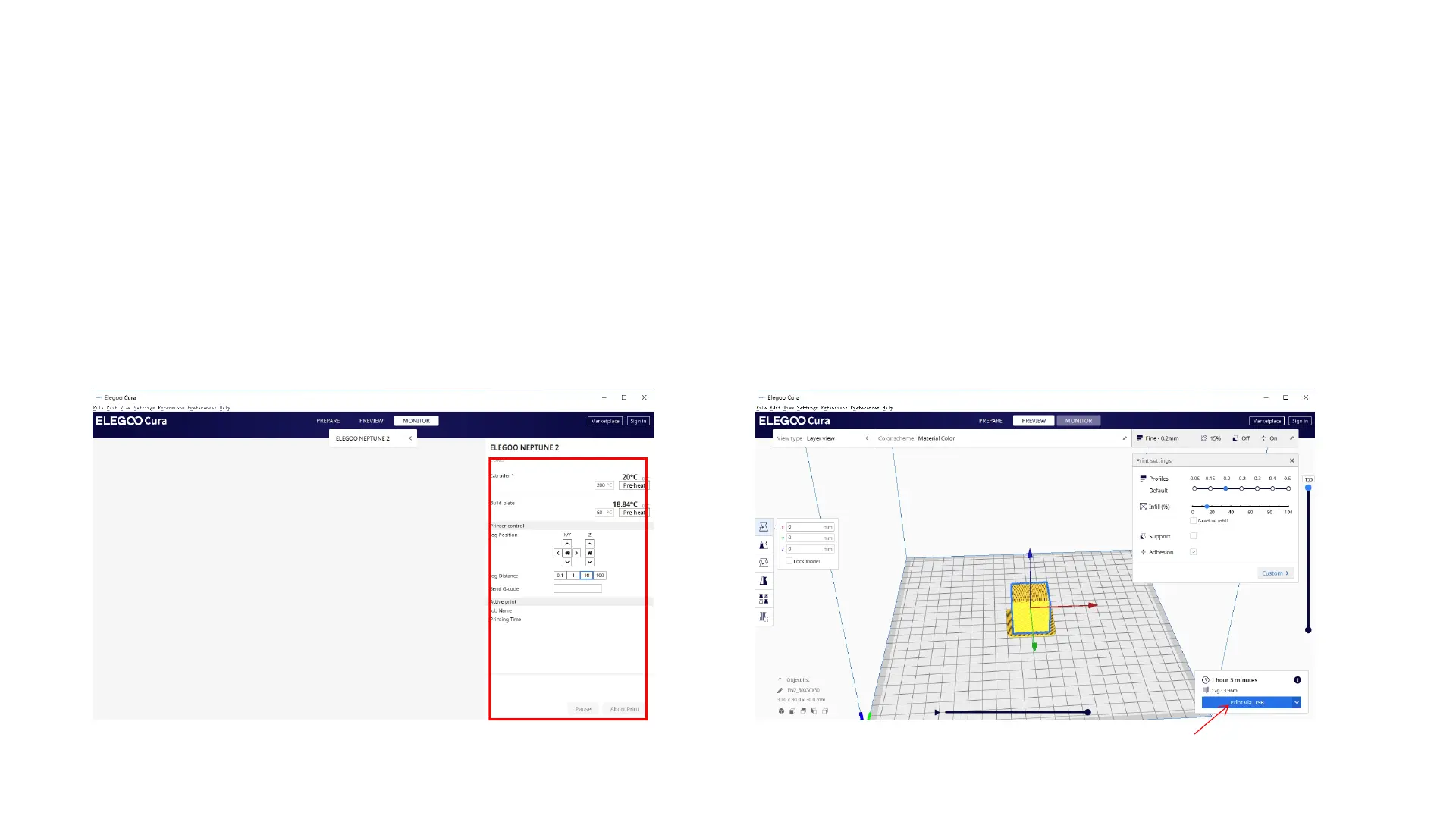
l After the driver installation is complete, reconnect the USB cable, open the ELEGOO slicing software, and
then click on the monitor, if it display the printer model and other information, the computer has been
successfully connected.
l After importing the model, set the print temperature, layer thickness and other relevant information, and then
click on the 【slice】, select the USB online printing.
l The power cannot be cut off and the computer cannot go into screensaver or hibernation mode when
connected to printing via USB cable to prevent data transfer failure.
20



 To Next Page