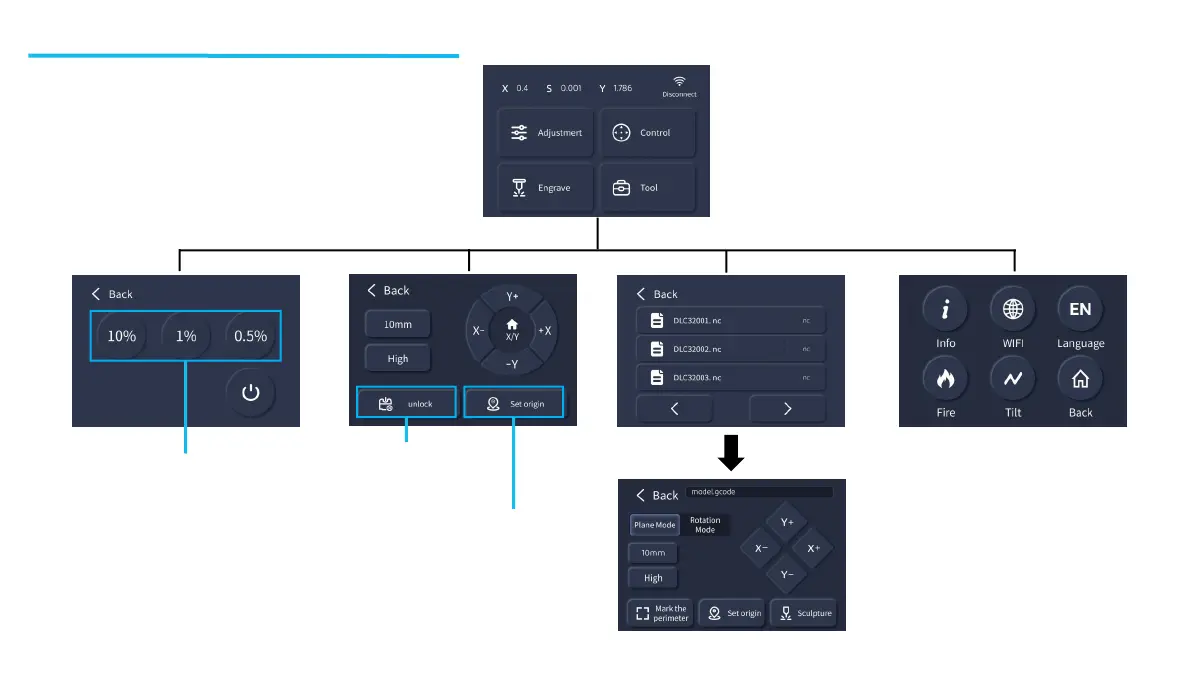
Select the file to be engraved,
determine the file position by stroke,
and then set the origin to engrave.
Move the laser head to the specified
position to locate the origin
Laser power adjustment ratio
(This power value is used in positioning )
Operation Screen Introduction
Unlock motor status
13














 To Next Page