10. THE SEQUENCER
33
• IMPORT SOUND Imports (copies) a Sound from the +Drive to the active pattern. Turn the LEVEL/
DATA knob or press [UP]/[DOWN] to scroll through the list. Press [YES] to select a Sound and then
press [TRACK 1–8] to select the track to where you want to assign the Sound.
• EXPORT SOUND Exports (saves) the active track’s Sound to the +Drive. Turn the LEVEL/DATA
knob or press [UP]/[DOWN] to choose a destination memory slot. Press [YES] to export the Sound.
Name the Sound and press [YES] again to confirm the export.
• MANAGE SOUNDS Opens the SOUND MANAGER. For more information, please see “9.3 SOUND
MANAGER” on page 24.
10.5.6 AUDIO ROUTING (PATTERN)
Here you find number of audio routing options that aects the Digitakt on a pattern level. You can also
set the audio routing on a global level. For more information, please see “15.5 AUDIO ROUTING (GLOB-
AL)” on page 68.
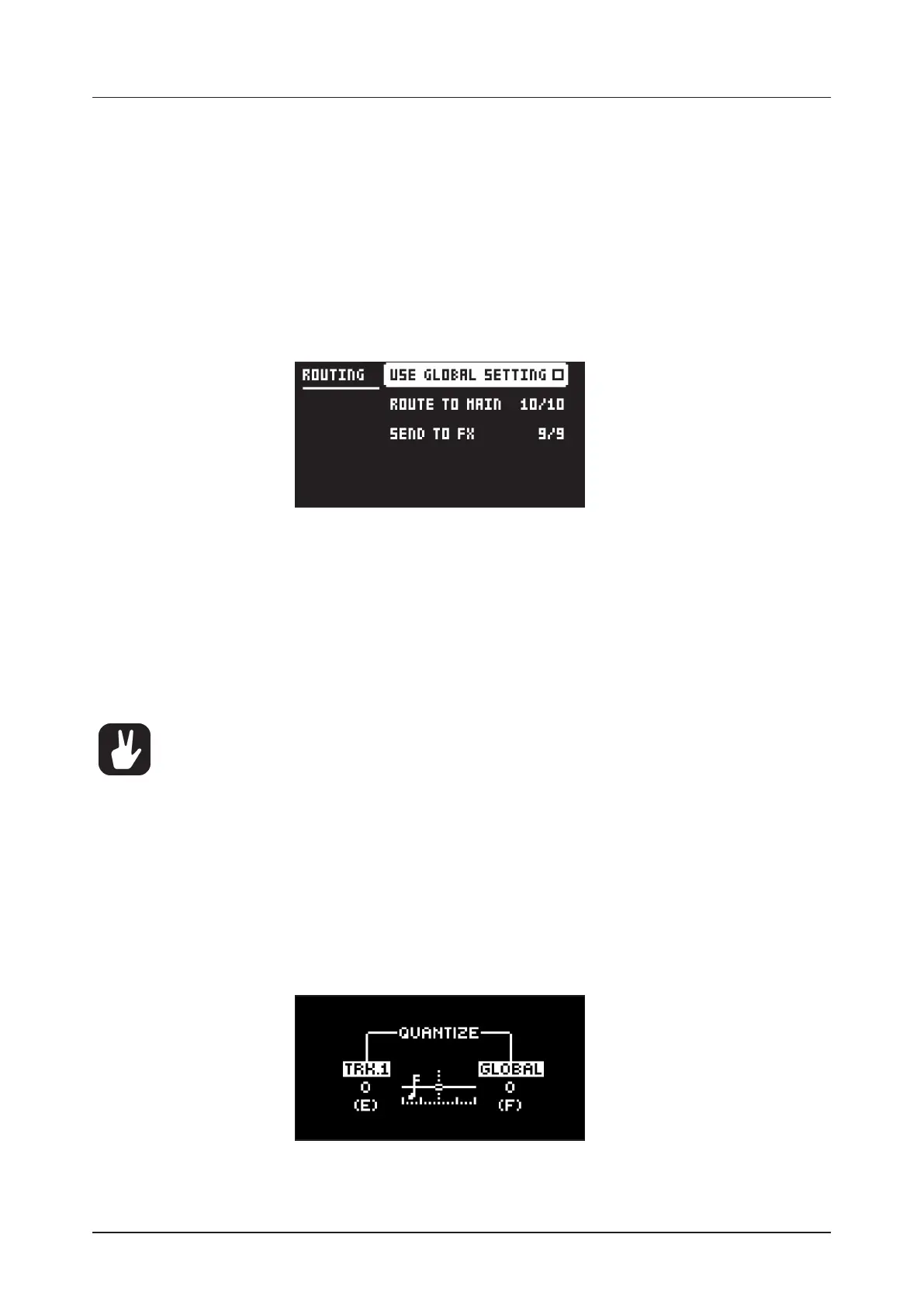
USE GLOBAL SETTING uses, when ticked, the global audio routing settings for the active pattern.
ROUTE TO MAIN Use this option to customize which of the 8 tracks + 2 eects (Delay, Reverb) that
sends audio through the master eect (Compressor) to the MAIN OUT outputs. Use the [TRIG 1–8]
keys and the [FLTR], and [AMP] [PARAMETER] keys to activate/deactivate send from each track and
eect. Green keys signal send to main. Red keys signal do not send to main. Note that each track still
sends to its TRACK OUTPUTS.
SEND TO FX Use this option to customize which of the 8 tracks + the Delay eect that sends audio
to the eects (Delay, Reverb). Use the [TRIG 1–8] keys and the [FLTR] key to activate/deactivate send
from each track and eect. Green keys signal send to the eects. Red keys signal do not send to the
eects.
• Audio from the TRACK OUTPUTS is always without any eects.
• Tracks that are routed to not send audio to MAIN OUT still send audio on separate outputs
in Overbridge.
10.6 TRIG PARAMETERS PAGE
Set the actions for when a note is trigged in the TRIG PARAMETERS page. Press the [TRIG PARAME-
TERS] key to access the menu. Change settings using the DATA ENTRY knobs. These general settings
aect note trigs placed on the sequencer. On any step of the pattern, trigs can be locked to other settings
by first pressing and holding a [TRIG] key, then changing the settings. For more information, please see
“11.2 TRIG PARAMETERS PAGE” on page 40.
10.7 QUANTIZE MENU
The quantization aects all micro timed and o grid trigs on the sequencers tracks. Press [FUNC] +
[TRIG PARAMETERS] to access this menu. Change settings with DATA ENTRY knob E and F.
TRK. aects all the trigs of the active track in real time. The higher the quantize value, the more the
trigs will be quantized. Press [TRIG 1–8] key to select track to quantize. (0–127)


 To Next Page