11. AUDIO TRACK PARAMETERS
43
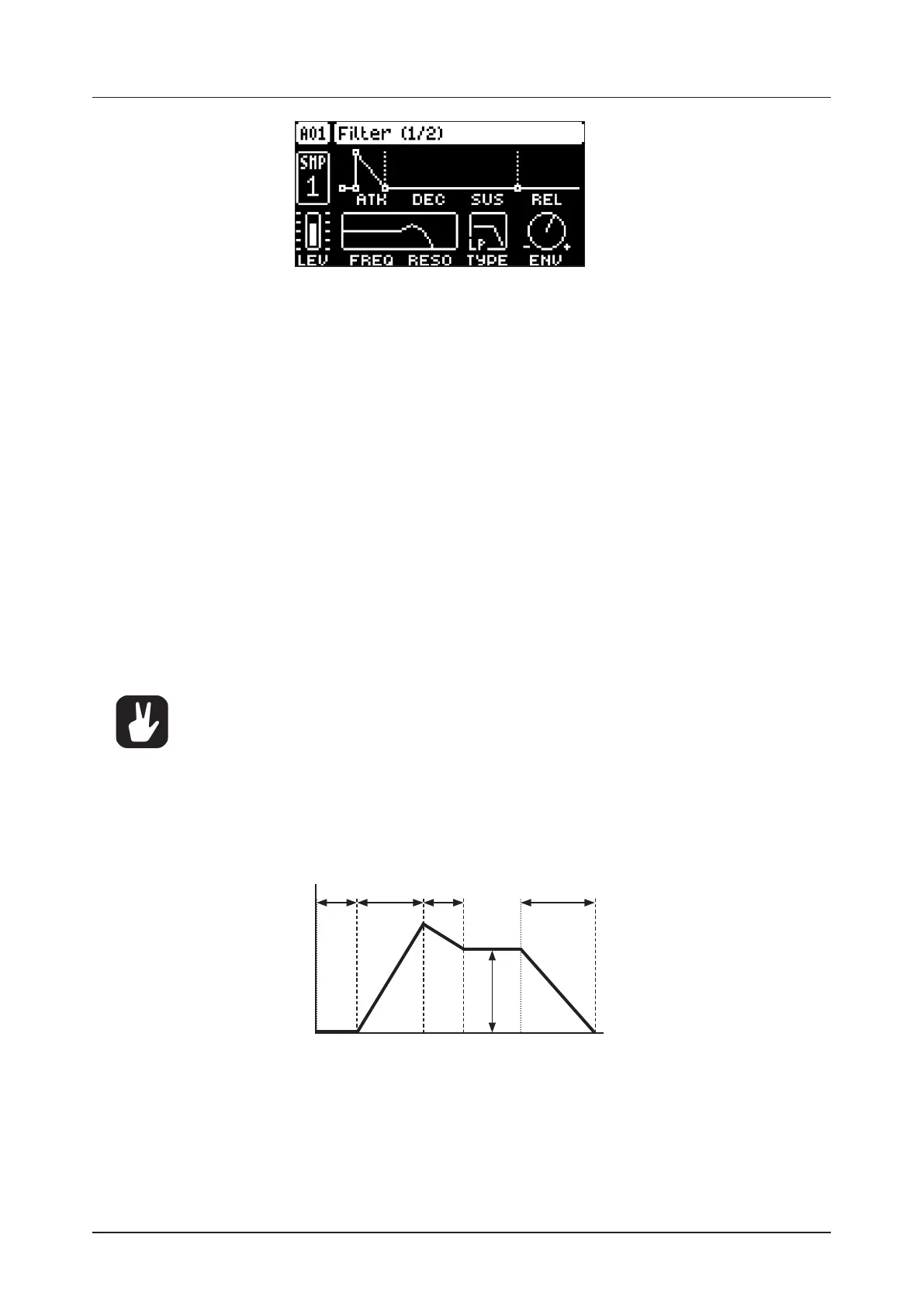
11.5.1 ATK
Attack Time sets the length of the attack phase of the filter envelope. (0–127)
11.5.2 DEC
Decay Time sets the length of the decay phase of the filter envelope. (0–127)
11.5.3 SUS
Sustain Level sets the sustain level of the filter envelope. (0–127)
11.5.4 REL
Release Time sets the length of the release phase of the filter envelope. (0–126, INF)
11.5.5 FREQ
Frequency sets the cuto frequency of the multimode filter and the center frequency of the EQ. (0.00–
127.00)
11.5.6 RESO/GAIN
Resonance sets the resonance behavior of the filter. Resonance introduces a peak in the spectrum at
the cuto frequency. (0.00–127.00) Gain sets the amount of boost/cut around the center frequency of
the EQ. (64.00–63.00)
11.5.7 TYPE
Filter/EQ Type selects the type of filter and EQ. (OFF, 2-pole Lowpass, 2-pole Highpass, EQ 1–5)
• The parametric EQ is used to boost desired frequencies or to remove unwanted fre-
quencies of the sound.
• The five dierent settings of the EQ lets you select the bandwidth of the frequency
range that the EQ aects. This value is often referred to as Q. The higher the Q value,
the narrower the bandwidth. A broad bandwidth boosts or cuts a larger band of fre-
quencies than a narrow.
11.5.8 ENV
Env. Depth sets the amount of cuto frequency modulation from the filter envelope. The knob is bipolar,
both negative and positive modulation depths are available. Range (64.00–63.00)
TIME
AMPLITUDE
Note On
Attack
Decay
Sustain
Note O
Release
Env.
Delay
11.6 FLTR PAGE 2
On FILTER page 2, you will find the parameters that control the base-width filter and the envelope delay
parameter. Press [FLTR] twice to access this parameter page.


 To Next Page