17. SETUP EXAMPLES
73
Digitakt can make use of its class compliant audio and MIDI functionality together with your computer, smart
phone or tablet. You can let Digitakt sample audio from the phone or maybe use it the other way around and
record audio from the Digitakt on your phone. You can use your phone as an eect processor for the Digita-
kt, and among many other things. In this example, we use Digitakt to sample audio from the phone.
1. Use a cable or adapter to connect your phone´s data connector jack (Lightning, USB-C or other) to
the Digitakt’s USB-B jack.
2. Navigate to SETTINGS > SYSTEM > USB CONFIG and select USB AUDIO/MIDI.
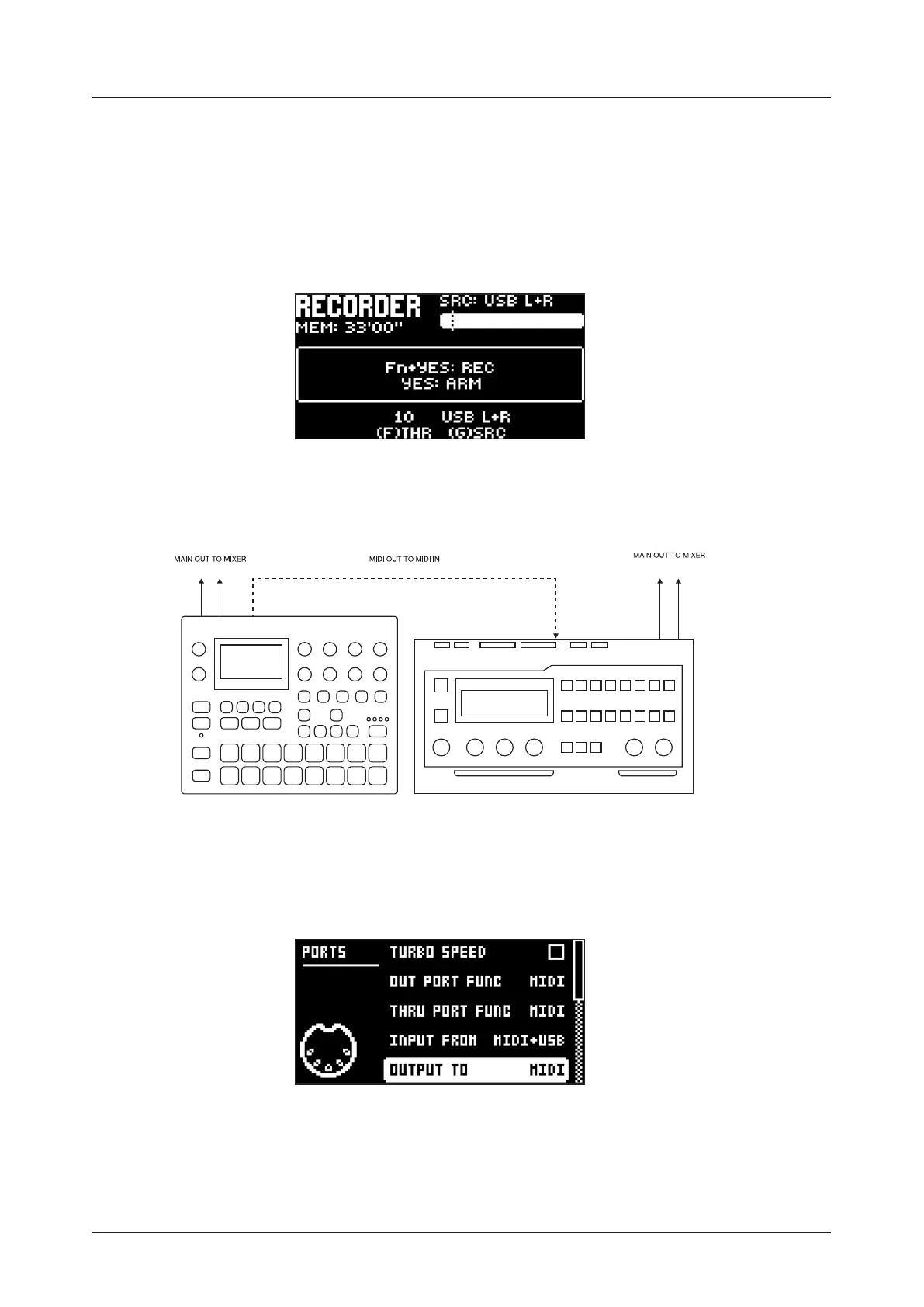
3. Press [SAMPLING] to access the SAMPLING menu and then use DATA ENTRY knob G to set
SOURCE to USB L+R. The stereo signal is summed to mono in the Digitakt.
4. You are now ready to start sampling audio from your smart phone. For more information about the
sampling process, please see “14. SAMPLING” on page 57.
17.3 CONTROLLING A SYNTHESIZER USING THE MIDI TRACKS
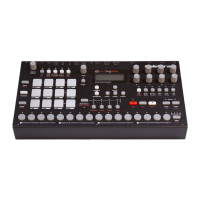
Digitakt has extensive capabilities to use its sequencer’s MIDI tracks to control other MIDI-equipped
synthesizers.
1. Use a standard MIDI cable to connect the Digitakt MIDI OUT jack with the synthesizer’s MIDI IN jack.
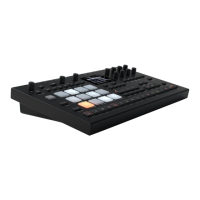
2. On the Digitakt, press [GLOBAL SETTINGS], and then navigate to MIDI CONFIG > PORT CONFIG
and set OUT PORT FUNC to MIDI.
3. In the same menu set OUTPUT to MIDI.
4. On the main screen, press [TRK] + [TRIG 9-16] to select a MIDI track.
5. Press [SRC] and use the CHAN parameter to select a MIDI channel that the track will output its data to.
6. Make sure to set your synthesizer to receive MIDI input in a way that corresponds to the settings you
made in the Digitakt.
You are now ready to use the Digitakt sequencer to control your synthesizer. For more information about
using the Digitakt sequencer, please see “10. THE SEQUENCER” on page 28.


 To Next Page