15. SETTINGS MENU
68
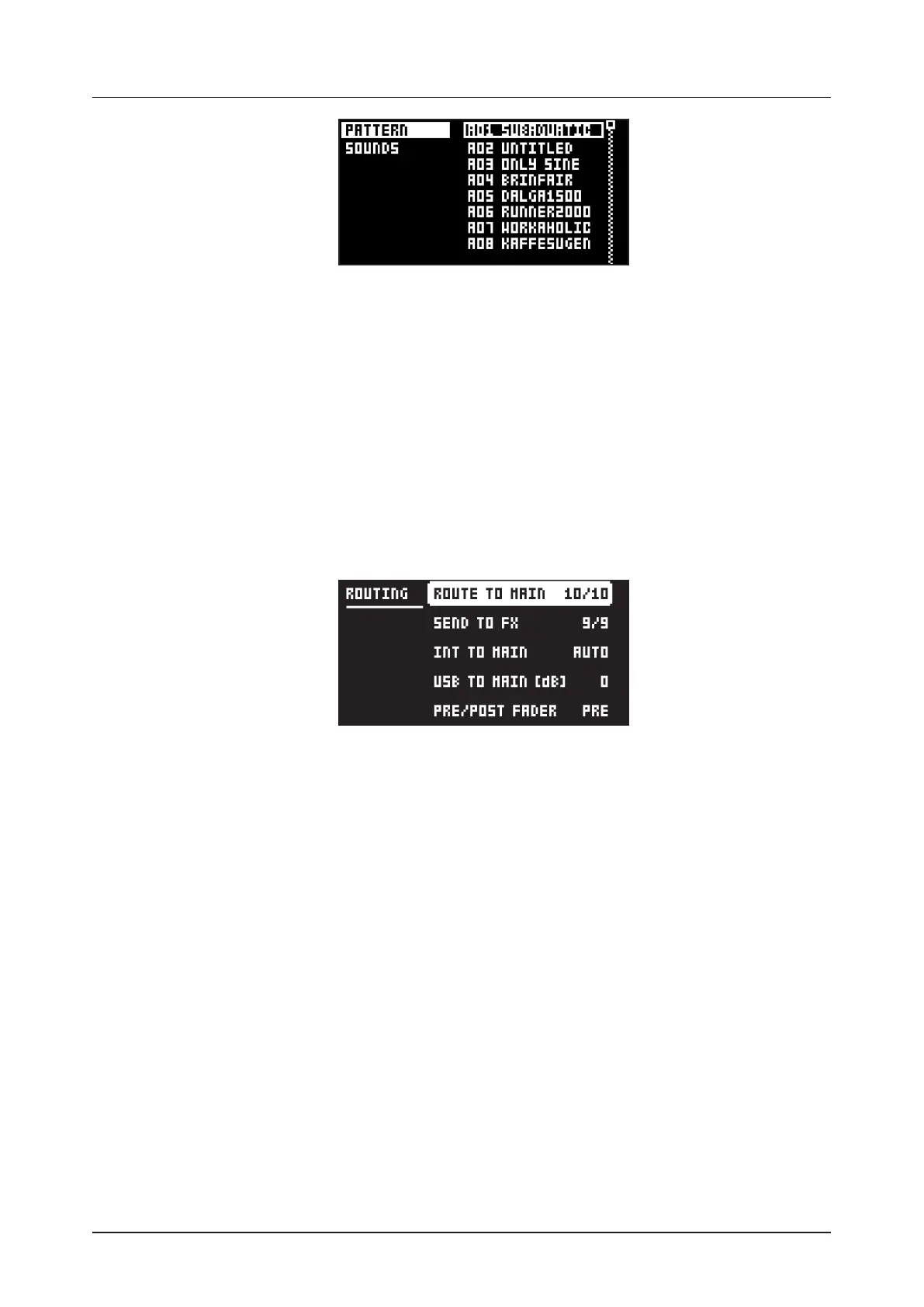
The column to the left selects what will be received. Select the column using the [LEFT] arrow key. Use
the [UP]/[DOWN] keys or the TRACK LEVEL knob to navigate in the column. The SysEx data receive
alternatives located in the column to the right will change depending on the selection made in the left
column. Press the [RIGHT] arrow key to access this column. Use the [UP]/[DOWN] keys or the TRACK
LEVEL knob to select what will be received. Press [YES] to initiate the SysEx receive procedure. The
Digitakt starts listening to incoming data. Press [NO] to stop listening.
PATTERN will store a received pattern to the selected pattern slot.
SOUNDS will store a received Sound to the selected slot of the +Drive Sound library. The option
ANYWHERE will place the Sound in the first free slot available. To the right of the bank indication, the
amount of free slots can be seen.
15.5 AUDIO ROUTING (GLOBAL)
Here you find number of audio routing options that aects the Digitakt on a global level. You can also set
the audio routing on a pattern level. For more information, please see “10.5.6 AUDIO ROUTING (PATTERN)”
on page 33.
15.5.1 ROUTE TO MAIN
Use this option to customize which of the 8 tracks + 2 eects (Delay, Reverb) that sends audio through
the master eect (Compressor) to the MAIN OUT outputs. Use the [TRIG 1–8] keys and the [FLTR], and
[AMP] keys to activate/deactivate send from each track and eect. Green keys signal send to main. Red
keys signal do not send to main. Note that each track still sends to its TRACK OUTPUTS.
15.5.2 SEND TO FX
Use this option to customize which of the 8 tracks + the Delay eect that sends audio to the eects
(Delay, Reverb). Use the [TRIG 1–8] keys and the [FLTR] key to activate/deactivate send from each track
and eect. Green keys signal send to the eects. Red keys signal do not send to the eects.
15.5.3 INT TO MAIN
Sets if Digitakt sends internal audio to the MAIN OUT and HEADPHONES OUT or not when used with
Overbridge or as a class compliant audio device.
OFF No sound is sent to main out.
ON Sound is always sent to main out.
AUTO No sound is sent to main out when Overbridge is available and/or streaming audio, if not, the
sound is sent to main out.
15.5.4 USB TO MAIN [dB]
Sets the amount of amplification of the sound that is streamed over USB to the Digitakt main out when
used with Overbridge or as a class compliant audio device. (0 dB–+18 dB)
15.5.5 PRE/POST FADER
Sets if audio over USB should be pre or post the track level setting.


 To Next Page