12
Page
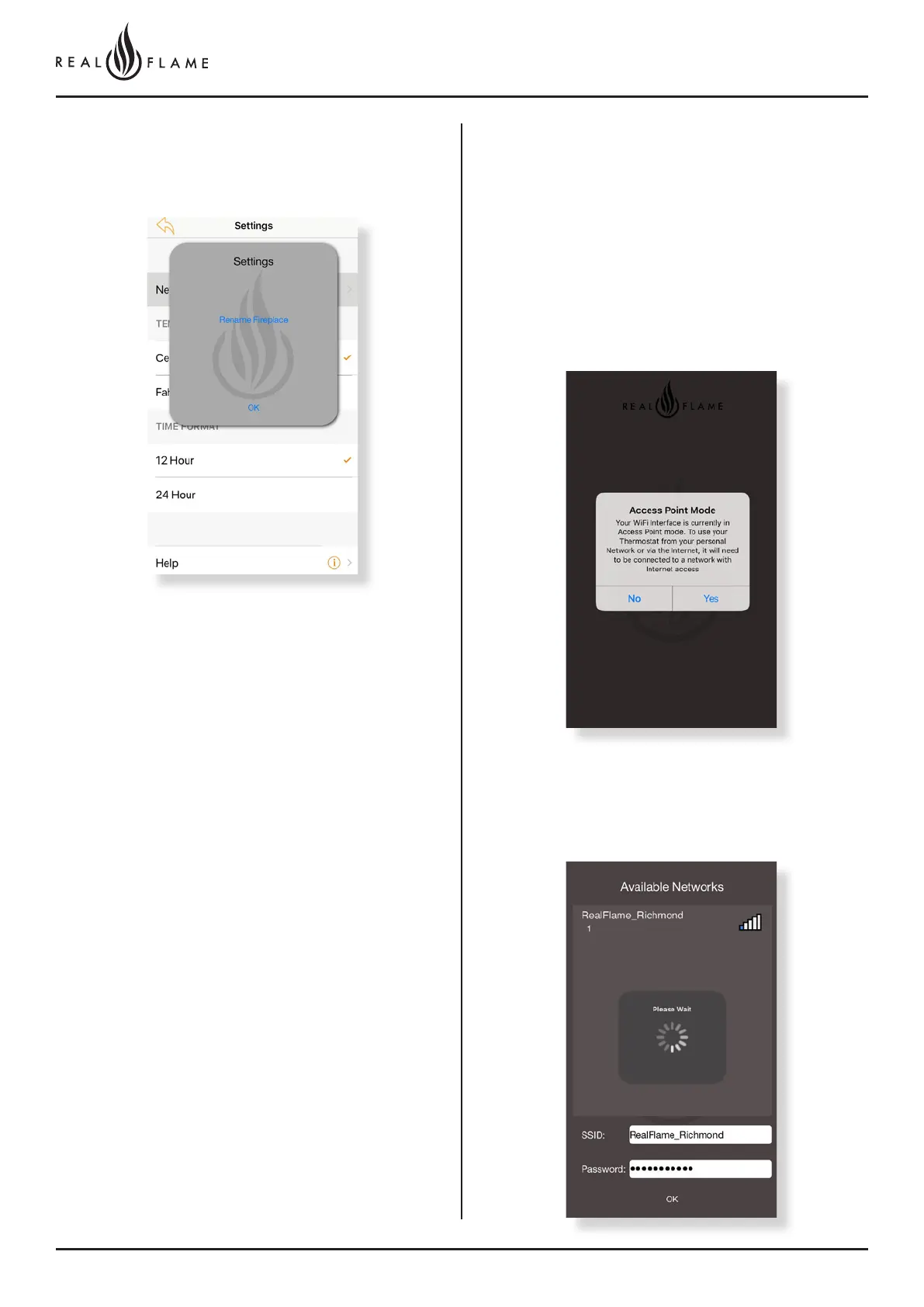
Step 11
Click OK when the option to rename appears and input the new
name.
Step 12
To access your fireplace from remote locations click on the Yes button
when this tab opens.
Step 13
Select your home WiFi network and input the password. This process
links the fire to your WiFi. Make sure your phone is connected to the
same network the fire is.
Setting up remote access to the
fireplace
(eg: Using the phone or tablet remotely to activate the fire when not
at residence) – Note gas fireplace requires connection to home WiFi
network.



 To Next Page