13
Page
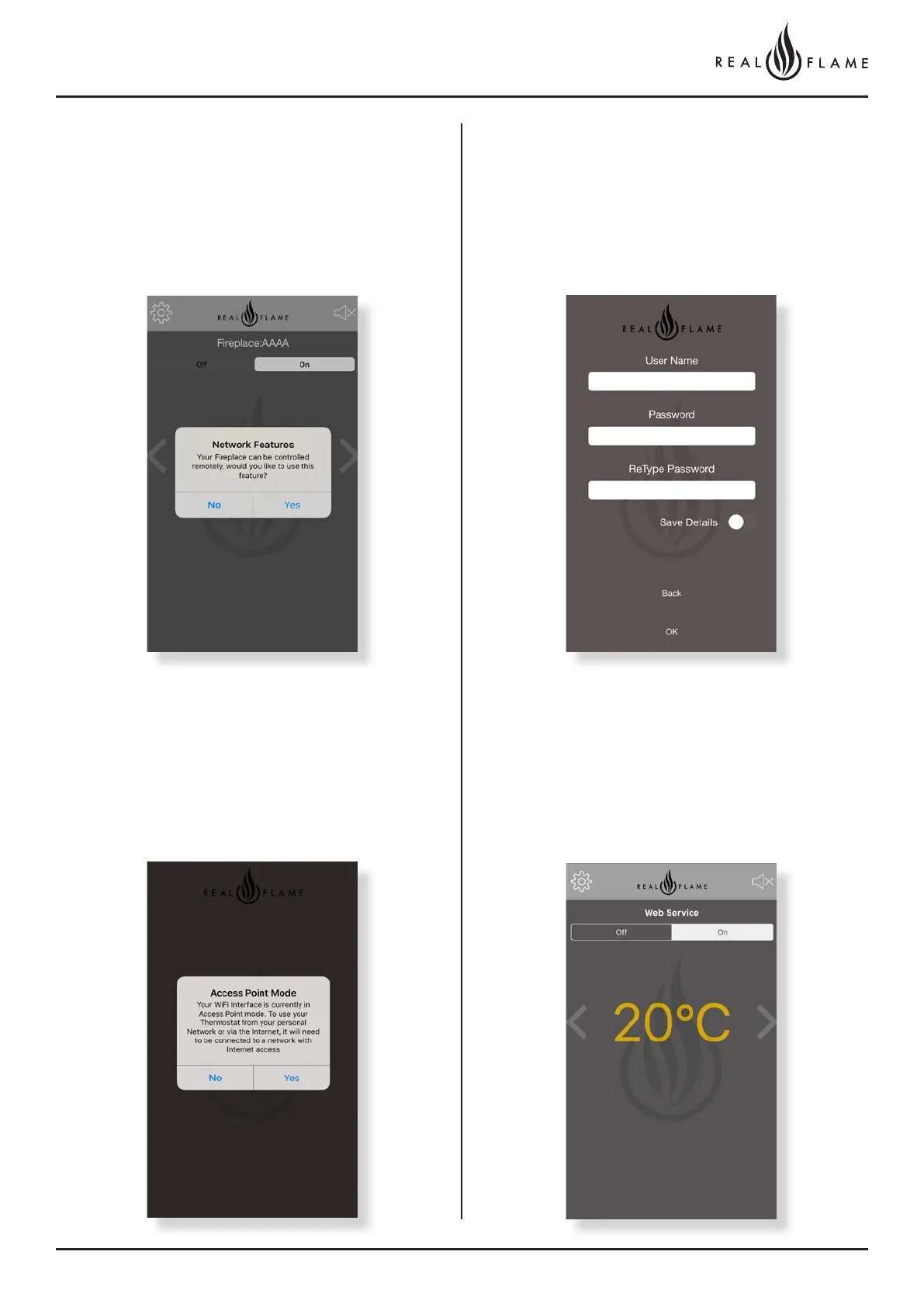
Step 14
Subject to operating system the following should occur - Once the
connection is established, the system will transport you to the screen
below. Click Yes.
If the above does not occur – close app.
Open WiFi settings and connect phone to home WiFi network. Leave WiFi connection
to home WiFi network on.
Open Realflame fire app.
Click YES
Step 15
Clicking Yes will open the registration section which once completed
will allow you to access your fireplace from anywhere. Put in the
details of your preferred username and preferred password
(eg John Smith p/w delta22), check the save details tab and click
ok. Record the username and password for future reference.
Step 16
Device should now be connected. Note - web service appears on
screen



 To Next Page