
 Need help?
Do you have a question about the Elements SybronEndo and is the answer not in the manual?
Essential safety precautions for operating the diagnostic unit, covering hazards and usage restrictions.
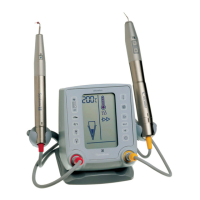
Overview of the unit's dual functionality as an Apex Locator and Vitality Scanner.
Step-by-step guide for configuring the diagnostic unit for first-time use.
Description of available sound modes for the diagnostic unit's feedback.
Information on the optional Satellite Display for visual feedback.
Detailed instructions and explanations for using the Apex Locator functionality.
Covers display modes, directions for use, test response, and usage tips for Vitality Scanner.
Common issues causing false negative or positive results in vitality scanning.
Information on accessory lifespan, cleaning, sterilization, and general maintenance.
Key technical data including weight, dimensions, and operating modes.
 General
| Brand | Elements |
|---|---|
| Model | SybronEndo |
| Category | Dental equipment |
| Language | English |

 To Next Page