64
sharpness setup:
Press the “▲▼” button to select “Sharpness” and press the “◄►” button to adjust the
overall picture sharpness. Press the “MENU” button to return to the previous menu.
advanced setup:
Press the “▲▼” button to select “Advanced”. Within the menu, press the “▲▼◄►” but-
ton to move the image. Press the “MENU” button to return to the previous menu.
PLEASE NOTE:
This advanced setup feature functions when the product is in DVD, VGA and COMPO-
NENT mode.
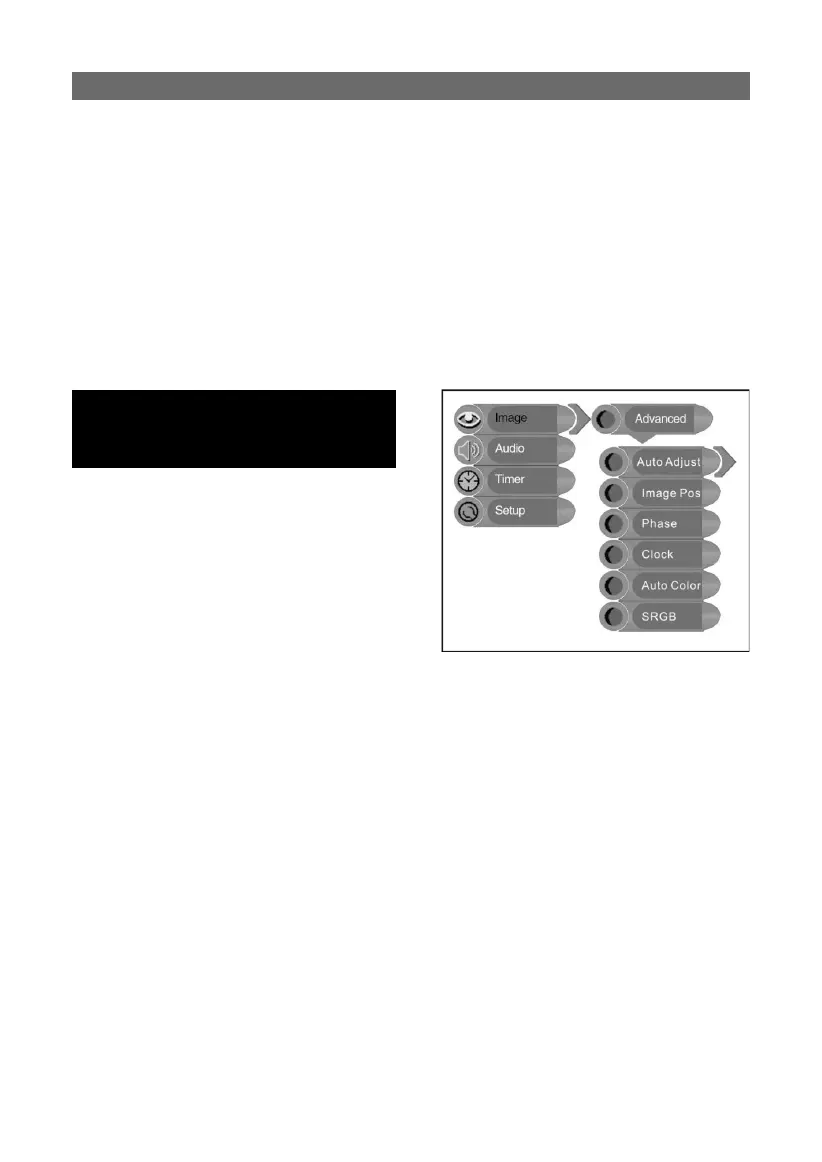
When the VGA signal is connected to the unit, the Advanced setup menu is shown
right:
auto adjust:
If the monitor is not clear, you should carry out
“Auto Adjust”.
Press the “▲▼” button to select “Auto Adjust” and press the “ENTER” button to enter it’s
menu. Press the “▲▼” button to select “Yes” to activate this function or “No” to cancel.
Press the “MENU” button to return to the previous menu.
image pos:
Press the “▲▼” button to select “Image Pos” and press the “ENTER” button to enter it’s
menu. Within the menu, press the “▲▼◄►” button to move the image. Press the “MENU”
button to return to the previous menu.
phase:
Press the “▲▼” button to select “Phase”. Press the “◄►” button to adjust the value.
Press the “MENU” button to return to the previous menu.
TV FUNCTIONS
Press the “▲▼” button to select the desired
item and press the “ENTER” button to enter
it’s setup menu. Press the “MENU” button to
return to the previous menu.



 To Next Page