78
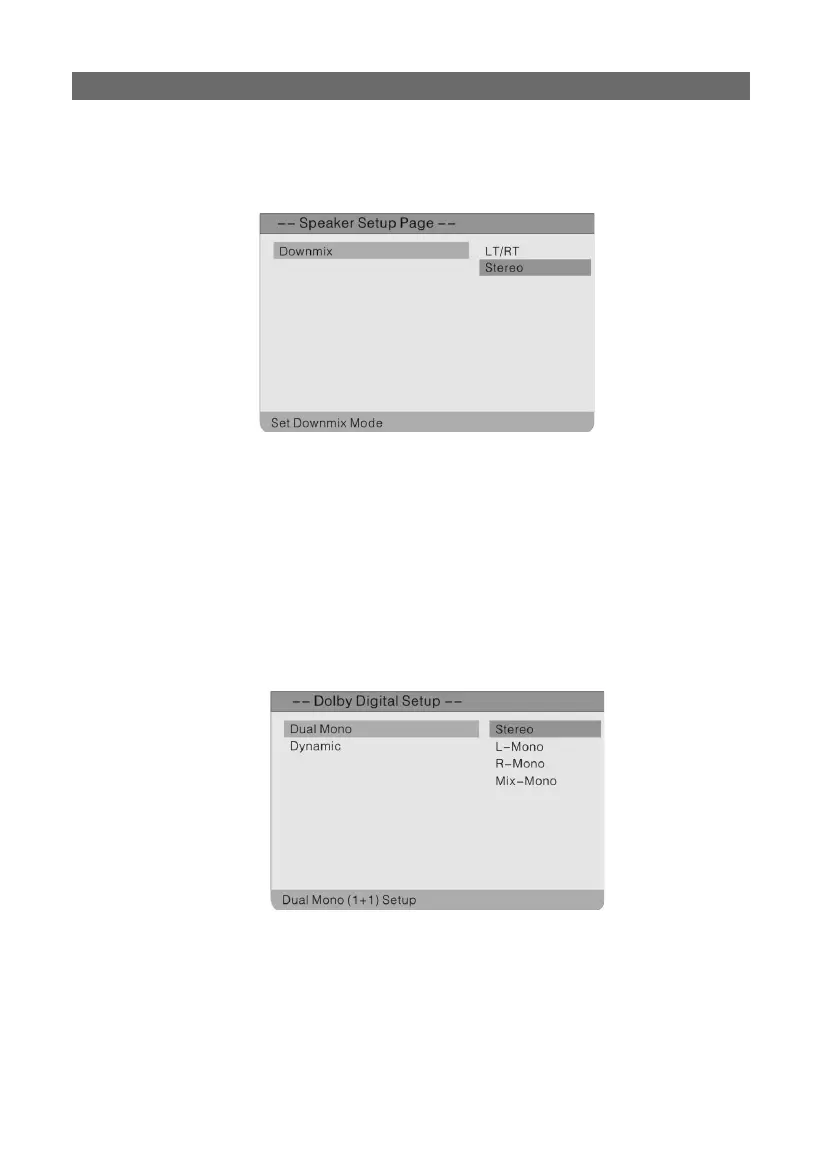
speak setup page:
Press the “SETUP” button on the remote control to display the settings menu and use the
“◀▶” direction buttons to select Speak Setup Page. Press the “ENTER” button to activate the
folder. The screen will display as follows. Press the “◀” direction button to return to the previ-
ous menu.
In the Speaker Setup Page, use the “▲▼” direction buttons to select the desired item. Press
the “ENTER” button to confi rm your selection and return to the previous menu.
downmix:
Select “LT/RT”, the unit will alter the audio output into a mixed Dolby output. Select “STE-
REO”, and the unit will output a common stereo signal.
dobly digital setup:
Press the “SETUP” button on the remote control to display the settings menu and use the
“◀▶” direction buttons to select Dolby Digital Setup. Press the “▲▼” direction buttons to select
a folder and press the “ENTER” button to activate. The screen will display as follows. Press the
“◀” direction button to return to the previous menu.
SETTING UP YOUR DVD PLAYER



 To Next Page