79
In the Dolby Digital Setup page, use the “▲▼” direction buttons to select the desired item.
Press the “ENTER” button to confi rm your selection and return to the previous menu.
dual mono
This function allows you to select audio output mode.
dynamic
The Dynamic Range Compression can be turned off by selecting “OFF” or set to full com-
pression by selecting “FULL”. There are also intermediate levels of compression available for
selection.
video setup page:
Press the “SETUP” button on the remote control to display the settings menu and use the
“◀▶” direction buttons to select Video Setup Page. Press the “▲▼” direction buttons to select
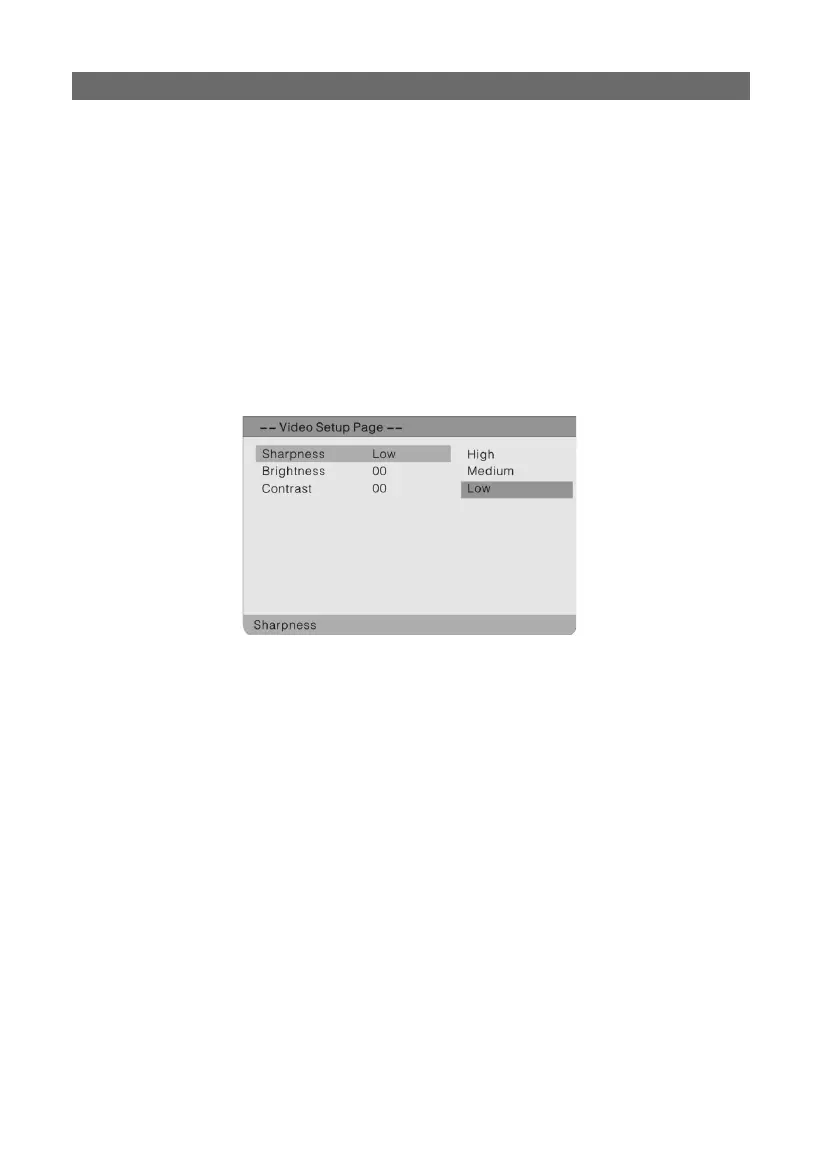
a folder and press the “ENTER” button to activate. The screen will display as follows. Press the
“◀” direction button to return to the previous menu.
In the Video Setup Page, use the “▲▼” direction buttons to select the desired item. Press the
“ENTER” button to confi rm your selection and return to the previous menu.
sharpness
This menu allows the settings for the sharpness of the picture: high, medium or low.
brightness
If you activate this function you can set the brightness of the picture by using the “▲▼” di-
rection buttons. Press the “ENTER” button to return to the previous menu.
contrast
If you activate this function you can set the contrast of the picture by using the “▲▼” direc-
tion buttons. Press the “ENTER” button to return to the previous menu.
SETTING UP YOUR DVD PLAYER



 To Next Page