6
English
BASIC
OPERATIONS
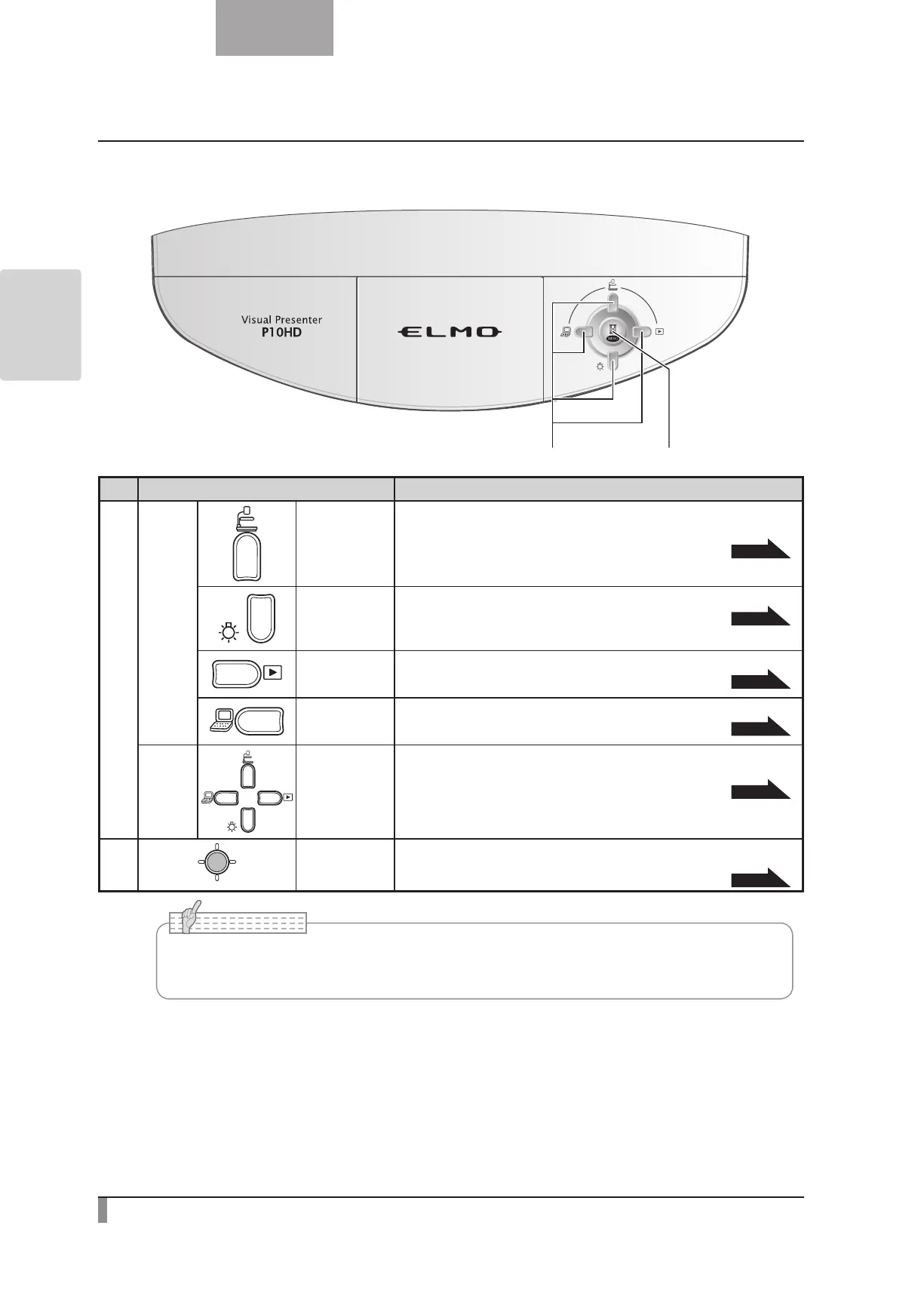
Operating panel
Mark Function
①
Not
displayed
in the
OSD.
(up) button
To switch the screen to camera image.
The color of the front operating panel LED changes to blue.
P.20
(down) button
To turn ON/OFF the lamp.
P.19
(right) button
To switch the output image to images stored on the SD card.
The color of the front operating panel LED changes to orange.
P.20
(left) button
To switch the output image to the image input to RGB IN.
The color of the front operating panel LED changes to pink.
P.20
OSD
Menu
(up, down,
left, right)
button
To be used for selecting the menu item.
P.21
②
MENU/PAUSE
button
To display the OSD menu or set the selected item. You can also pause
the live image from the camera by holding down this button.
P.21
•The menu items displayed on the screen is called “OSD (On Screen Display)” and the
status when the OSD is displayed is called “OSD menu”.
N o t e



 To Next Page