16
English
BASIC
OPERATIONS
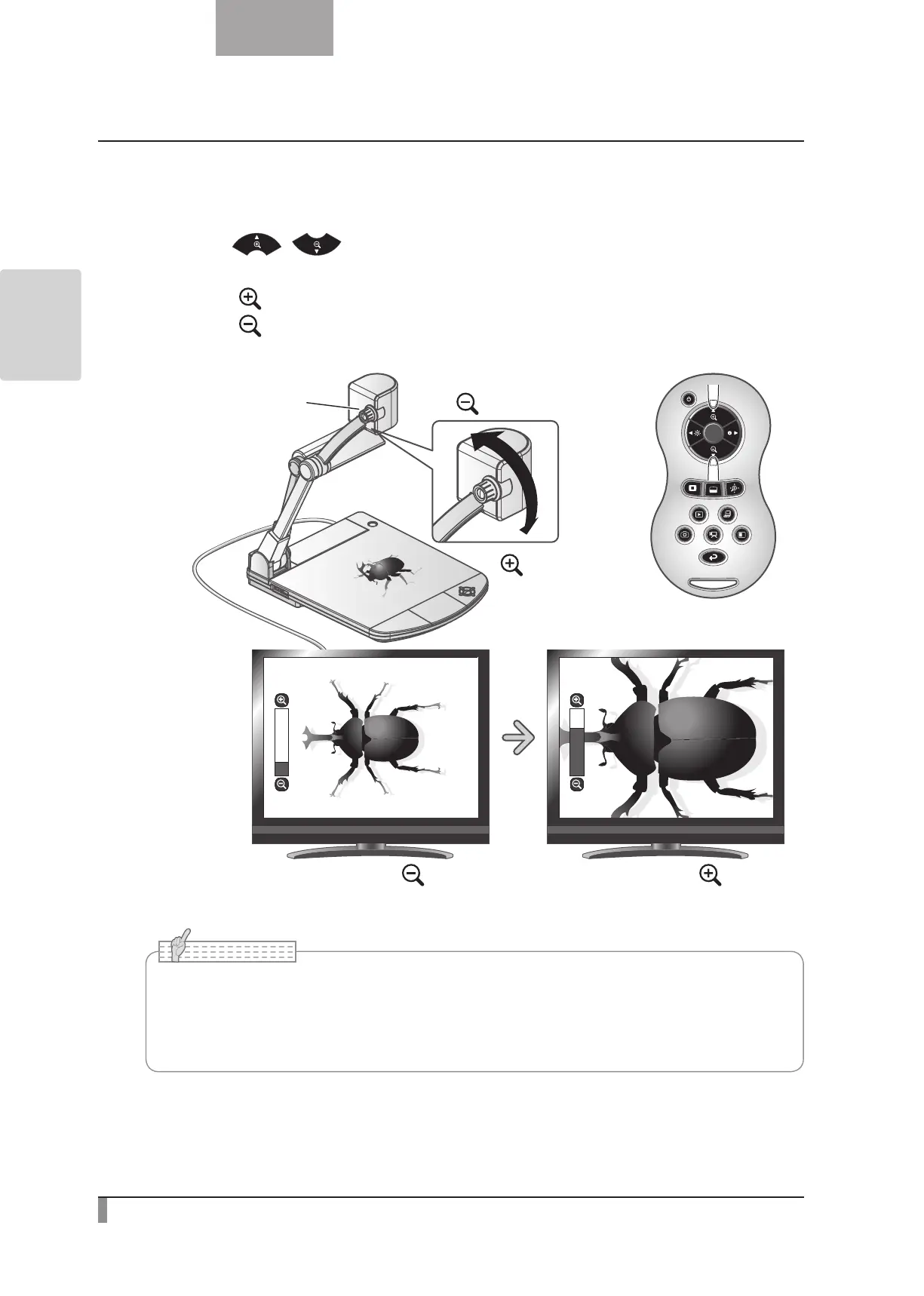
Adjusting the size
The display range of the document can be adjusted by rotating the zoom dial on the main unit or by
pressing the [
/ ] buttons on the remote control.
•ZOOM-IN
: The object can be shown in large size.
•ZOOM-OUT
: The object can be shown in small size.
ZOOM-OUT
(smaller)
ZOOM-IN
(larger)
Zoom dial
ZOOM-INZOOM-OUT
•Zoom ratio: Optical 16x, Digital 8x
•When the optical zoom reaches 16x, it automatically shifts to digital zoom.
•Within the digital zoom range, the image quality is degraded.
•ON/OFF of the digital zoom can be set from the setting menu.
N o t e



 To Next Page