7
English
BASIC
OPERATIONS
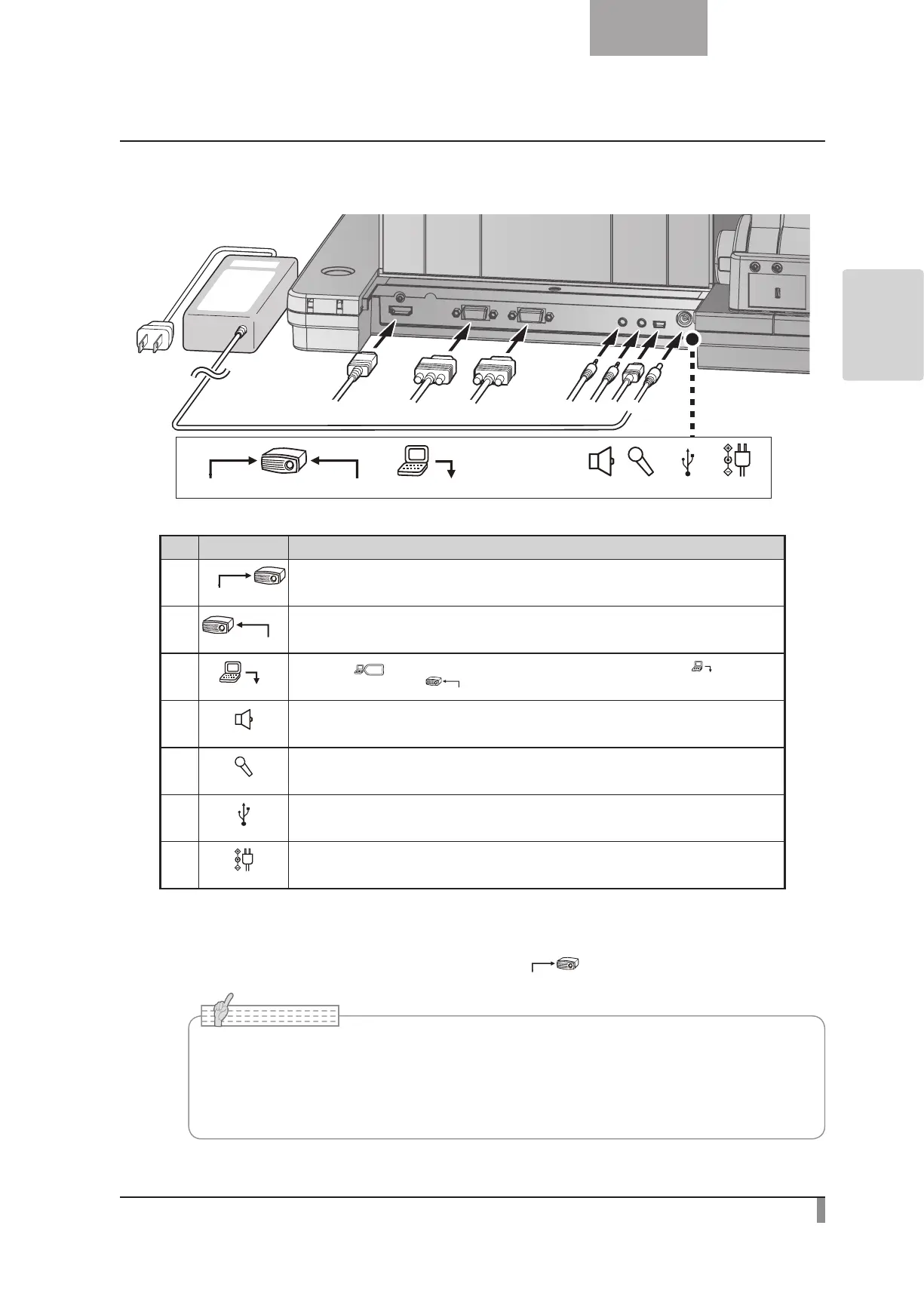
Rear panel and cable connection
MICAUDIO OUT
USBRGB INRGB OUTHDMI OUT DC IN 12V
① ③
②
⑦
⑥⑤④
Mark Function
①
HDMI OUT
To output digital images. (HDMI cable is not supplied with this product.)
②
RGB OUT
To output analog RGB images. (A cable is supplied with this product.)
③
When the [ ] button is selected in Image Select, the image input to [
] terminal
can be output from the [
RGB OUT
] terminal. (A cable is supplied with this product.)
④
AUDIO OUT
To output audio line. (An audio cable is not supplied with this product.)
⑤
MIC
To connect an audio line-output device. Audio input is a dual purpose port (microphone/line-in).
When using a microphone, make sure to connect a commercially available electret condenser microphone.
⑥
To connect to a PC. (USB cable is supplied with this product.)
⑦
DC IN 12V
Plug-in for the AC adapter. (A cable is supplied with this product.)
①
To connect the unit to a device with an HDMI input terminal.
Connect a commercially available HDMI cable to the [
HDMI OUT
] terminal on the rear panel.
•Please use the monitor corresponding to the input of the image (resolution) or 720p or
more.
It doesn’t operate with the cable that doesn’t conform to the HDMI standard.
•Elmo does not guarantee operation for all HDMI-compatible monitors.
N o t e



 To Next Page