17
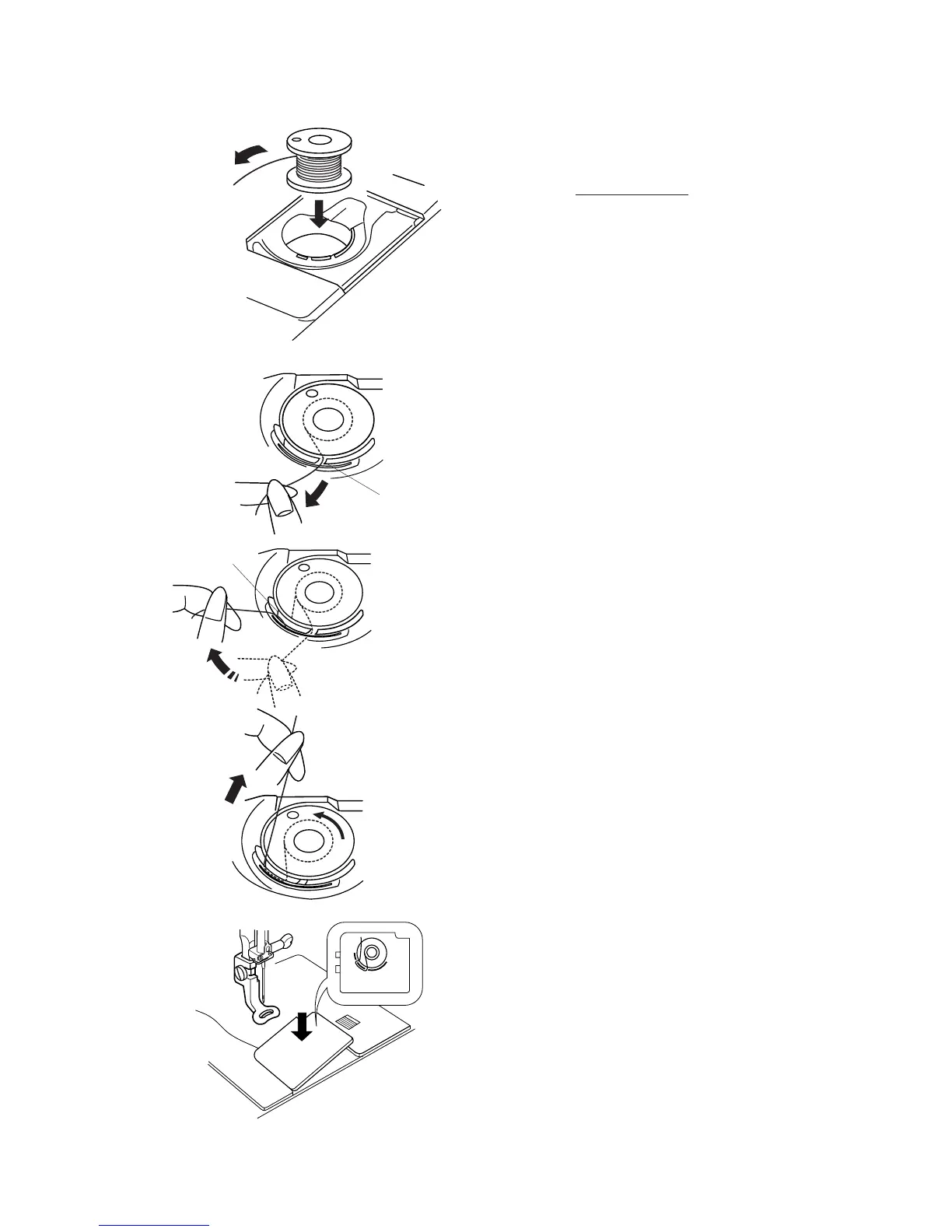
Inserting the Bobbin
Place the bobbin in the bobbin case with the
thread running counterclockwise.
Guide the thread into notch q on the front side of
the bobbin case. Hold the bobbin with your right
hand and pull the thread to the left, through the
tension spring blades.
Continue pulling the thread lightly until the thread
slips into notch w.
Pull out about 15 cm (6") of thread.
Replace the bobbin cover plate.
Refer to the chart shown on the bobbin cover plate
to check the threading.
q
w



 To Next Page