5
Extension Table (Storage Box)
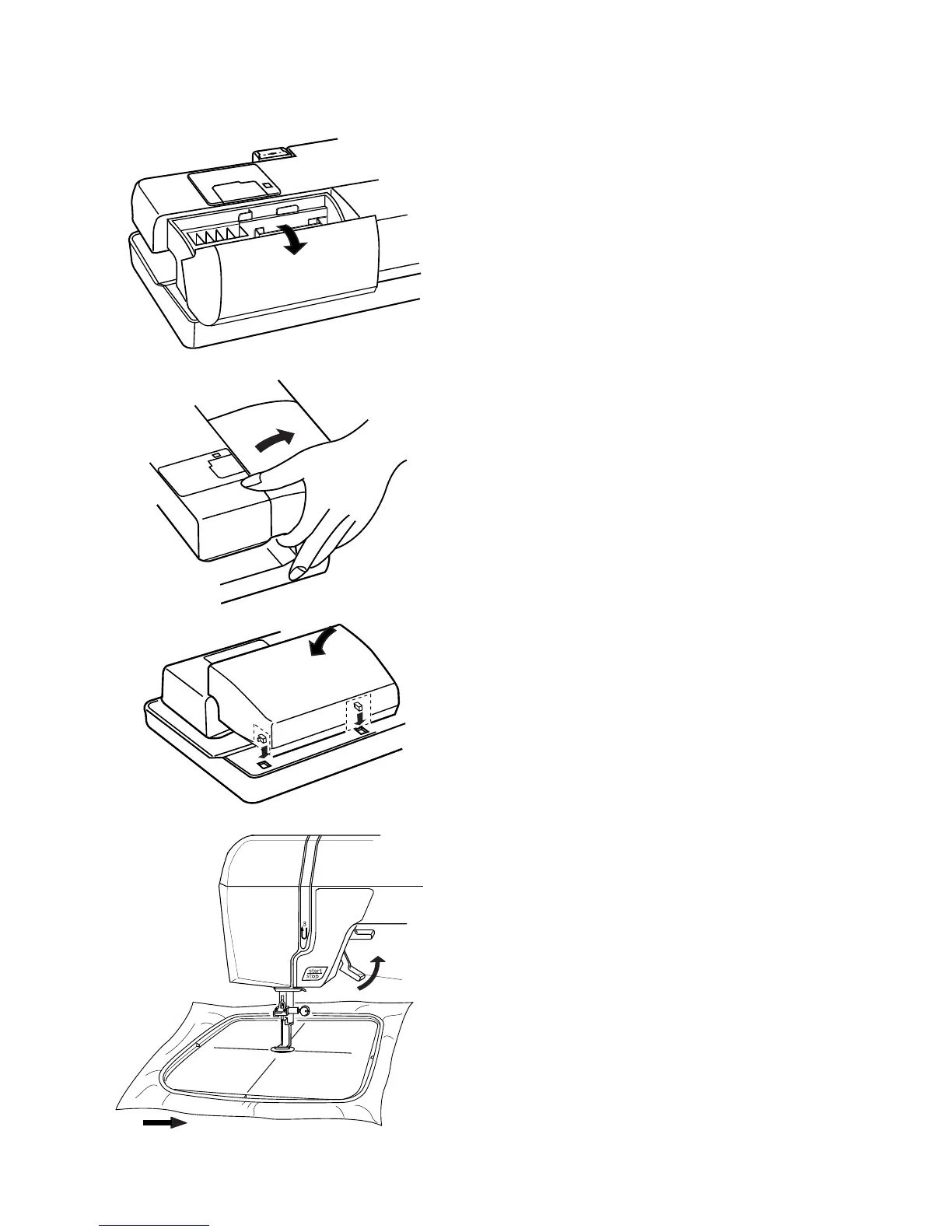
Most accessories are stored inside the extension
table.
To Open:
Pull cover towards you. Lift out the packet of
accessories.
Ferr Arm
Remove the extension table to access the free
arm.
To Remove:
Lift out extension table away from the machine, as
shown.
NOTE: Always embroider with the extension table
attached unless using optional free arm hoop C.
See page 45.
To Attach:
Place tabs over slots and push down on table.
Presser Foot Lever and Additional Presser
Foot Clearance
Raise and lower the foot with this lever q.
Before sewing can occur, the presser foot must be
lowered to close the tension discs.
You can raise the presser foot about 6.5 mm (1/4")
higher than the normal up position for easier
removal of the hoop. Pull the presser foot lever q
up beyond the normal up position.
q



 To Next Page