45
Embroiderying with Optional Free Arm Hoop C
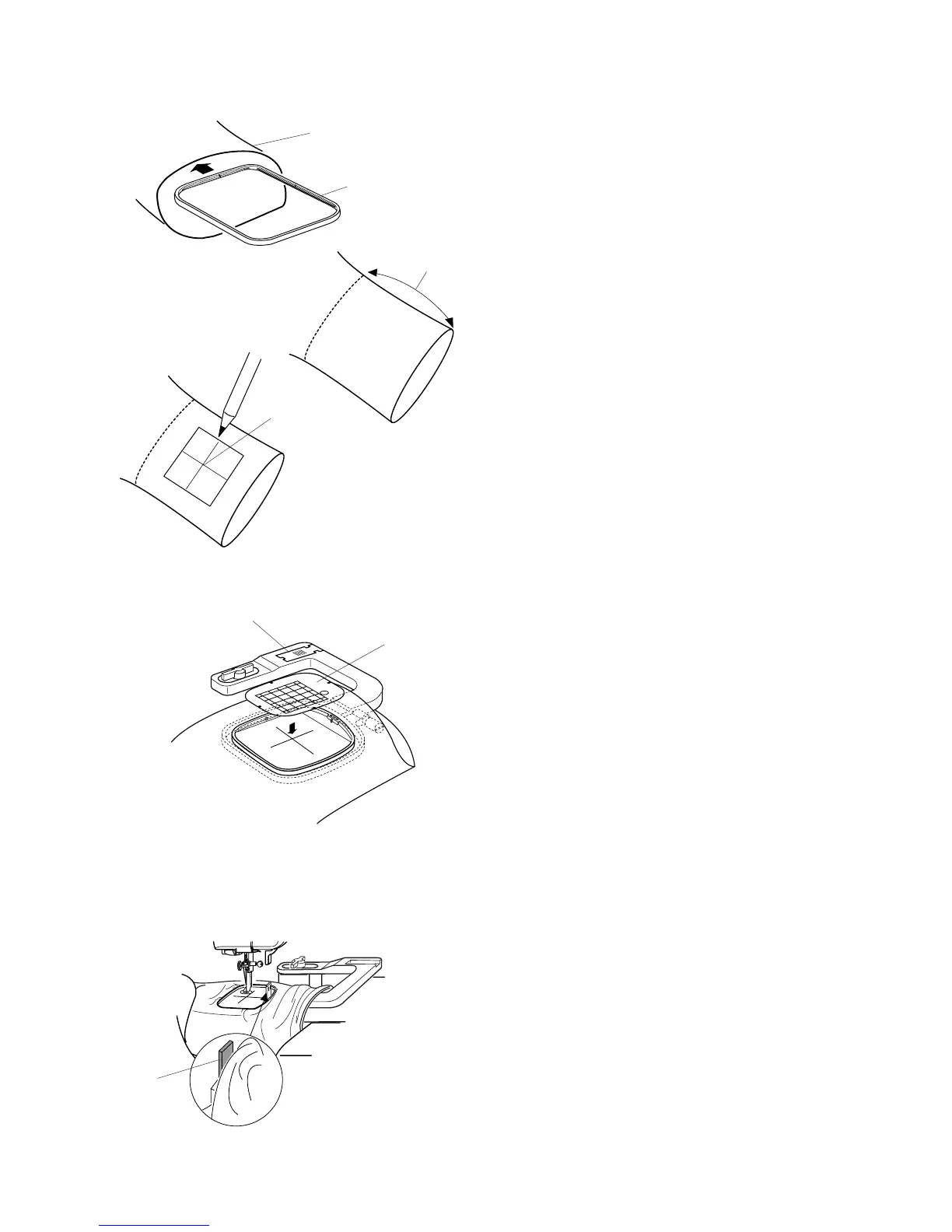
The dimension of the leg or sleeve opening must be
large enough to allow the hoop to move freely. Insert
the innner hoop of large hoop B into the opening
. If the inner hoop cannot be easily inserted, the
opening is too narrow for free arm embroidery.
Maximum distance for design position inside the
opening from the edge is 200mm (77/8”) .
Draw centerlines for design placement.
Remove extension table. See page 5.
Select hoop “C” in Edit Mode.
Select design or letters (dimensions or design/
letters must be 49mm or less).
NOTE: Built-in designs less than 49mm are 3, 9, 18,
20, 21, 22, 23, 24, 29, 30, 34, 35, 36 and 44.
Hoop fabric, aligning centerlines with hoop
template .
Place fabric around free arm and lock hoop onto
carriage. Roll up fabric edges so it will not be caught
at the neck of the free arm during embroidery sew-
ing.
Insert the blocking plate (stored in the arm of the
hoop) next to the hoop opening. The blocking
plate prevents the fabric edge on the free arm from
rolling back into the embroidery area.
Touch the “Jog” keys to position needle directly over
centerline.
Sew design.
CAUTION: Immediately remove hoop from free arm
after sewing is completed. Never atempt to select a
new design, change modes or switch off machine
without first removing the hoop from the arm.
q
w
e
r
y
t
w
q
e
r
r
t
y
y



 To Next Page