27
Trace outline
Cancel
Edit
Mode
1
2
3 4
Ready to Sew
A Z
Size
P
A(F): 126x110mm
Jog
ST
2
1
30 min
5 colors
109x84mm
5597
5776
5802
5757
Snow
White
Seashell
GS
Gray
Green
Dust
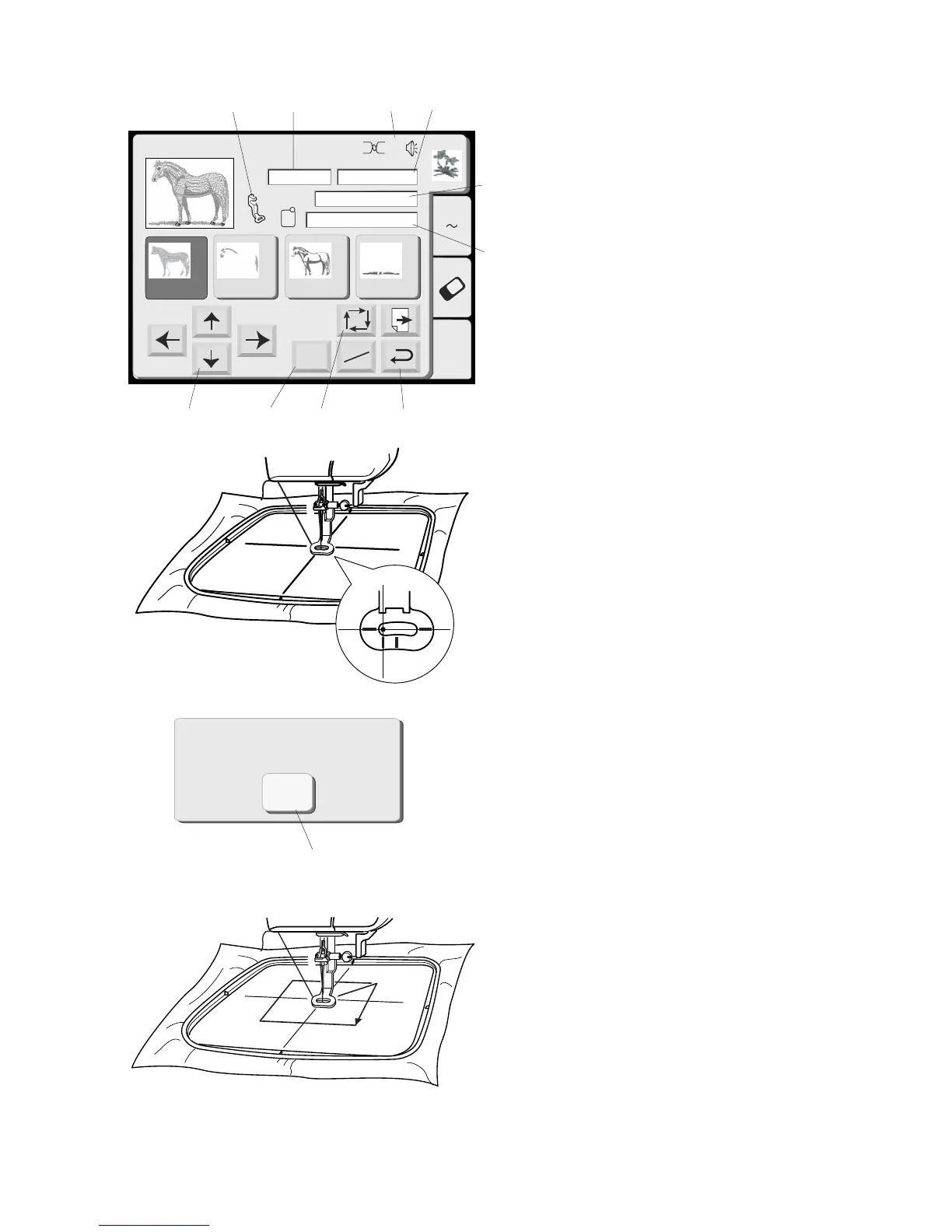
q Return key
Touch this key to close this window and return to the
design selection window.
w Jog keys
The needle must be aligned directly above the
centerlines on the fabric. Touch these keys to adjust
the hoop position.
NOTE: See page 29 for explanation of “Jog/St” key.
e Trace key
Check the size and sewing area of the design. Touch
this key. A message appears and tracing function
automatically starts. The carriage traces the outlying
boundaries of the design without any stitching.
r Cancel key (within tracing message)
You can cancel the tracing function while it is
happening by touching this key.
t Mode key
See page 10.
Sewing Information
a. Recommended needle thread tension
b. Sewing time in minutes
c. Number of colors/parts
d. Design size
e. Embroidery foot P
f. Appropriate hoop and its dimensions
q
w
e
r
t
a
b
c
d
e
f



 To Next Page