33
Edit
Mode
Ready to Sew
A Z
Size
P
A(F): 126x110mm
3 min
Jog
ST
Color
Change
1 color
2
43x18mm
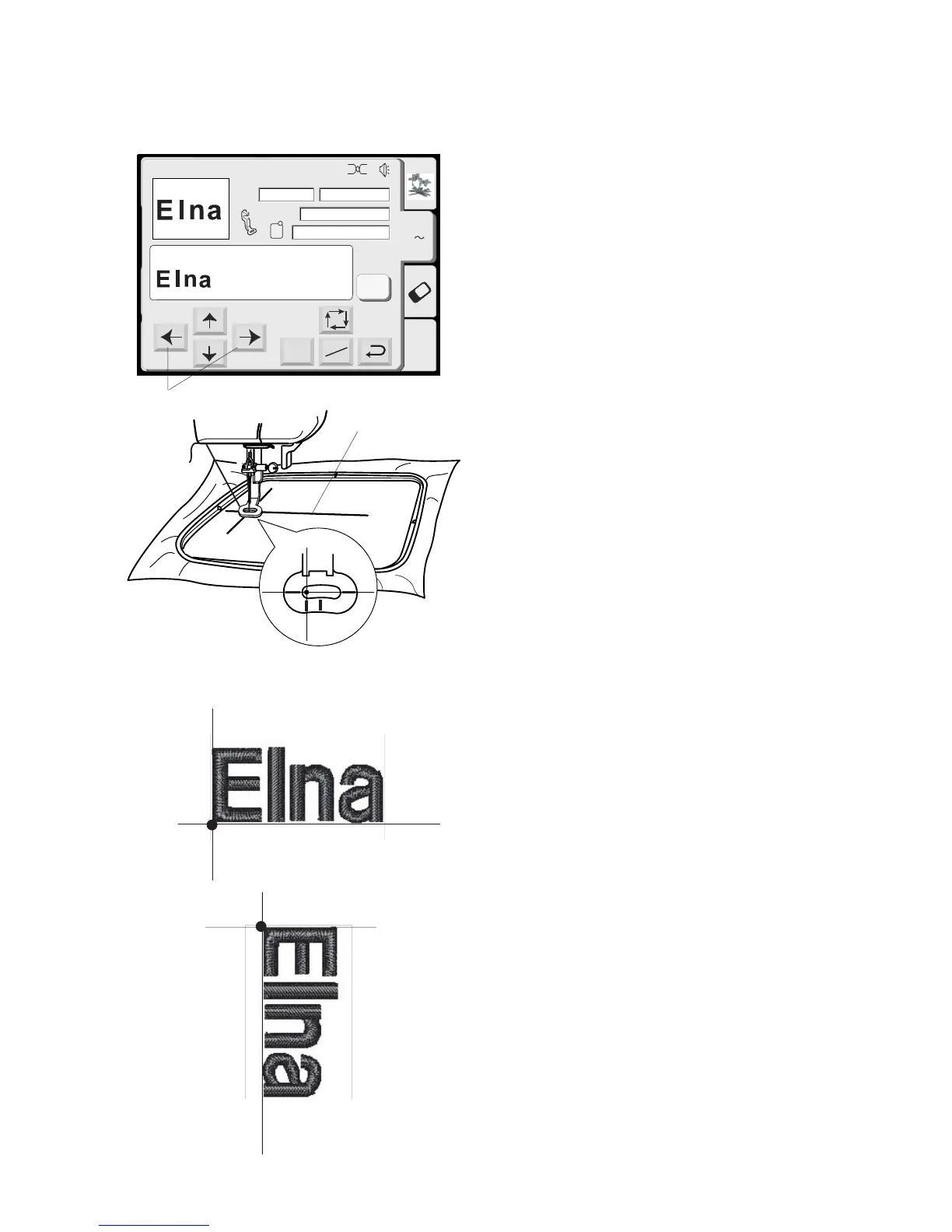
Hoop fabric with the centerlines located on left
side. (Remember the start position for horizontal
alphabets is on the left side of template. See page
23.)
Use the Jog keys q to position hoop and align
needle directly over the centerlines
w.
Lower presser foot. Press “Start/Stop” key and
sew 5 or 6 stitches. Stop machine by pressing
“Start/Stop” key.
Raise presser foot. Cut away beginning thread tail
close to the start point. Lower presser foot.
Press the “Start/Stop” key and let the machine sew
until it stops automatically.
NOTE: Vertical orientation of alphabets would sew
out like illustration
e.
q
w
e



 To Next Page