43
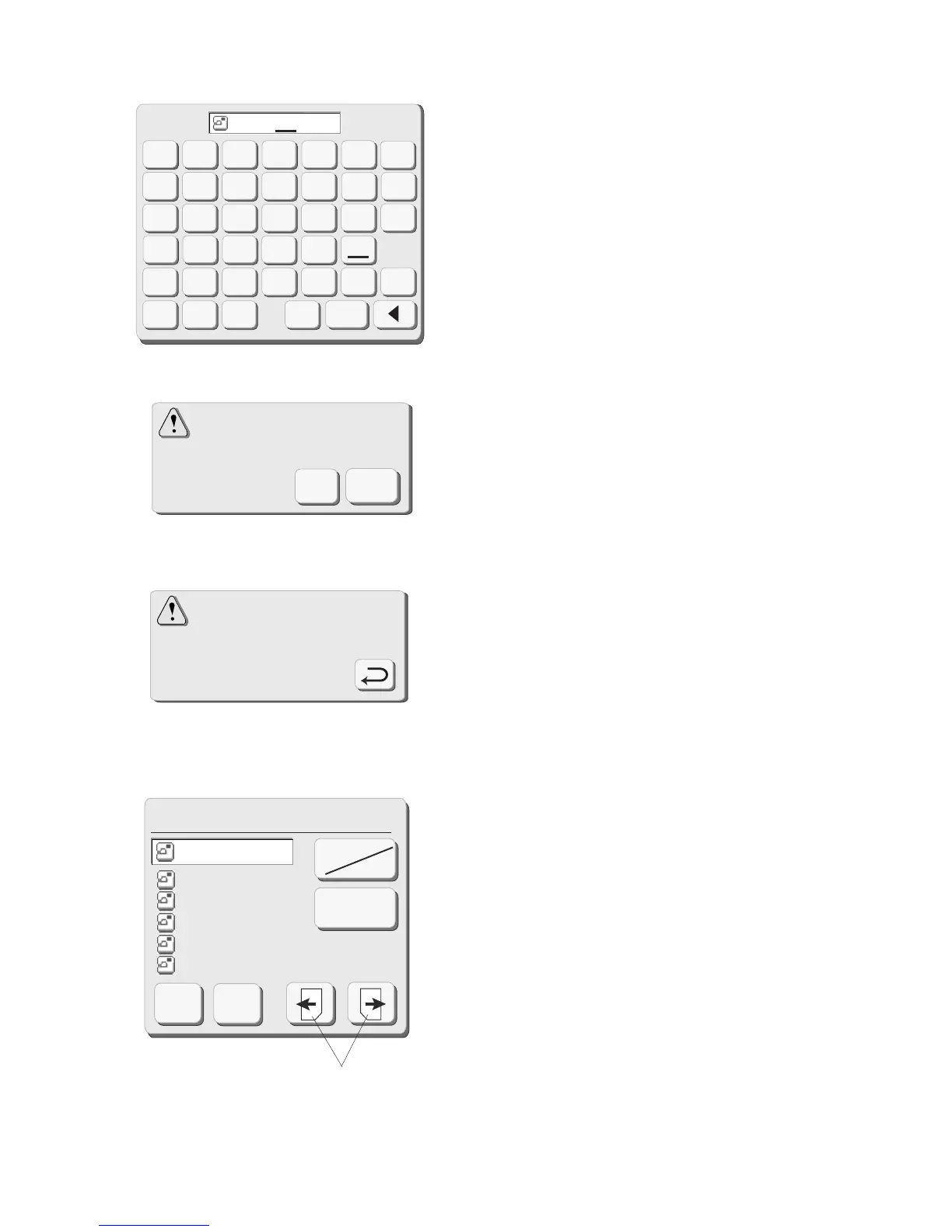
Short of memory space,
the file cannot be saved.
The same file name exists,
overwrite it?
Cancel
OK
Touch the “OK” key. The file name window will
close and the file will be saved with that name. (If
you touch the “Cancel” key, the file name window
will close without assigning the new file name.)
NOTE: Should you try to save a file under a name
that already exists, this warning message will
appear. Touch “OK” key to overwrite the file. Touch
“Cancel” key if you don’t want to overwrite the file.
Change the file name and then save it under the
new name.
NOTE: When the memory is full, a warning
message will appear. Touch the “OK” key. Go to
the open file window (see page 44) and delete a
file you no longer want.
q Next and Previous keys
The save file window will display 5 saved file
names at a time. Touch these keys to view the
other saved file names.
Touch the “OK” key to save the file. Touch
“Cancel” key to close the save file window without
saving the file.
CAUTION: Do not turn off the power switch or
eject the card when warning messages or
hourglass icon is displayed. The stored data could
be lost or damaged.
Save File (Built-in)
Built-in
Card
File Name
M_00
2
M_001
BEAR
_
1
M_00
3
M_00
5
M_00
4
Cancel
OK
q
Cancel
A
B
C
DEF
G
HI J KLM
N
OP QR
STU
012
789
3
456
VWX
YZ
OK
B
E
A
R
1



 To Next Page