Chapter Four Configuration
man_905-105_2.16 Page 51
Pulse Output Update Time Configuration
The pulse output update time is
the time period over which pulses
are output after a PI update is
received. It should be configured
to correspond to the pulse input
update time for the corresponding
pulse input. This ensures that the
pulse output rate matches as
closely as possible the pulse input
rate which it is reflecting.
For example, if the PI update
time is 1 minute, then the PO
update time should also be 1
minute. If the PI update time is
changed, then the PO update time
at the remote module should be
also changed. The PO will still operate if the time is not changed, however pulses may be output
faster or slower than the input pulses.
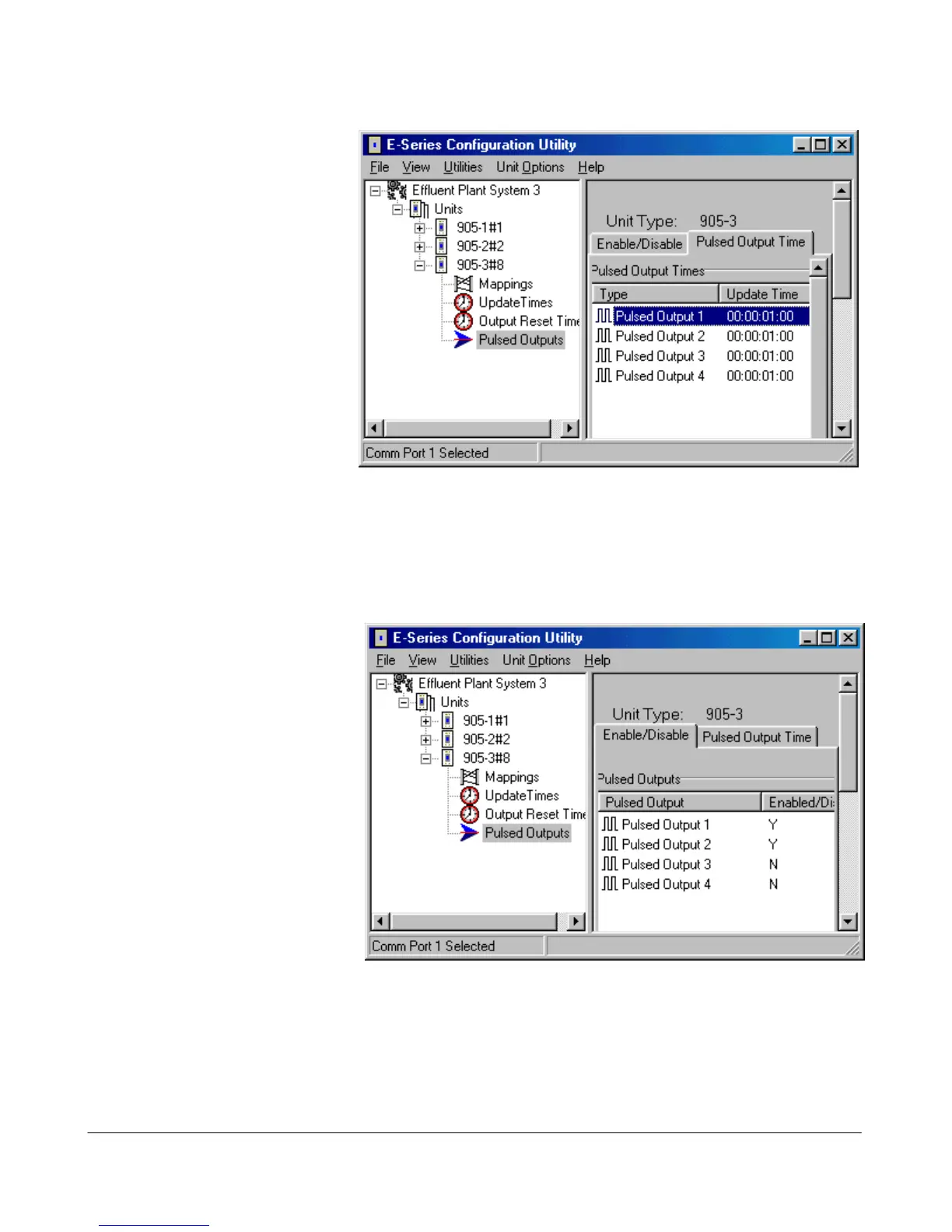
To configure the pulse output time, select “Pulse Outputs” on the left-hand menu and select the “Pulsed
Output Time” page - double-click the pulse output and enter the new time.
Pulse Output Enable
The PO’s for the -2 and -4
modules are also DO1-4. To use
as pulse outputs, you need to
enable them as pulse outputs.
To enable pulse outputs, select
“Pulse Outputs” on the left-hand
menu and select the
“Enable/Disable” page - double-
click the pulse output to enable.
Compiling a System
When you have finished
configuring the modules, you
should compile the system. The
compile function scans the
configuration and reports any detected errors. To compile the system, select “Compile System” from
the “Utilities” menu. Select the “Compile” button. The system will compile - the display will show if
there are any compile errors or warnings.



 To Next Page