Chapter Six Troubleshooting
man_905-105_2.16 Page 65
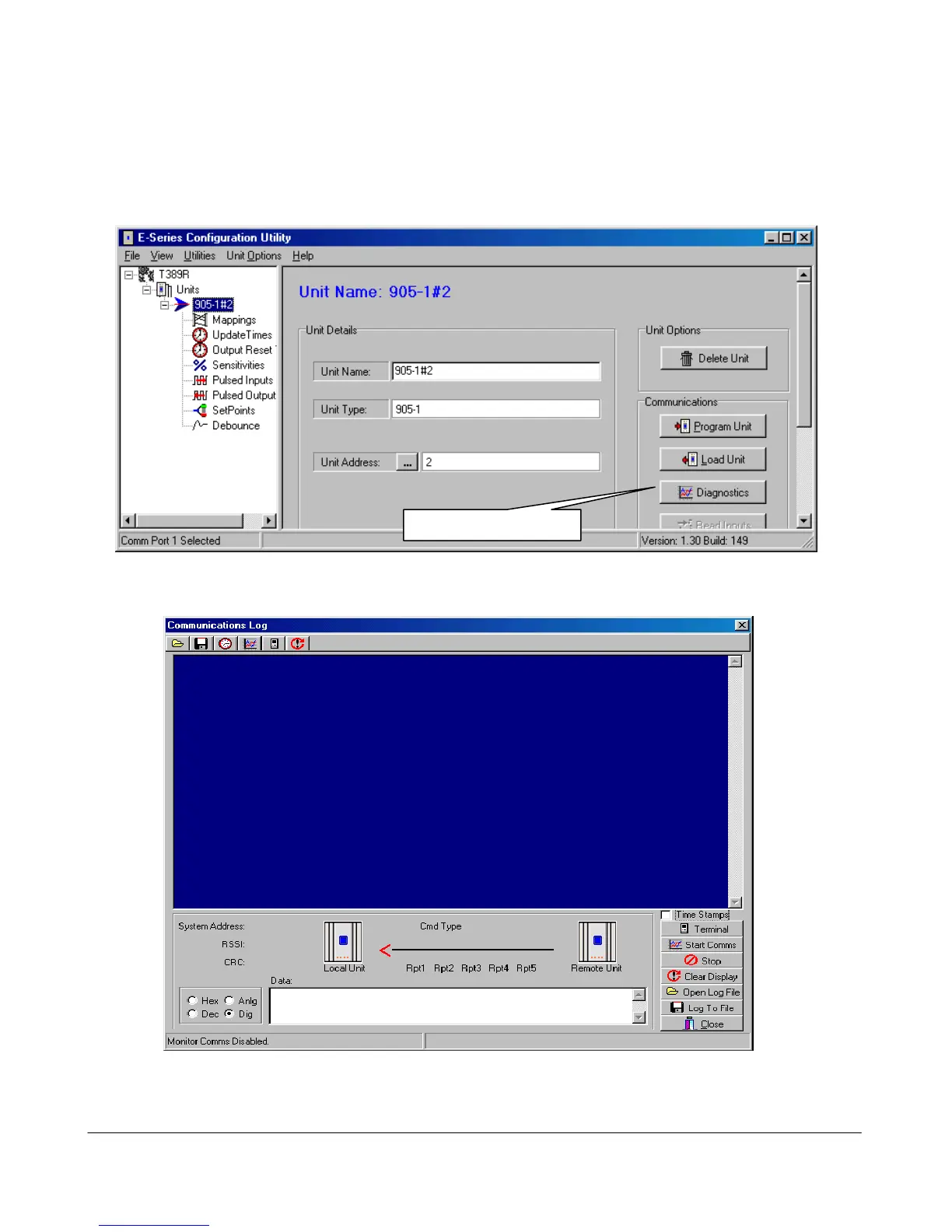
The diagnostics functions can be accessed from the E Series Config software - the same software
package used to configure the modules. Connect the laptop or PC to the module using a configuration
RS232 cable.
Either open the archived project containing the module, or start a New Project and select “Load a New
Unit” - select the correct type of module. After the unit has loaded, select the Diagnostics box.
A “Terminal” screen will appear. Select the “Terminal” box.
Connect the module (ensure the RS485 port is disconnected first) to the PC using the same serial cable



 To Next Page