Chapter 2: Checking Out Your Computer
10
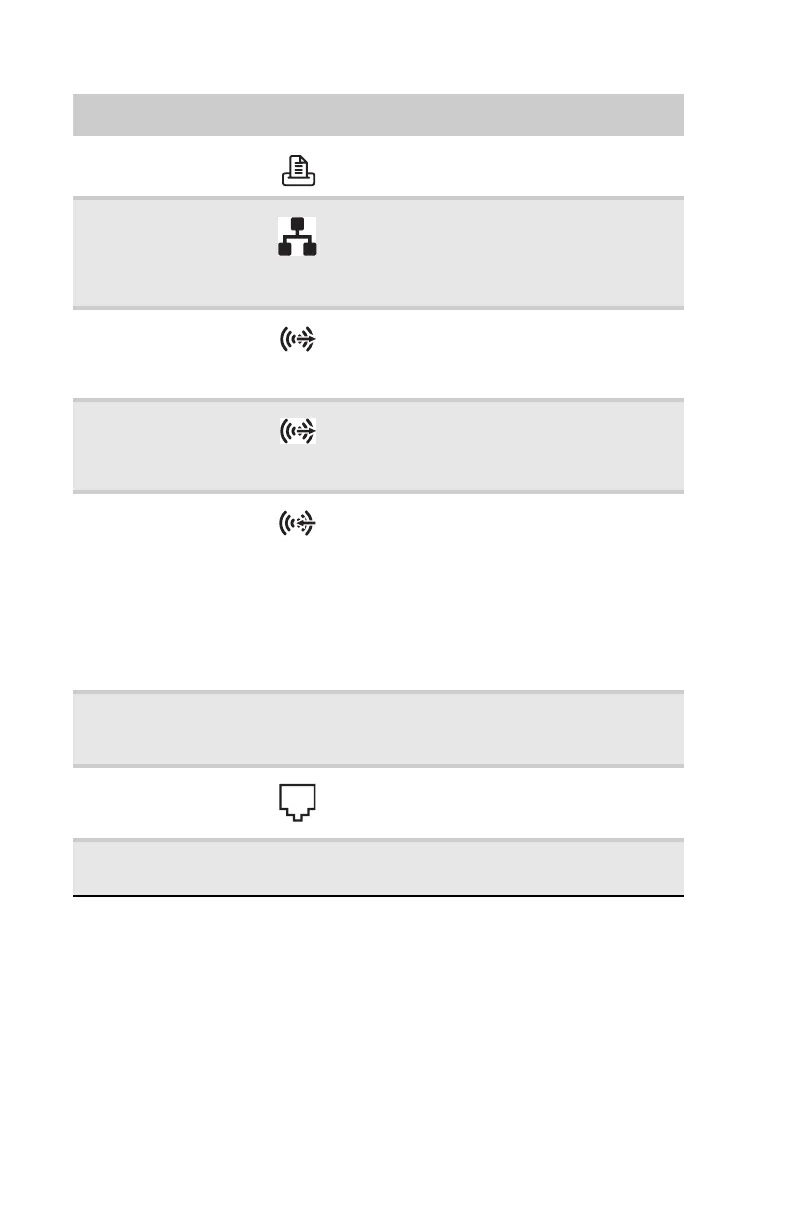
Parallel port Plug a parallel device (such as a printer)
into this port.
Ethernet (network)
jack
Plug an Ethernet network cable or a device
(such as a DSL or cable modem for a
broadband Internet connection) into this
jack. For more information, see “Learning
about the Internet” in the online User Guide.
Center/subwoofer
jack (orange plug)
(optional)
Plug your center speaker and subwoofer
into this jack.
For more information, see “Configuring the
audio jacks” on page 26.
Surround L/R
speaker jack
(black plug)
Plug your rear right and left speakers into
this jack.
For more information, see “Configuring the
audio jacks” on page 26.
Audio in/side
speaker jack (blue
plug)
-OR-
Side speaker jack
This jack is user configurable for one of the
following:
Stereo in: Plug an external audio input
source (such as a stereo) into this jack so
you can record sound on your computer
(Default).
Stereo out: Plug your side left and right
speakers into this jack.
For more information, see “Configuring the
audio jacks” on page 26.
Video card (optional) Plug a VGA (blue connector) or DVI (white
connector) monitor into a port on this card,
if installed.
Modem jack
(optional)
Plug a modem cable into this jack. For more
information, see “Connecting a dial-up
modem” on page 16.
Telephone jack
(optional)
Plug the cord from your telephone into this
jack.
Component Icon Description
8512635.book Page 10 Friday, July 27, 2007 11:21 AM















 To Next Page