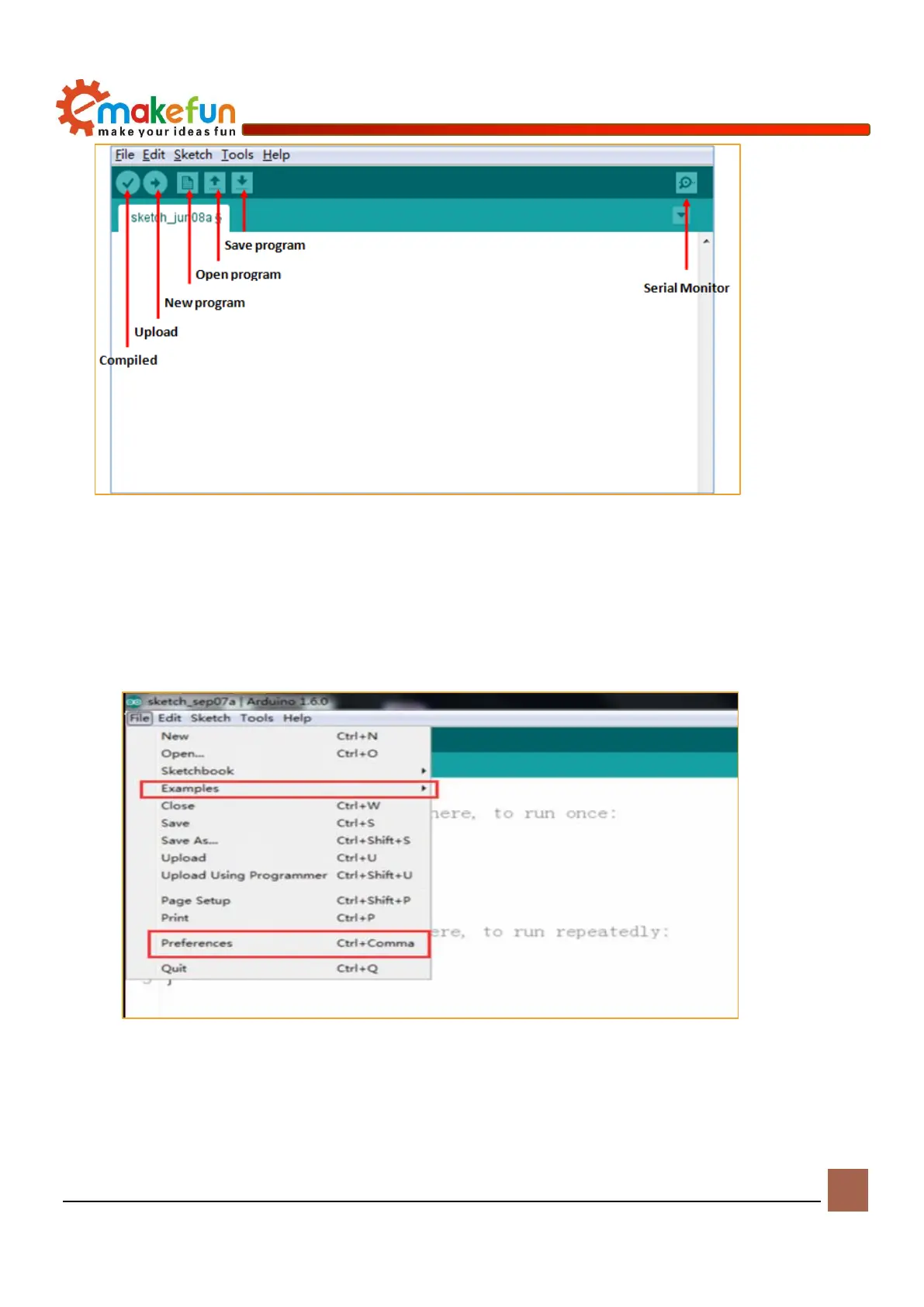
Figure 4-10 Arduino IDE interface
2、There are 5 menus on the menu bar, but we mainly introduce File and Tools. Click File, the
interface shown in Figure 4-11, you can see the Examples and Preference options.Examples are
some of the Arduino's own programs, these are compiled and can be used normally, which is very
helpful for beginners. The Preference option is mainly the setting of parameters, such as language,
font, etc.
Figure 4-11 File menu bar options
3、Click Tools, the interface shown in Figure 4-12 pops up. Here we can see the two options of Board
and Port. In the Board option, we can see the commonly used Arduino development board models,
you only need to choose according to the development board in your hand. In the Port option, the


 To Next Page