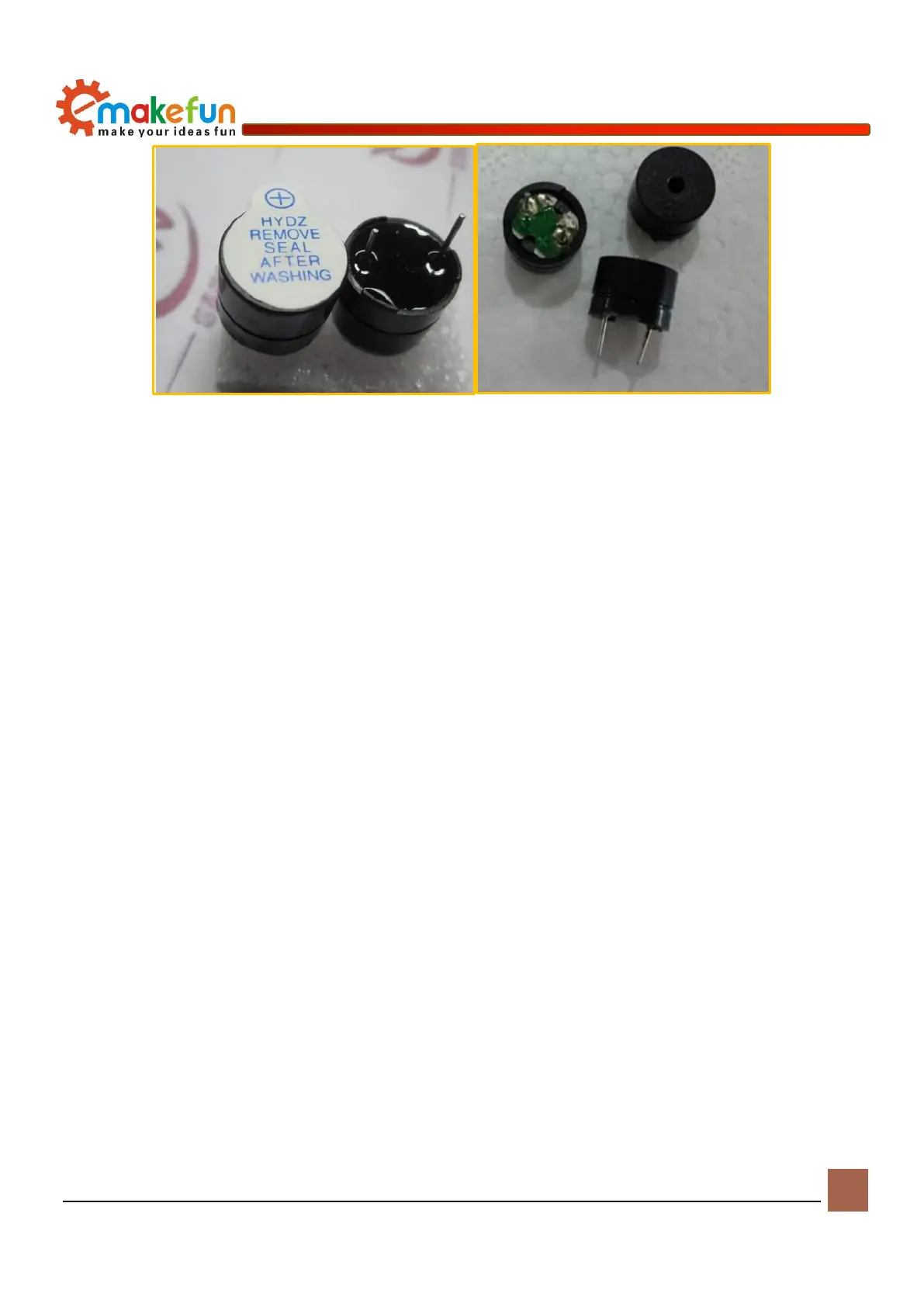
Active buzzer Passive buzzer
Figure 10-1 Physical diagram of active buzzer and passive buzzer
Working principle of buzzer
The passive buzzer generates music mainly by controlling the buzzer sound by outputting high and low
pulse signals from the I/O port of the single chip microcomputer. To generate an audio pulse signal, it is
necessary to calculate the period (1/frequency) of an audio, and then dividing this period by 2 is the half-
cycle time. The time of this half cycle is counted by the single-chip timer, and the I/O port of the output
pulse is inverted every time the timer is counted, so that the frequency of the pulse is obtained on the I/O
port.
For example, if the Arduino uses a 12MHzs crystal, the sound of the mid-tone Re is required to output an
audio pulse frequency of 587Hzs. The pulse period of the audio signal is T=1/587=1703.5775us, and the
half-cycle time is 852us. The device count = 852us / 1us = 852, the I / O port is inverted at 852 every count,
the middle adjustment Re of C major is obtained.
In addition, the passive buzzer sounds the principle that the current passes through the electromagnetic coil,
causing the electromagnetic coil to generate a magnetic field to drive the diaphragm to sound. Therefore, a
certain current is required to drive it and the voltage output from the Arduino I/O pin is small. The level of
the Arduino output basically does not drive the buzzer, because an amplifier circuit needs to be added. Here,
a transistor S8050 is used as an amplifying circuit.
Drive buzzer
There is a passive buzzer on the PS2X&Motor Driver Board. You can control the buzzer to play the
prompt or play music by writing a program (example program file path: load file -> ArduinoDemo ->
Buzzer -> Happy_Birthday -> Happy_Birthday.ino) After burning the sample program, turn on the power
switch and the buzzer plays music. The schematic diagram of the buzzer is shown in Figure 9-3.


 To Next Page