DPSI BMS Operating Manual Version 1.0
Page 25 of 32
10. Resetting the Memorized Values
The values for operating time (flight time in minutes) and withdrawn
capacity (in mAh) can be reset. This occurs after charging of the
batteries. Because the batteries carry full capacity after charging, the
DPSI BMS starts counting from 0 after reset.
For reset of the saved values, press the button and turn on the DPSI
BMS. Press the button for approx. 5 seconds.
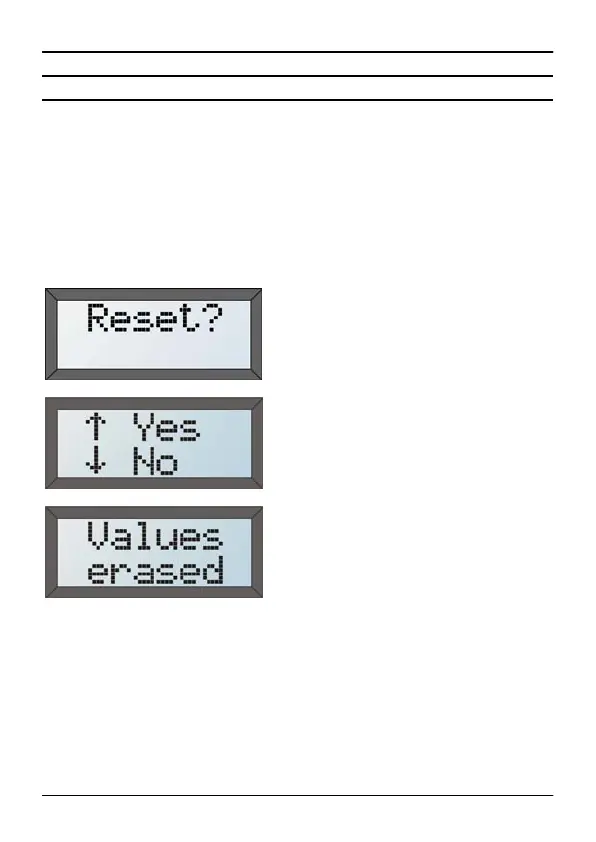
If the button is pressed for 5
seconds during turning on, this
display appears. Releasing the
button changes to the next display:
Reset can be confirmed by the
button or denied by the button. If
neither button is pressed, the DPSI
BMS changes to the normal
operating mode after a time out of
5 seconds.
Confirmation of the reset of the
values. After deletion of the values
a reset occurs and the DPSI BMS
starts up in the normal operating
mode.


 To Next Page