PERC The pulses supplied by a meter connected to the pump determine the dosage
according to the PERC (%), product concentration and quantity for each single
stroke set during programming.
In the presence of an external signal sending pulses,
it is necessary to dose the correct amount of product
by specifying only the PERC (percentage) and leaving
the pump to manage the incoming pulses
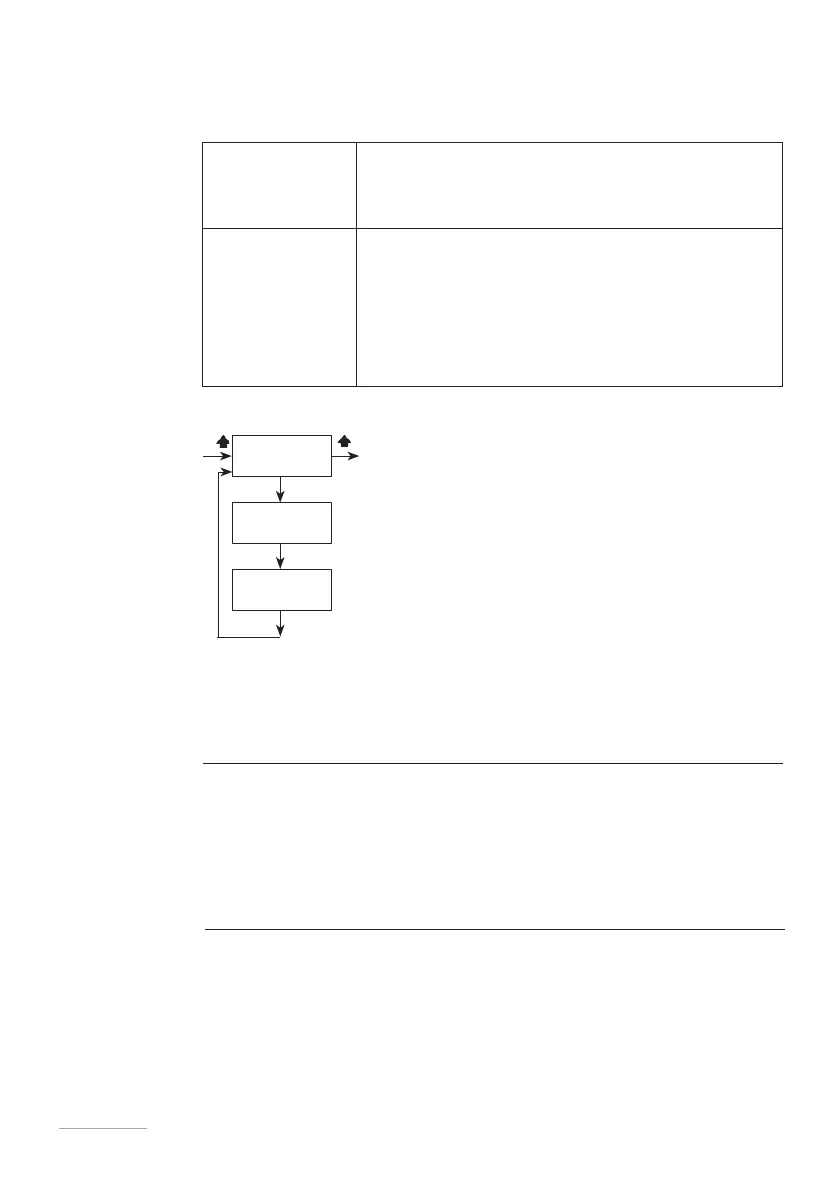
•
PERC (quantity of product in percentage)
•
CONC (% product concentration: 100% pure product)
•
WMETER (meter pulses - working parameter in
PROG 2 SETUP menu)
•
CC/ST (cc/pulse- working parameter in PROG
2 SETUP menu)
•
TIMEOUT (working parameter in PROG 2 SETUP
menu)
Fig. 15. PERC menu.
In this working mode, the pump, connected to a pulse water meter, also becomes an
INSTANT FLOW METER.
Quantity
of product
be dosed
To calculate the quantity of product be dosed:
% product to be dosed x system flow rate (l/h)
———————————————————————————————
% product concentration
Choosing a
water
meter
Use a water meter capable of providing the maximum number of pulses possible.
Note: maximum frequency for this pump is 1Khz (1000 pulses/second).



 To Next Page