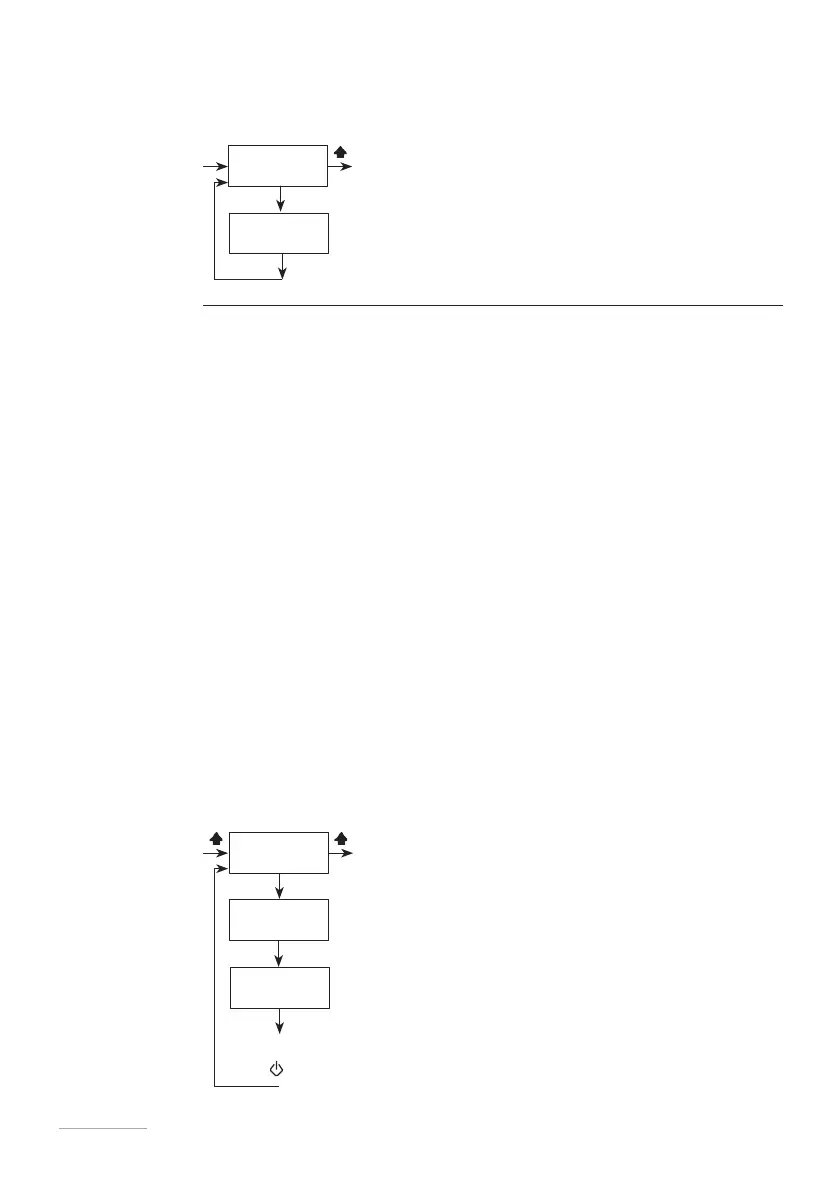
CC/ST Enter the result of the CC/ST (cubic centimetres/pulse) obtained from the TEST
function (next menu) in this sub-menu.
Fig. 25. CC/ST menu
E
TEST This test must be carried out in order to define the amount of cc/st (cubic
centimetres/pulse) that the pump delivers.
1.
Install the pump on the system, taking care to insert the suction hose
(complete with foot filter) into a BEKER type test tube graduated in ml (1ml
= 1cc). If the pump is of the self-priming type, connect the bleed hose and
insert it into the test tube.
2.
Power up the pump and turn the single injection adjustment knob to 100%.
3.
Fill the graduated test tube to a known value with the product that will be
used during normal operation of the system.
4.
From the setup menu, select “TEST” and enter as the value of strokes that
will be produced: “20”.
5.
Press “E”. The pump will start to produce 20 strokes and suction the liquid
into the test tube.
6.
When finished, read the amount of liquid left in the test tube on the
graduated scale.
7.
Subtract the remaining product from the initial product value.
8.
Divide the result by the number of strokes delivered by the pump (20).
9.
Enter the value in the “CC/ST” menu.
10.
If the result obtained is not reliable (values too small or too large), try
increasing or decreasing the number of strokes produced by the pump during
the “TEST” phase.
Fig. 26. TEST menu



 To Next Page