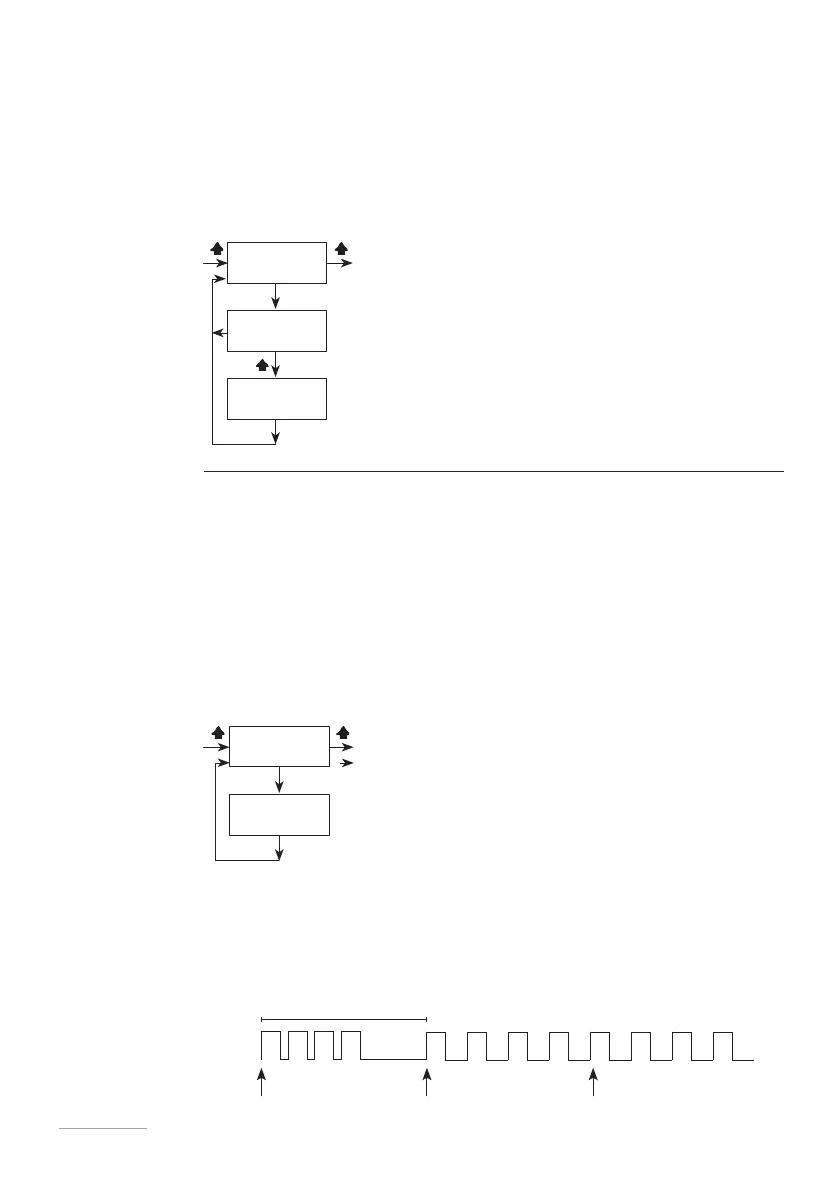
WMETER This menu allows you to set the characteristics of your pulse water meter. You
can enter the value of pulses supplied by the meter itself, based on which the
pump will optimise operation in PPM/MLQ/PERC mode and update the data in
the statistics menu.
Choose the pulse/litre ratio if the meter supplies many pulses.
Choose the litre/pulse ratio if the meter supplies few pulses.
If the value is set to 000.0, the pump will not accept the signal and will not allow
saving.
Fig. 29. Wmeter menu.
TIMEOUT In this menu, set the maximum time that should elapse between one pulse
and the next.
When the pump receives a pulse from the meter, it starts dosing the product by
distributing it in the time between the first and the next pulse.
At the first pulse, the pump distributes the amount to be dosed in the shortest
possible time. Subsequently, when other pulses arrive, it will distribute the
product evenly as it is aware of the time interval between pulses.
Timeout is the maximum time between pulses. Beyond this time, the pump re-
initiates dosing, as if it were the first pulse.
The default setting is 120 seconds.
Fig. 30. Timeout menu.
This setting only applies to the MULTIPLY, PPM, PERC and MLQ working modes
when the calculation result is a multiplication.
The pulse Timeout does not intervene in DIVIDE mode or in any modes where the
result of the calculation is a division.
Fig. 31.
Timeout.
120 SECONDS
1st PULSE 2nd PULSE 3rd PULSE



 To Next Page