Configuration
[67]
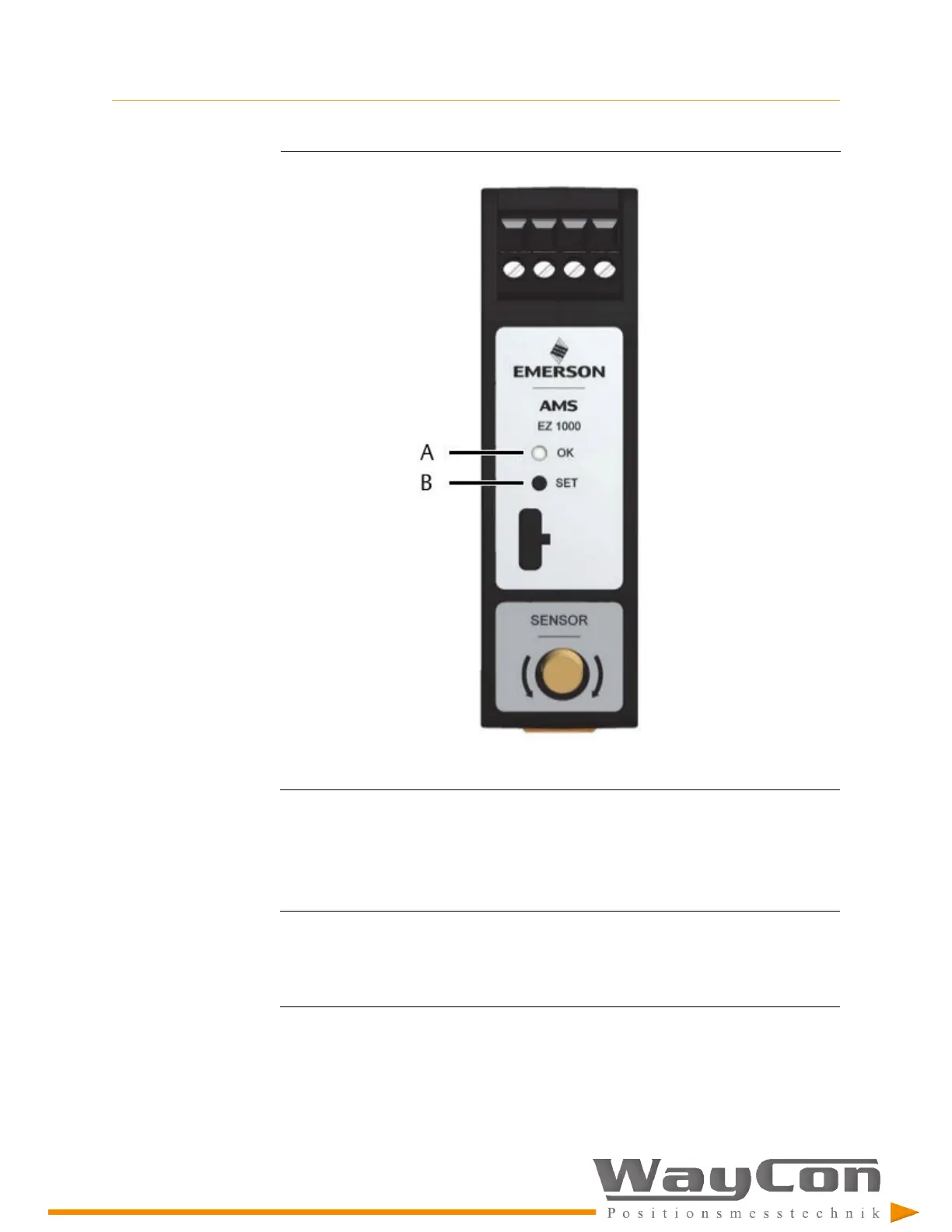
Figure 8-28: LED and button location
A.
Green LED (
OK
)
B.
Calibration button (
SET
)
6. To complete the calibration, release the button. The calibration process starts and
the double flashing of the LED continues for five seconds.
The calibration is finished when the LED stops double flashing, and the light is
constantly green.
Note
If a fault has been detected during the process or if the converter has been already calibrated
with Machine Studio, the calibration is stopped, and the LED flashes fast (5 Hz) until the EZ
1000 is powered off and on again. The existing calibration of the converter remains
unchanged.
7.
Mount the sensor (see
Section 5.2
).



 To Next Page
 Loading...