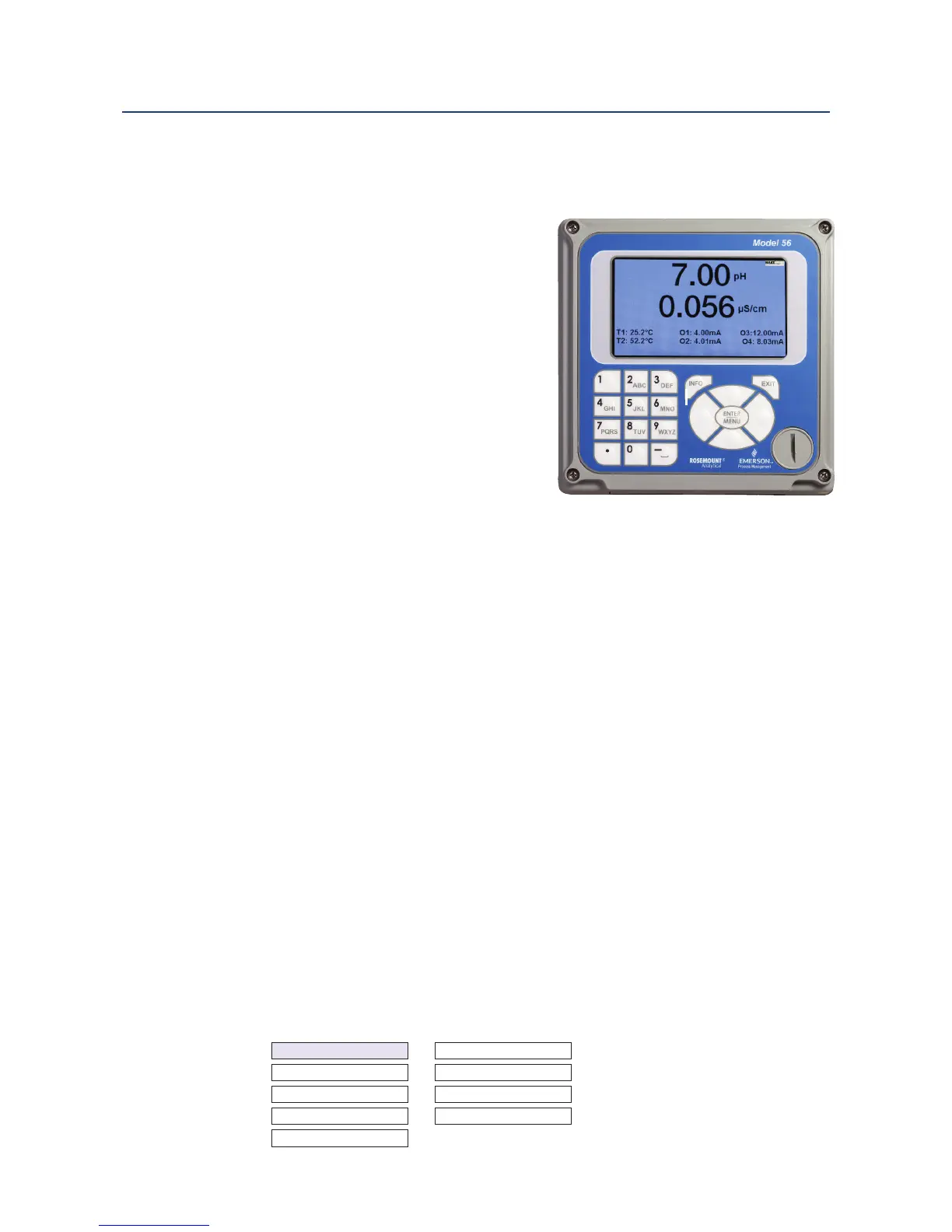
Section 4.0 Display and Operation
4.1 User Interface
The 56 has a large display which shows two live
measurement readouts in large digits and up to
six additional process variables or diagnostic
parameters concurrently. The display is back-lit
and the format can be customized to meet user
requirements. The ENTER/MENU key allows
access to Calibration, Hold (of current outputs),
Programming, Display, Data and HART
®
functions.
In addition, a dedicated INFO key is available to
provide access to useful diagnostic and
instrument information regarding installed
sensor(s) and any problematic conditions. The
display flashes a red banner to indicate a Fault
condition and a yellow banner for a Warning
condition. Help screens are displayed for fault and
warning conditions to guide the user in troubleshooting. During calibration and programming,
key presses guide the user step-by-step through procedures. An alpha-numeric keypad similar
to a cell phone keypad is available to allow the user to enter data during programming and
calibration or lengthy tags to describe process points, sensors, or instrumentation.
4.2 Instrument Keypad
There are three Function keys, four Navigation keys and an alpha-numeric keypad on the
instrument keypad.
Function keys
The ENTER/MENU key is used to access menus for programming and calibrating the
instrument as well as retrieving stored data. Eight top-level menu items appear when
pressing the ENTER/MENU key from the main display of live readings:
• Calibrate: calibrate attached sensors and analog outputs.
• Program: Program outputs, relays, measurement, temperature, and security codes.
• Hold: Suspend current outputs.
• Display Setup: Program graphic trend display, brightness, main display format, tags,
language, and warnings.
• Data storage and retrieval: Enable data and event storage, download data, and vie
events.
• HART or Profibus: Program HART and Profibus communication parameters.
• Time and Date: Set and view real-time clock settings.
• Reset:Reset all instrument settings, calibration settings or current outputs to factory defaults.
Calibrate
Data storage and retrieval
Program HART
Hold Time and Date
Display setup Reset
Display and Operation 31
Instruction Manual Section 4: Display and Operation
LIQ-MAN-56 April 2017
Software upgrade













 To Next Page