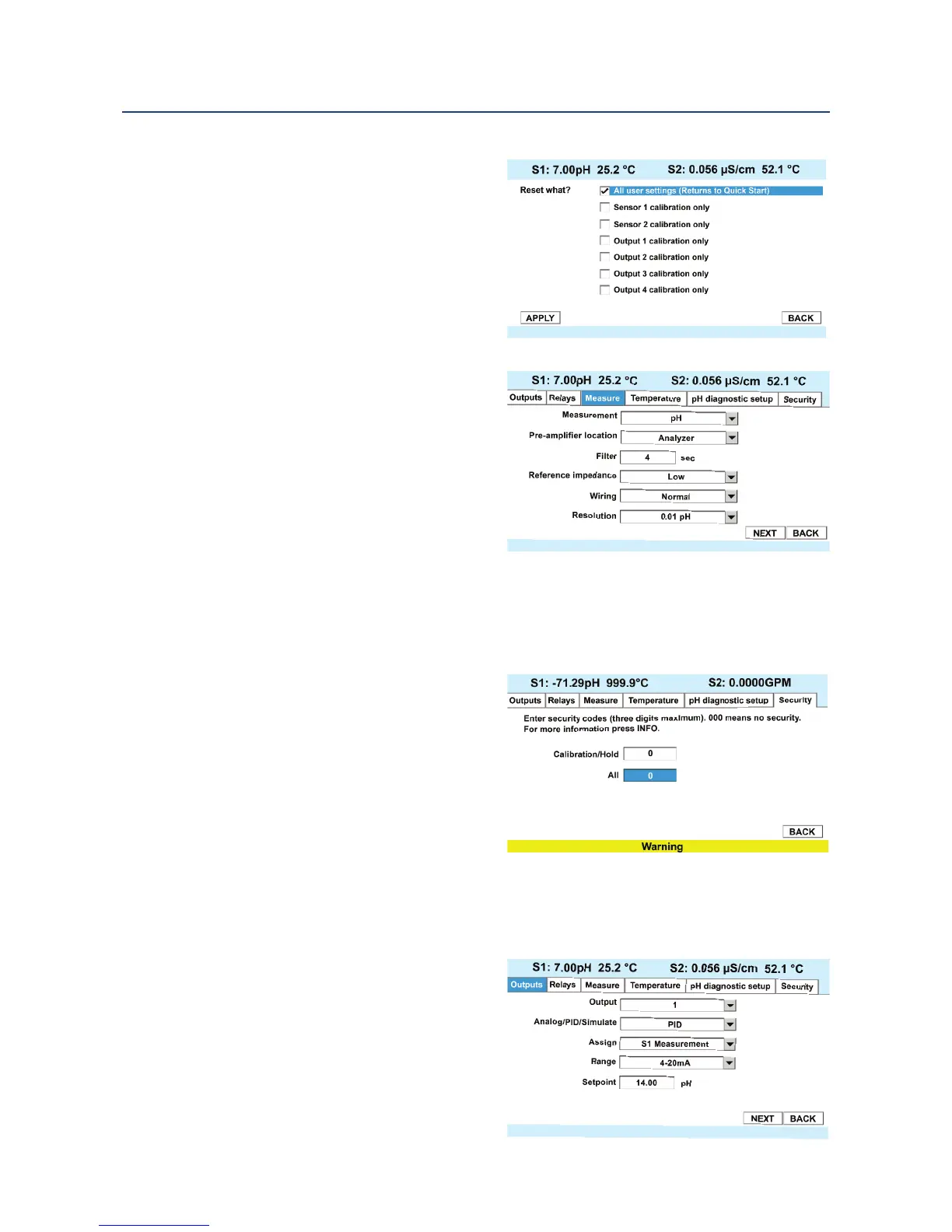
To change the measurement type,
measurement units, or temperature
u
nits, access the Reset screens by
pressing ENTER/MENU from the main
screen.
To change the measurement type,
measurement units, or temperature
units, access the Program screens by
pressing ENTER/MENU from the main
screen.
5.3 Programming Temperature
Most liquid analytical measurements (except ORP) require temperature compensation. The
56 performs temperature compensation automatically by applying internal temperature
correction algorithms. Temperature
correction can also be turned off. If
temperature correction is off, the 56 uses
the temperature entered by the user in all
temperature correction calculations.
To select automatic or manual temp
compensation, set the manual reference
temperature, and to program
temperature units as °C or °F, access the
Temperature screens by pressing
ENTER/MENU from the main screen.
5.4 Configuring and Ranging the Current Outputs
The 56 accepts inputs from two sensors
and has four analog current outputs.
Ranging the outputs means assigning
values to the low (0 or 4 mA) and high (20
mA) outputs. This section provides a guide
for configuring and ranging the outputs.
ALWAYS CONFIGURE THE OUTPUTS FIRST.
To configure the outputs, access the
Outputs screen by pressing ENTER/MENU
from the main screen.
Section 5: Programming Basics Instruction Manual
April 2017 LIQ-MAN-56
38 Programming Basics













 To Next Page