Instruction Manual Section 5: Programming Basics
LIQ-MAN-56 April 2017
Programming Basics 39
5.5 Setting a Security Code
T
he security codes prevent accidental or unwanted changes to program settings, displays,
and calibration. The 56 has two levels of security code to control access and use of the
instrument to different types of users.
The two levels of security are:
• All: This is the Supervisory security
level. It allows access to all menu func-
tions, including Programming, Cali-
bration, Hold and Display.
• Calibration/Hold: This is the operator
or technician level menu. It allows ac-
cess to only calibration and Hold of the
current outputs.
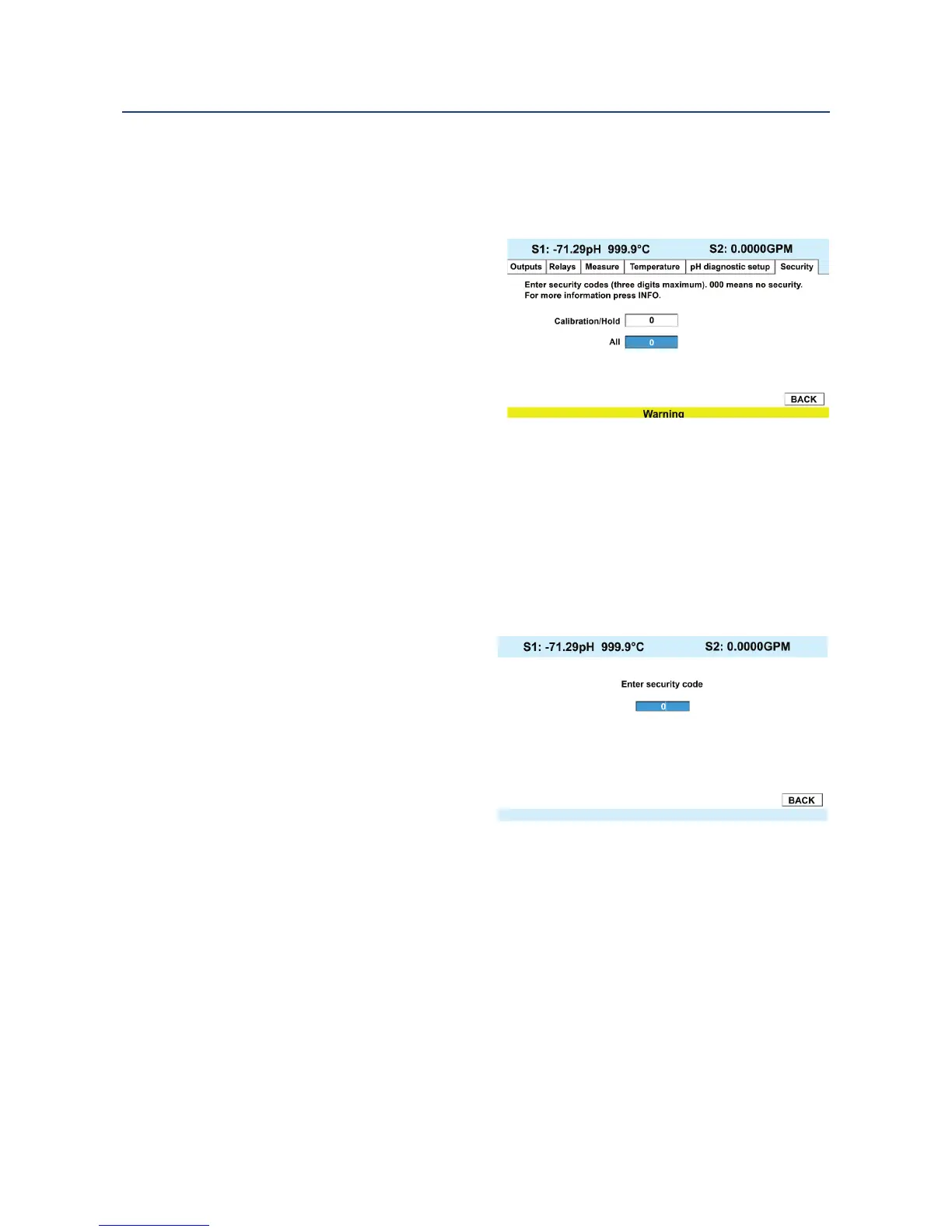
To set security codes, access the Security screen by pressing ENTER/MENU from the main
screen. Upon entry of the proper code, the following security screen will appear.
5.6 Security Access
When entering the correct access code for the Calibration/Hold security level, the
Calibration and Hold menus are accessible. This allows operators or technicians to perform
routine maintenance. This security level does not allow access to the Program or Display
menus. When entering the correct access code for All security level, the user has access to all
menu functions, including Programming, Calibration, Hold and Display.
The 56 menus use a security code,
access the Security screen by pressing
ENTER/MENU from the main screen.
If a security code is currently
programmed, the follow security
screen will appear. Enter the code.
1. If a security code has been
programmed, selecting the
Calibrate, Hold, Program or
Display top menu items
causes the security access
screen to appear.
2. Enter the three-digit security code for the appropriate security level.
3. If the entry is correct, the appropriate menu screen appears. If the entry is incorrect,
the Invalid Code screen appears. The Enter Security Code screen reappears after 2
seconds.













 To Next Page