Section 5: Programming Basics Instruction Manual
April 2017 LIQ-MAN-56
40 Programming Basics
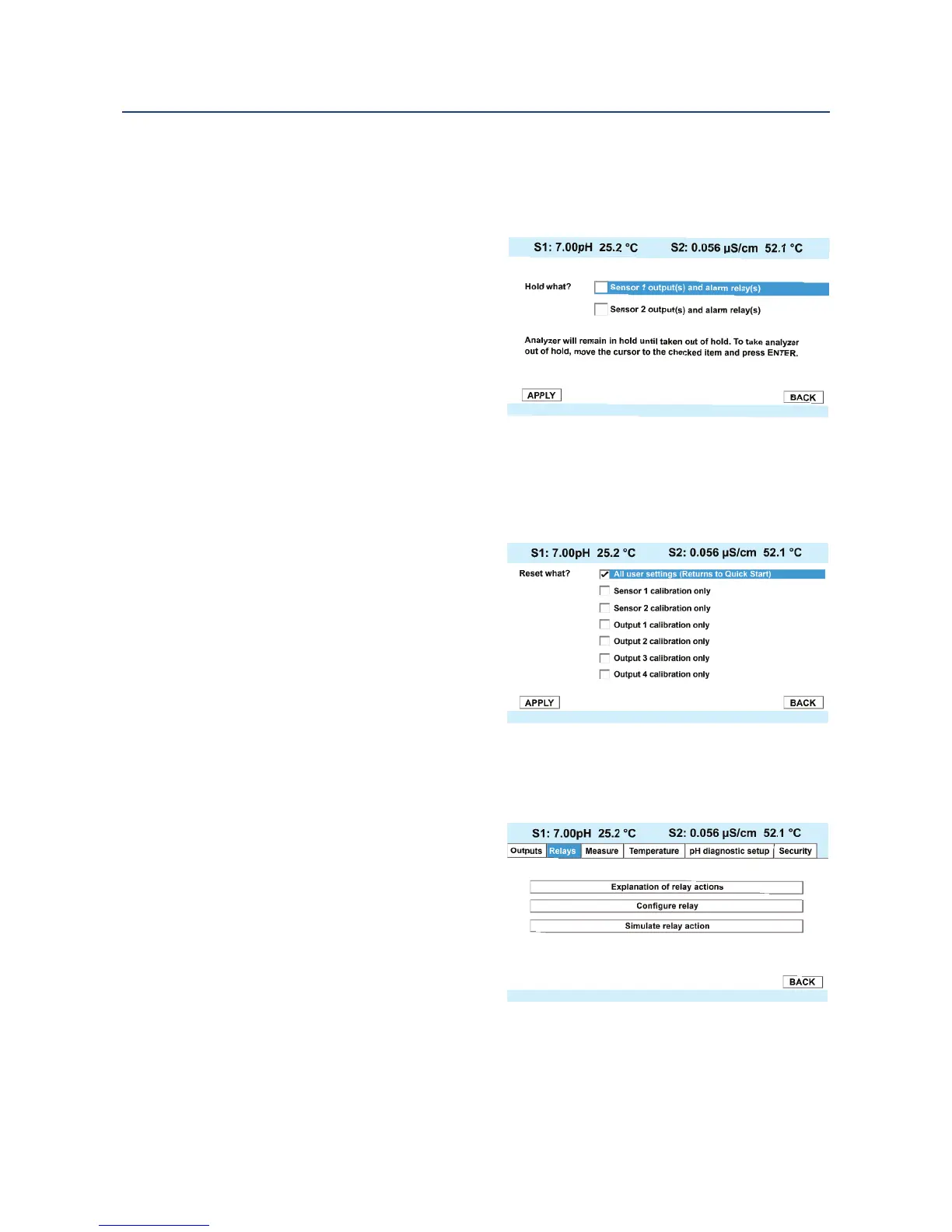
5.7 Using Hold
T
he analyzer output is always proportional to measured value. To prevent improper operation
of systems or pumps that are controlled directly by the current output, place the analyzer in
hold before removing the sensor for
calibration and maintenance. Be sure to
remove the analyzer from hold once
calibration is complete. During hold, all
outputs remain at the last value. Once in
hold, all current outputs remain on
Hold indefinitely.
To hold the outputs and alarm relays,
access the Hold screen by pressing
ENTER/MENU from the main screen.
5.8 Resetting Factory Default Settings
This section describes how to restore factory calibration and default values. The process also
clears all fault messages and returns the display to the first Quick Start screen. The 56
offers three options for resetting factory
defaults.
a. reset all settings to factory defaults
b. reset sensor calibration data only
c. reset analog output settings only
To reset to factory defaults, reset
calibration data only or reset analog
outputs only, access the Reset screen
by pressing ENTER/MENU from the
main screen.
5.9 Programming Alarm Relays
The 56 24 VDC (02 order code) and the AC
switching power supply (03 order code)
provide four alarm relays for process
measurement or temperature. Each alarm
can be configured as a fault alarm instead
of a process alarm. Also, each relay can be
programmed independently and each can
be programmed as an interval timer or
one of four advanced timer functions. This
section describes how to configure alarm
relays, simulate relay activation, and
synchronize timers for the four alarm relays.
This section provides details to program the following alarm features. To program the alarm
relays, access the Program screen by pressing ENTER/MENU from the main screen and then
select the Relay tab and the Configure relay control.













 To Next Page