Instruction Manual Section 6: Programming Measurements
LIQ-MAN-56 April 2017
Programming Measurements 49
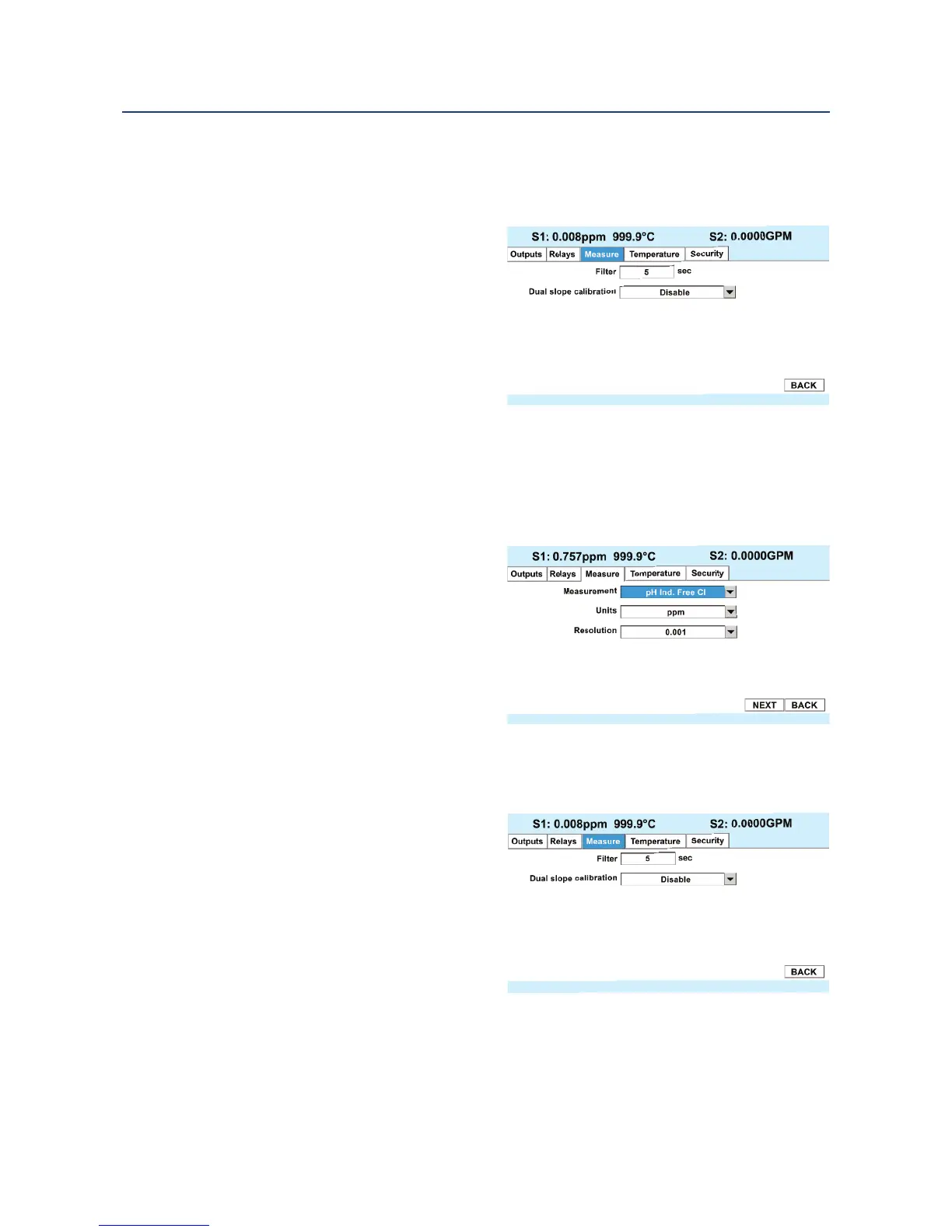
1. To program the Measurement type, select Free Chlorine, pH Ind Free Cl., Total Cl, or
Monochloramine and press ENTER/MENU.
2. To program the Measurement Units: select ppm mg/L and press ENTER/MENU.
3. To program the Measurement Reso-
lution: Select 0.01 or 0.001 and
press ENTER/MENU.
4. To Override the default input filter,
enter 0-999 seconds and press
ENTER/MENU.
5. To use Dual Slope Calibration, select
Enable or Disable and press
ENTER/MENU.
6.6.4 pH-independent free chlorine measurement programming
This Chlorine sub-section describes how to configure the 56 analyzer for Free Chlorine
measurements using the pH-independent free chlorine sensor, 498CL-01, manufactured by
Rosemount. The following programming and configuration functions are covered:
1. Measure: Free Chlorine Select Free
Chlorine, pH Ind. Free Cl. Total Cl,
Monochloramine
2. Units: ppm Select units ppm
or mg/L
3. Resolution: 0.001 Select display
resolution 0.01 or 0.001
4. Filter: 5sec Override the default
input filter, enter 0-999 seconds
5. Dual Slope Calibration: Enable
or Disable
1. To program the Measurement type, select Free Chlorine,
pH Ind Free Cl., Total Cl, or Monochloramine and press ENTER/MENU.
2. To program the Measurement Units:
select ppm mg/L and press
ENTER/MENU.
3. To program the Measurement
Resolution: Select 0.01 or 0.001 and
press ENTER/MENU.
4. To Override the default input filter,
enter 0-999 seconds and press
ENTER/MENU.
5. To use Dual Slope Calibration, select
Enable or Disable and press ENTER/MENU.






 To Next Page