Section 7: PID Control Instruction Manual
April 2017 LIQ-MAN-56
60 PID Control
Basic Definitions
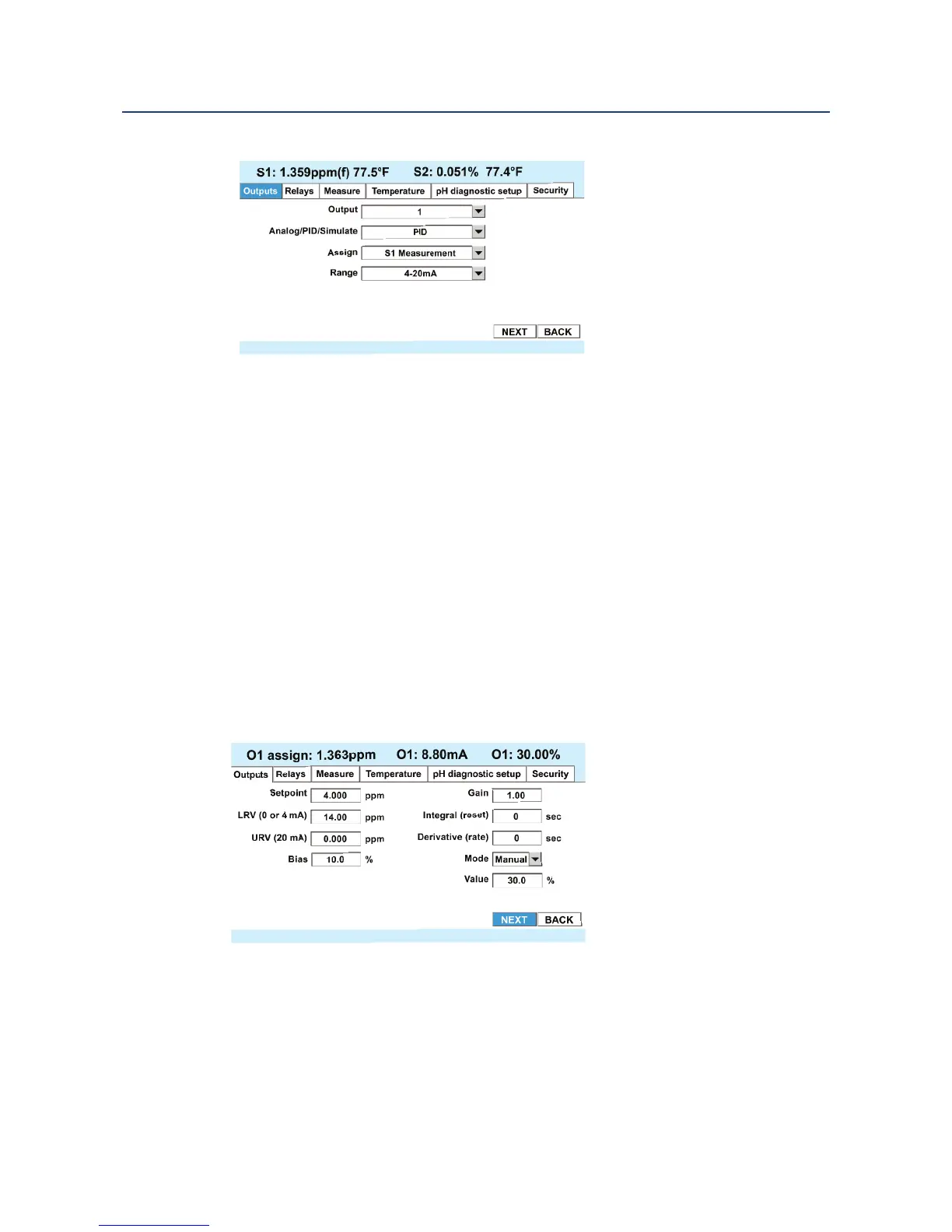
• Output – Select the analog output (1 through 4) to be configured for PID control.
• Analog/PID/Simulate – Choose PID
• Assign – Select the Measurement to be controlled. Note: This measurement can also
be a 4-20 mA signal input brought in by the flow/ 4-20 mA board.
• Range – Select either 0-20 mA or 4-20 mA range, depending on the signal range used
by the final control element, e.g. a pump or valve.
• Select Next to go to the PID Setup parameters.
7.2.3 PID Setup Parameters
The PID control setup window contains the PID control tuning parameters.
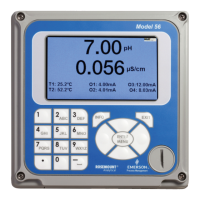
Also note that the upper portion of the screen shows the measurement chosen for control
(PV), and the control output in mA and % Output. This makes it possible to observe the
primary variable (PV) and the control output, in terms of percent and milliamps, while tuning
PID control.
PID Control Parameters: Basic Definitions
• Setpoint – Select the desired setpoint.
• URV – The value of PV (in the above example, 14.00 pH) at which the control will be 20
mA or 100% output.
• LRV -- The value of PV (in the above example 0.00 pH) at which the control will be 0 or 4
mA or 0% output.






 To Next Page