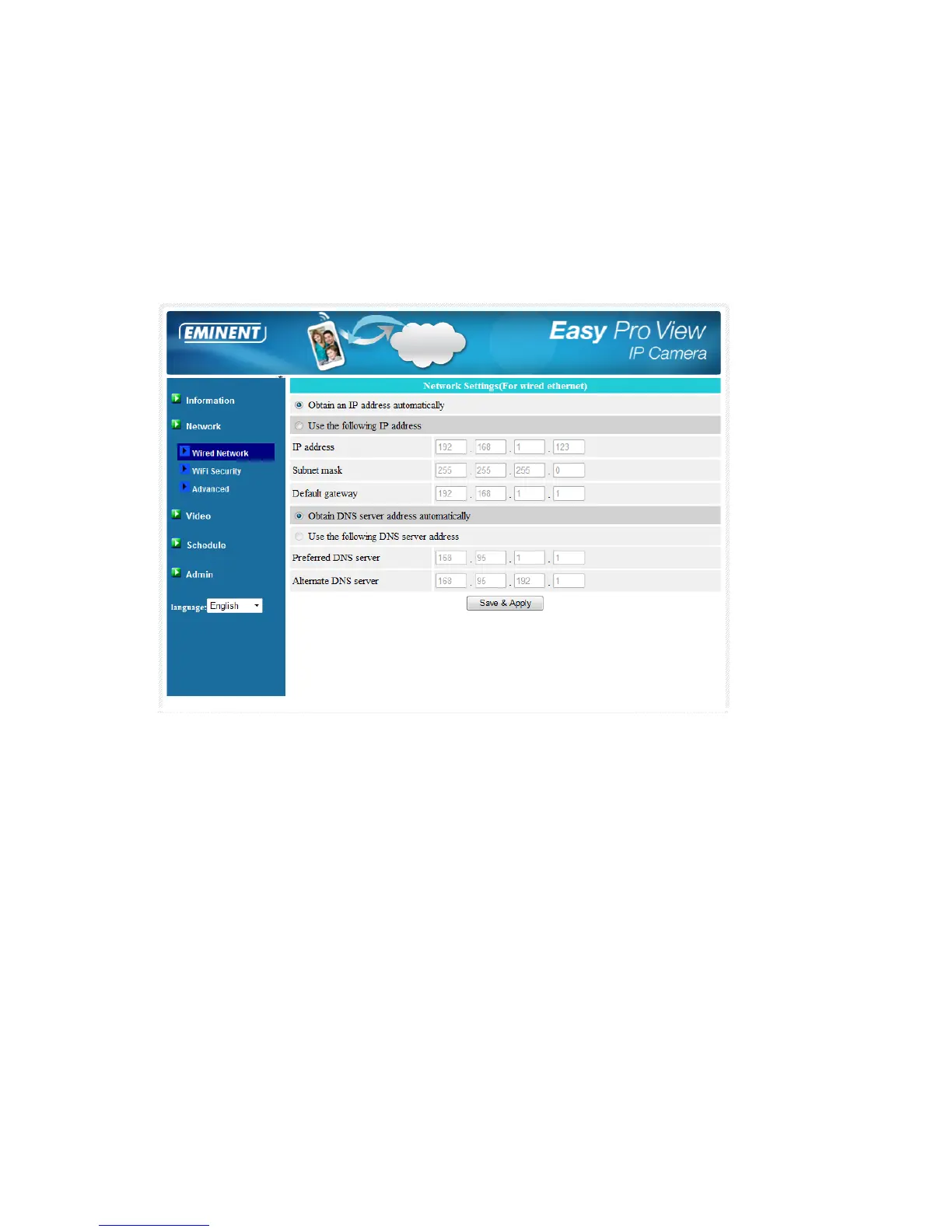
5.3.1 Wired Network
The Wired Network page allows you to modify the network settings of the wired
Ethernet. The default settings use DHCP to obtain an IP address automatically. In
most of the home and office network environment, there is a DHCP server running. In
this situation, by using this default settings, the EM6260 can work immediately in most
of the time.
If the Ethernet cable is unplugged, the EM6260 will lose connection. But as soon as
the Ethernet cable is plugged in again, the EM6260 will obtain a new IP address
immediately.
If the network environment does not support DHCP function, you will need to set the
network settings of the EM6260 manually. Please fill in all the fields including “IP
address”, “Subnet mask”, “Default gateway” and “DNS server” to let the network work.
All these settings must correspond with the settings of your network environment,
otherwise the EM6260 cannot work.
The default setting is “Obtain an IP address automatically”.



 To Next Page