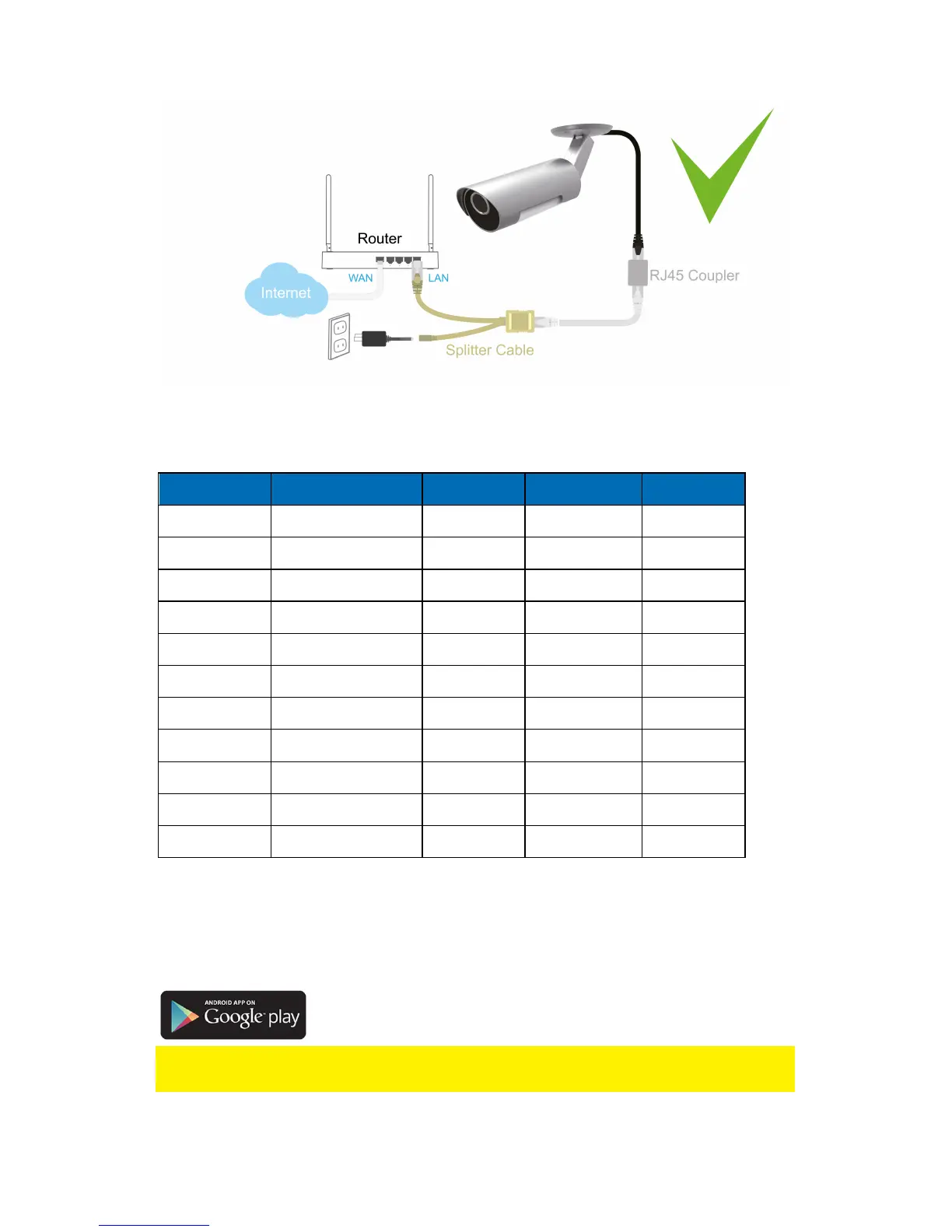
2.2 Which App should I install?
Choose the right App for your preferences/device
Feature Description Easy Pro View Easy Pro View HD Easy Pro View
Platform Support device iPhone/iPod iPad only Android
CAMID/Password
ID/Password Access YES YES YES
Remote Live
viewing
Remote Live video
viewing YES YES YES
Video Recording
& Playback
Video record and
playback on device YES YES YES
PUSH
Notification
Motion/Audio alert
directly to smartphone YES YES YES
Remote SD card
Video Playback
Retrieve video data from
SD card remotely YES YES YES
Advance Video
setting
Wi-Fi Scan, test and
other advanced settings YES YES YES
Local device
Auto
search YES YES YES
Motion Detection
Push Alert
Push notification on
motion detection YES YES YES
Audio Detection
Push Alert
Audio notification on
motion detection YES YES YES
Cost Retail Price at App Store FREE FREE FREE
For this manual we use Easy Pro View on iPod/iPhone
2.3 Installing the Easy Pro View App on an Android device
Before you can view the video of the camera, you need to download and install the
app “Easy Pro View” from the “Play Store”.
If you already have installed the APP, please make sure you have installed the latest
version of the APP.
1. Download and install the app “Easy Pro View” from the “Play Store”.
1
2
3
4
5



 To Next Page