WEP : Wireless Encryption Protocol.
WPA/WPA2 : Wi-Fi Protected Access.
PSK : Pre-Shared Key.
TKIP : Temporal Key Integrity Protocol.
AES : Advanced Encryption Standard.
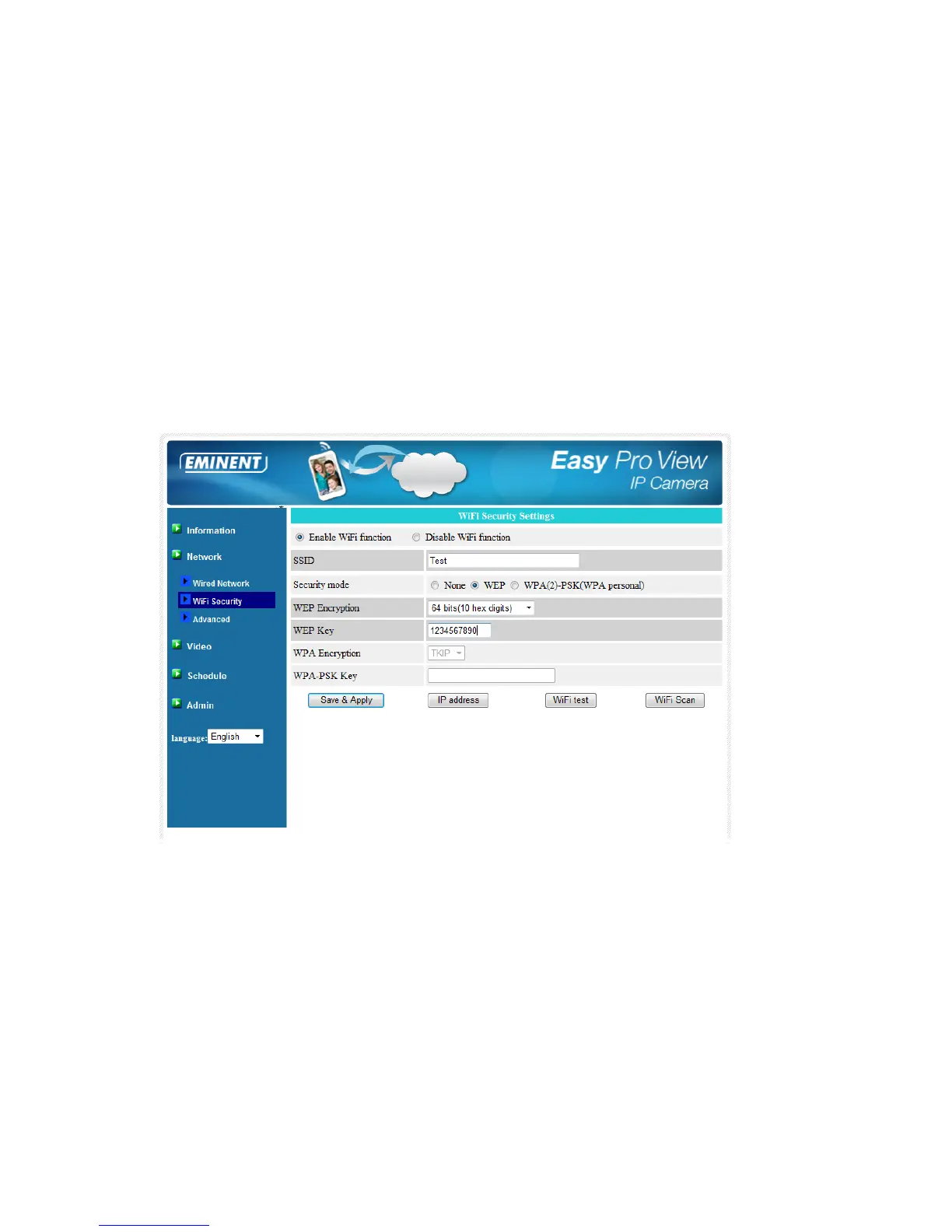
3. WEP encryption – when the WEP mode is chosen, you need to choose between
64-bit(5 char), 64-bit(10 hex), 128-bit(13 char) and 128-bit(26 hex) encryption
mode, and then fill out the WEP key correctly.
4. WPA encryption - when the WPA-PSK mode is chosen, you need to choose
between TKIP and AES encryption mode, and then fill out the WPA-PSK key
correctly. WPA2-PSK is also supported. But WPA Enterprise or WPA2 Enterprise
is not supported.
All the fields in this page must be filled out correctly, with the same settings as the
wireless router or AP are using.
You can click the “Wi-Fi test” button to check if the EM6260 can connect to the
wireless network for these settings. You will need to unplug the Ethernet cable to
enable the wireless connection after the “Wi-Fi test” is successful.
You can click the “Wi-Fi scan” button to scan for all the available access points
nearby. See figure for reference.
If you want to define a fixed IP address when using a Wi-Fi connection, please click
the “IP address” button and enter your preferred IP address.
After the settings are updated click “Save & Apply”, The device does not need to
reboot to let the Wi-Fi work, To enable the Wi-Fi, unplug the Ethernet cable.



 To Next Page