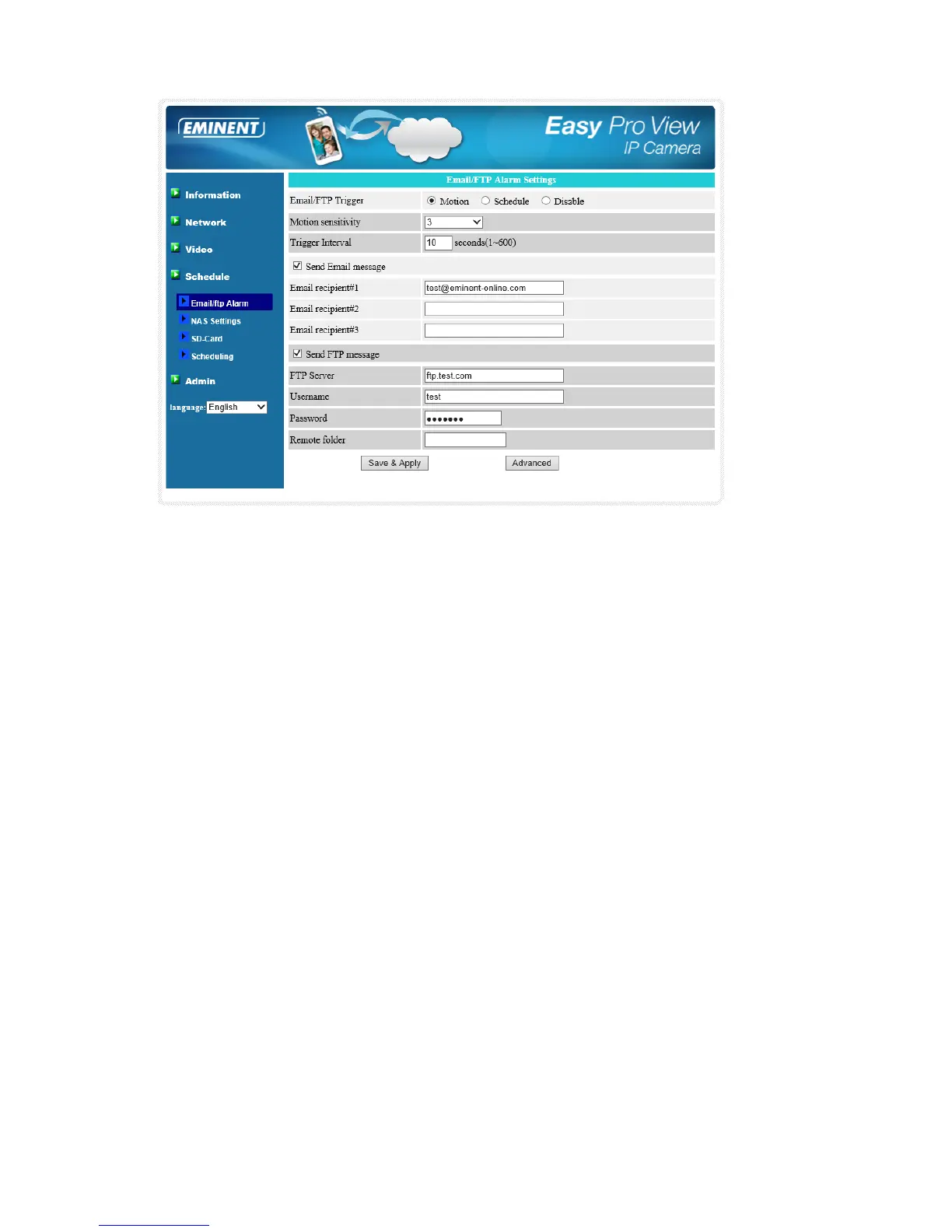
For the email message to work, a SMTP server is required. Click the “advanced”
button will display the SMTP server settings page. A default SMTP server is provided,
so that the user does not need to use a specific SMTP server. But, anyway, the user
could also specify his own SMTP server.
1. SMTP server – this is the SMTP server that will help to transfer the email
message. This server is irrelevant to the “Email recipient” address.
2. SMTP username/password – this is the account to use the SMTP server to
transfer the email message. The SMTP server and username/password account
are only for transfer the email message to the “Email recipient”, the “Email
recipient” could be on another email server or any reachable email address. The
username and password fields could be left empty if no authentication is needed
for the SMTP server.
3. SMTP server test – after the settings are filled, you could press “SMTP server
test” to check if all the settings are correct. If the default SMTP server is chosen, it
will test the default SMTP server.



 To Next Page