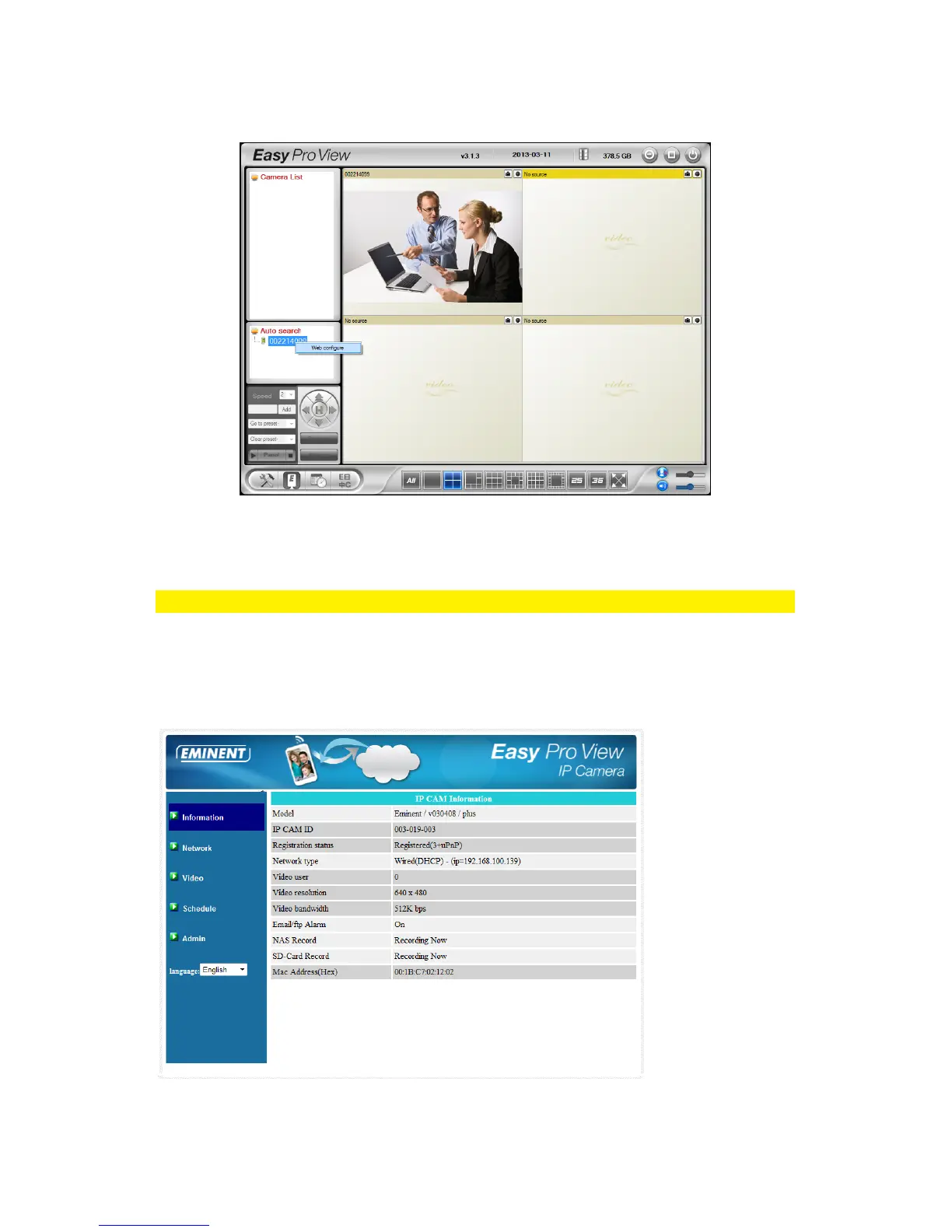
found, the camera will be displayed in the list.
3. Right mouse button click your camera, click “Web configure”
4. Now a browser screen will appear.
5. Fill out the camera’s username and password. By default, the username is
‘admin’ and the password is ‘please leave this blanc’.
Note: This is NOT the Camera ID and Password which is mentioned on the card!
In this section, we assume you logged in using Internet Explorer.
The menu will be slightly different when using another browser.
6. Click in the left menu the button “Admin”.
7. Click “Upgrade”.



 To Next Page