Initial charging of headset
Make sure the small switch on the rear underside of the headset is set to the “Off” position before
starting.
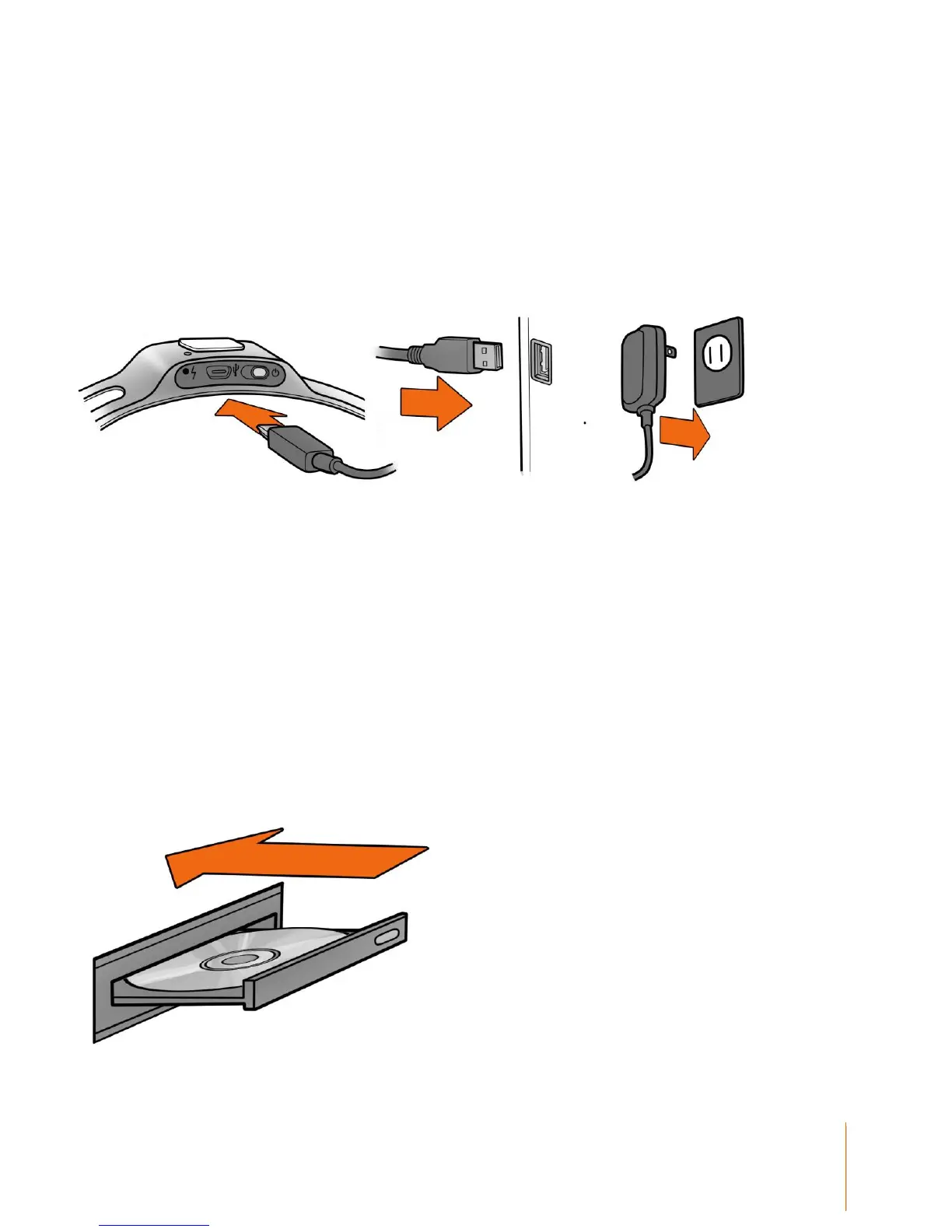
Plug the mini USB cable attached to the supplied battery charger into the slot at the top of the
headset and to the USB port on your PC or the power cord into a 50 or 60 Hz 100-250 V electrical
outlet.
The Lithium battery can be recharged to 100% capacity in approximately 4 hours depending on the
initial state of charge. Charging for 30 minutes usually yields about a 10% increase in charge.
The EPOC Headset contains two status LEDs located at the rear and next to the power switch at
the back of the headband. When the power switch is set to the “on” position, the rear LED will
illuminate and appear blue if there is sufficient charge for correct operation, unless charging is in
progress. The charging LED will appear red during battery charging; when the battery is fully-
charged, the charging LED will display green.
NOTE: The Headset should not be charged when still on the head.
Software Installation
Insert the supplied EPOC CD setup disk into your computer's CD/DVD drive and follow the step-by-
step installation instructions.
After software installation, start-up the EPOC Control Panel program, loading the Headset Setup
screen.



 To Next Page