eMKW-TD0054-21- Page 26
Text Notes
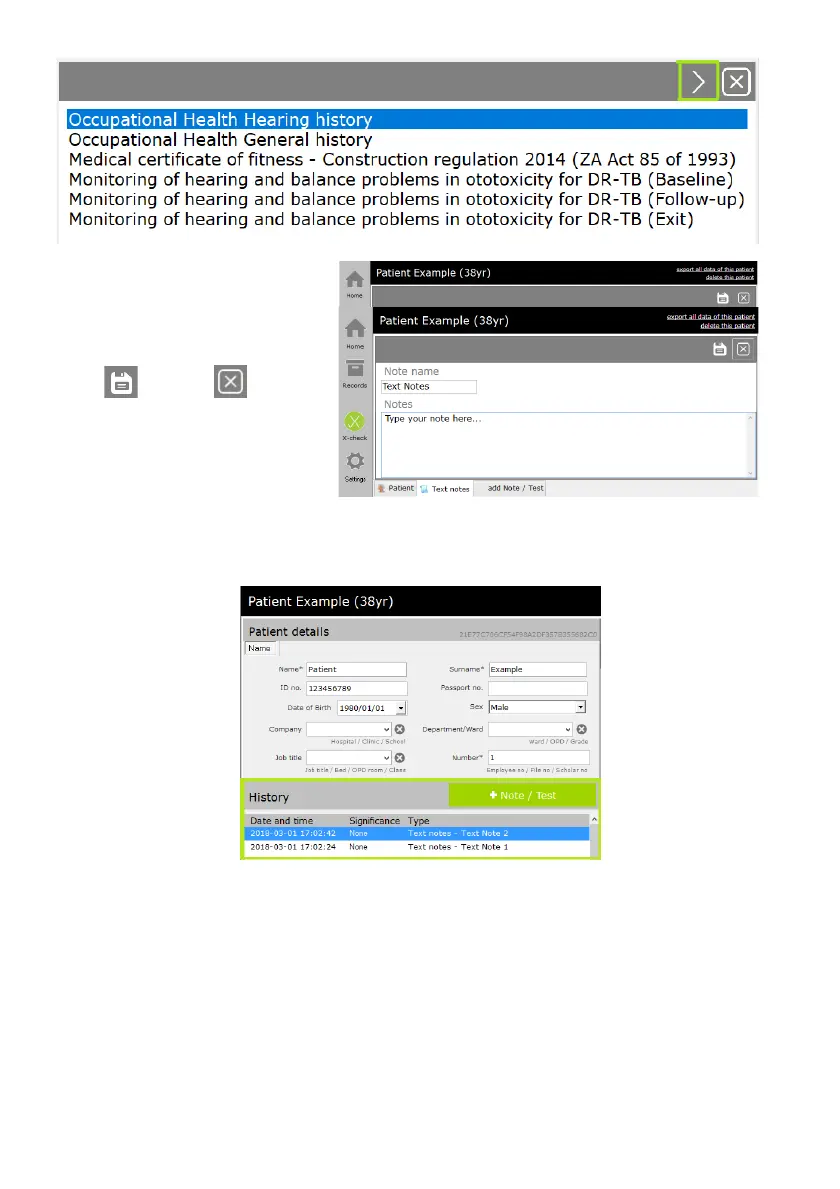
Select “Text notes” from the +Note /
Test menu. Enter the name of the
note and enter the note text.
Select to save or to cancel
the note. The note is saved in the
patient history.
Patient History
The Patient Data Pane also contains a panel called History. Here, all Notes/tests will be ordered by date.
Patient Data Storage
Data is obfuscated locally and only accessible/readable via the eMoyo software. No data can be deleted,
it is only hidden from the end user in the software. The patient database is encrypted and stored in hidden
folders under GUIDs that are linked to the respective tests or patients.
eMoyo does not take responsibility for the transmission of data off the PC, if the end user requires any
backup solutions (cloud or hardware) it is done at their own risk. If third party integrations are utilised
then it is the responsibility of the third party application to handle the data. Unless an agreement is made
with eMoyo and the risks of data transfer are appropriately mitigated.



 To Next Page