eMKW-TD0054-21- Page 36
Conditioning Your Patient
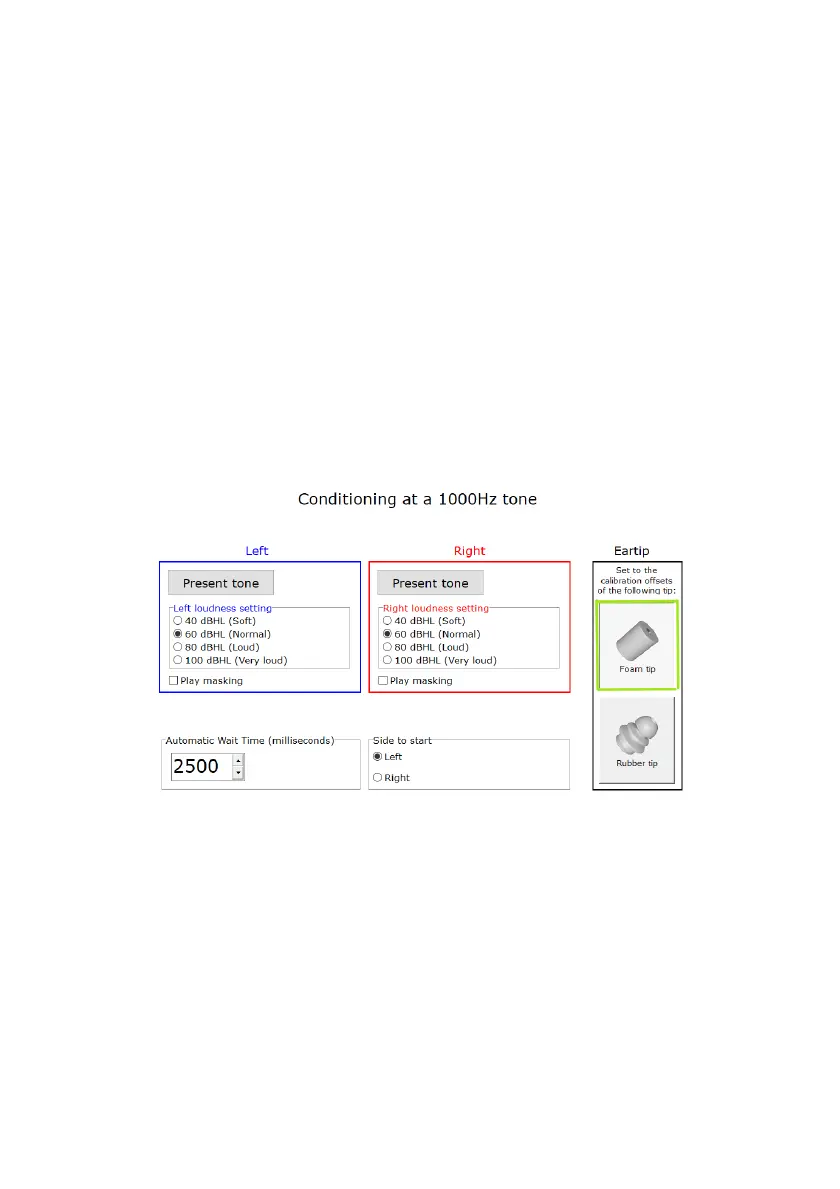
Below is the conditioning page. First select the correct eartip which is currently being used (foam or
rubber). If silicone (rubber) eartips are being used, you will need to do a Seal Check before presenting a
tone.
Present a tone to the patient on this page at either, 40, 60, 80 or 100 dBHL at 1kHz, and assess if they
respond by pressing the response button well within the waiting time. Automatically the wait time is set
to 2,5 seconds (2500 milliseconds). You can lengthen or shorten this time period. This is very important
for automatic testing, however during manual testing you can use your own discretion.
You can also show the patient how masking will work by checking the box and playing the masking sound
at this stage as well.
If the patient responds in good time, a green message will appear and you can proceed to the test. If the
patient does not respond in time, a pop up message will say: “Button not pressed in time”. Explain the
testing procedure again, e.g. “When you hear the sound, quickly press the response button and release.”
If the patient was too slow in pressing the button, a pop up message will say: “Pressed a bit too slow for
automatic wait time”.
Manual Mode: (Foam Eartips)
Manual Mode: (Silicone Eartips)



 To Next Page