eMKW-TD0054-21- Page 57
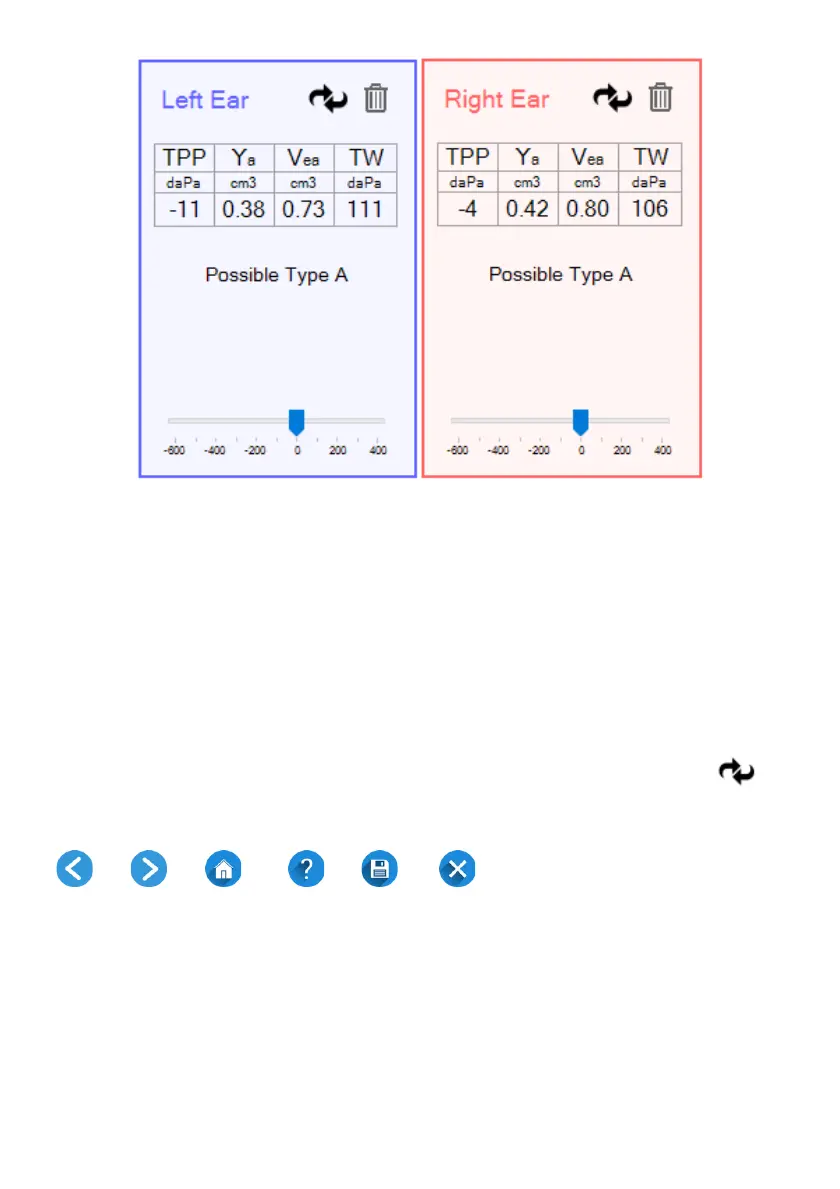
● Vea (cm³)
the equivalent volume of the ear canal
● TW (daPa)
the tympanogram width
● Peak (daPa)
the pressure at which the peak occurred
(also called tympanometric peak pressure)
● Peak (mmho)
the peak compliance
● Type suggestion
the suggested classification of the tympanogram as
a whole
(note that this is just a suggestion, not a diagnosis)
Several tympanograms may be overlaid by turning on Hold Plots in the user preferences at the start page
or by pressing the hot key “H”. This can be used for Eustachian Tube Function or for checking test-retest
reliability. Increasingly fainter shades of blue or red are used to differentiate between the tympanograms.
The metrics shown at the side are for the top-most tympanogram in the brightest colour.
Tympanograms can be cycled to the top using the cycle button to view their metrics. The
delete button deletes the top-most tympanogram.
Page Navigation and Help
Back Next Home Help Save Exit
● To create a report from the current data, click on the Save button.
● To exit the tympanometry software, click on the Exit button.



 To Next Page