eMKW-TD0054-21- Page 58
Acoustic Reflex Test
Move to the Reflex Start Page
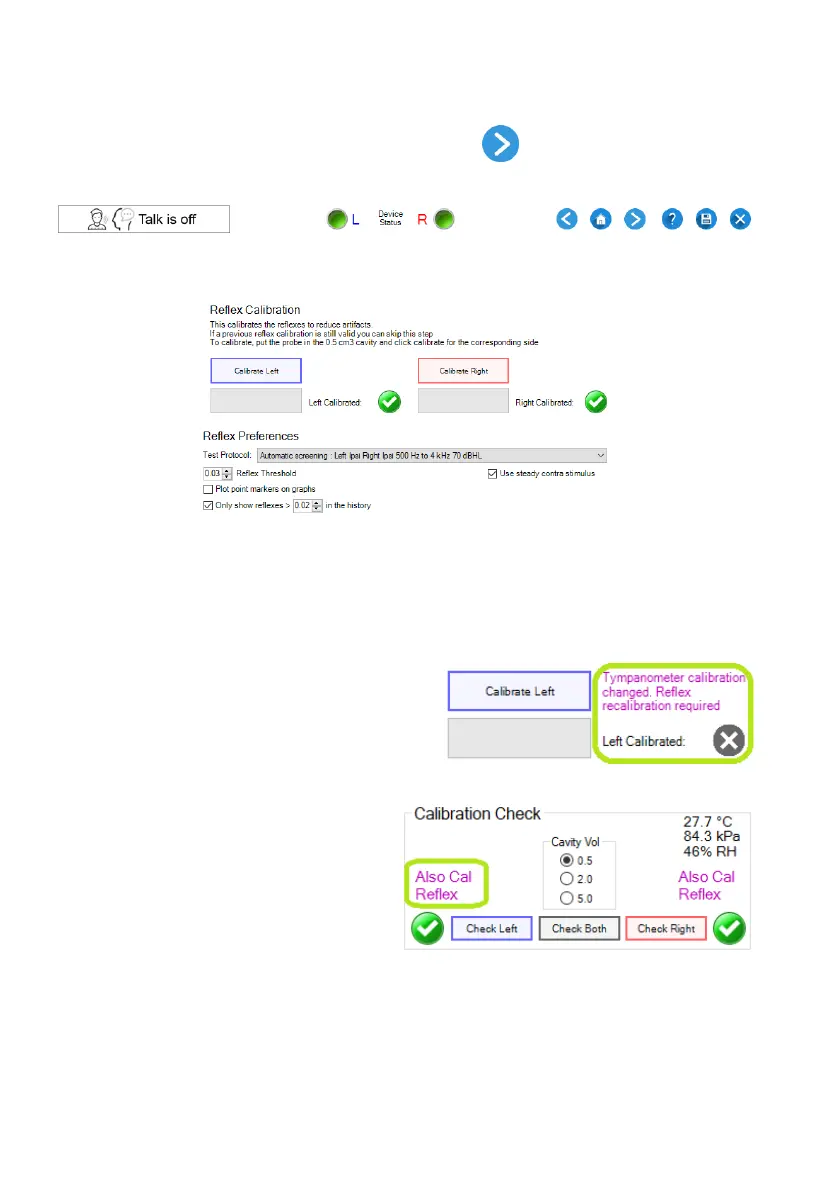
To move on to the reflex start page, click on the Next button from the tympanogram page.
This opens the reflex calibration page where the reflexes can be calibrated to remove artefacts and reflex
test preferences can be selected:
Reflex Calibration
To calibrate, put the left probe in the 0.5 cm
3
cavity and click “Calibrate Left”. When it has completed,
repeat for the right side. The reflex calibration only needs to be repeated if the tympanometer calibration
has changed significantly.
If reflex calibration is needed it will be indicated by a
grey cross and purple message next to the calibrate
button. These calibration messages could also
indicate that the probe was not inserted properly or
inserted differently when calibrating the tymp or
reflexes.
When reflex recalibration is needed it will also
be indicated on the start page. This is so that
you can see in advance that reflexes will need
calibration so that you do not arrive at the
reflex test with the KUDUwave on the
patient's head before realising that reflexes
need calibration.
Reflex Test Selection
A test protocol can be selected from the “Test Protocol” drop down menu.



 To Next Page